When using Video Simpler in slice mode, looks like it doesn’t play the correct frames.
Here is a stripped down example using a 3 frames movie.
video simpler frames issue Project.zip (209.0 KB)
Video simpler is configured to play from frame 1 to frame 3, with 3 slices.
The playback mode is « freeze »
Doc says :
« When set to Freeze and a MIDI note is received the video will play for the length of the slice and then freeze on the last frame of the slice until the MIDI note is released. »
Looks like there’s a ‘scale’ issue here:
MIDI_note 36 (C1) plays frame 1
MIDI_note 37 (C#1) plays frame 2
MIDI_note 38 (D1) plays frame 2
3rd MIDI note should play the 3rd frame, isn’t it ?
If I extend the experience with a 5 or 8 frames movie, the issue is the same:
frame 2 is played twice
With a 12 frames movie, notes from 1 to 12 play the frames:
1 2 2 4 4 6 6 8 9 10 11 12
Is it a bug ? or am I missing something here ?
My goal here is to play a bunch of still images, and I’d like to avoid creating a Video Simpler per image…
So I created a single .mov file (with Quicktime) that contains all my images.
FWIW : looks like it depends of the codec & framerate.
a video file compressed with photojpeg at 1 fps : no issue
The same file, recompressed in H264 : skip frames
photojpeg @ 24 fps : also skip frames…
So : looks like the workaround for now is to use a very low framerate (1 fps seems OK), and a codec that compress each frame individually (photojpeg works fine)
It seems that if regions is set to the number of images in the video (n) minus 1 then images 1 to n-2 are played correctly.
So in the 12 frames video set regions to 11 and then 1 to 10 are played correctly.
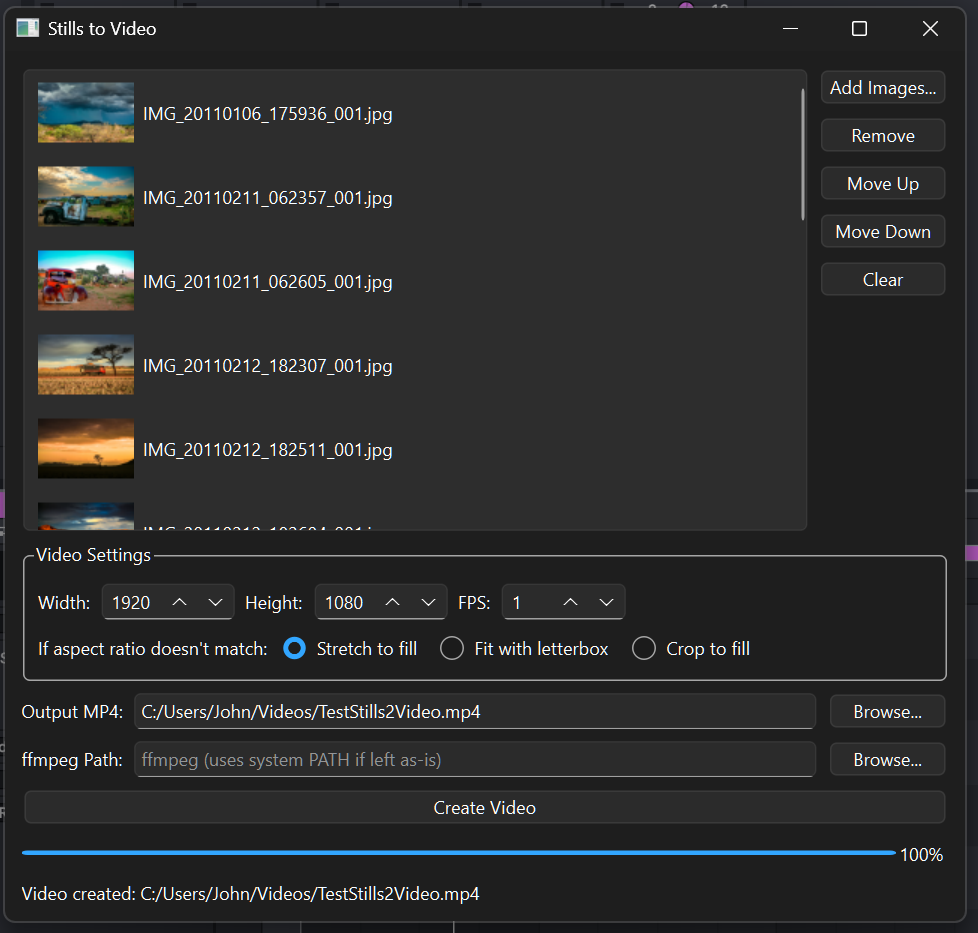
I had Claude.AI create a Stills2Video app that can create a video from stills with 1 fps.
You need Qt creator 6 to compile it (on Windows or Mac) and FFMpeg installed to create the video.
If you run Windows I can give you a executable.
Your method of selecting images works fine with the output in 1 fps from this app.
That’s a very capable converter.
I didn’t know of it’s existence.
Though a bit complicated.
That Claude.AI Still2Video app is super easy to use and dedicated to this one task creating 1 fps = 1 image/s videos from images.
Btw, if Jean-Paul is listening, can the regions count in Video Simpler be increased to 128 (maximum MIDI note count). Probably a problem that it has to start at C-1 instead of C1.
When we made Video Simpler, we decided to make it a mirror of the regular Simpler in every way possible. The regular Simpler also has a limit of 64 regions with the start note being fixed to C1. For this reason we will not change this.
Another reason to not do this is that adjusting a Max for Live’s parameter range will break backward compatiblity. This would mean that if you replace older Video Simplers in your existing Live Sets with the newer one, the chosen value for Regions will be reset and the automation envelope is lost.
Having said that, considering it’s a Max for Live device, you can always open it up yourself and adjust the parameter range. It won’t be possible to adjust the start note, but you could at least increase the amount of regions to 92 (C1 up to G8). As far as I know, Videosync’s engine should accommodate this.
Just be aware that this will require making your own copy of Video Simpler, which from that point will not receive any feature updates or bug fixes.
All good.
To increase image count I put multiple Video Simplers in a rack, and automate the chain selection.
See sample with each chain containing a video with 24 images (because of the maximum 24 chances ) and randomize the chain speaker on with an LFO.