Hi,
Really enjoying Videosync. I am building a live show which will display synced animations on a pair of custom built LED matrixes.
I have hit a hitch though, and wondered if anyone might be able to help:
I’ve noticed that video is lagging ~100ms behind audio in the main Videosync window (before it even makes it out to a screen).
For general live visuals, it’s an easy fix to set the Properties>Video Delay to approx -100ms.
However, in my case, I’m aiming to get the lag to an imperceptible minimum without using delay compensation. This is so that I can trigger one-shot samples and video clips together (e.g I fire a one bar drum fill in Ableton, and a corresponding video clip fires simultaneously).
I’d be very grateful if anyone could point me in the direction of a fix!
–
Some nitty gritty:
-
Lag is consistent at 100-150ms
-
The video is lagging behind its own audio, (i.e. the issue is not a misalignment of a separate audio file)
The issue is the same on:
- Macbook Air (13-inch, 2017) 2.2Ghz Duel-Core Intel Core i7 - 8GB 1600Mhz DDR3
Graphics: Intel HD Graphics 6000 1536 MB. OS12.6.1
and
- MacBook Pro (14-inch, 2021) M1 Pro, 16GB OS12.6.2
Versions:
-
Videosync 2.0.14
-
Ableton 11.3.42
Tested files are:
-
MPEG4 H264 AAC 1920x1080
-
MPEG4 H264 AAC 640x480
Screen recordings:
- Playback in Quicktime (no lag)
- Playback in Videosync (lag, then corrected with Properties>Video Delay)
Thank you!
Hey Jake, welcome to the forum!
I’m curious if this is something you’ve specifically experienced and concluded using this one particular YouTube video, or with other material as well. I’m not sure if downloading a video from YouTube - or the conversion thereof by any third party website or application - is a guarantee that the audio/video sync remains intact. After downloading the video myself, I dragged the video in Davinci Resolve and noticed that there is in fact a delay between audio and video in the downloaded file. Maybe this delay gets worse depending on the platform used to download the video off of YouTube.
I recommend checking out this article and downloading some of the accompanying videos to do further testing.
With that being said, if you want to trigger audio and video at the same time using MIDI, and timing is of absolute importance, especially with shorter video clips, then I would recommend using Simpler in combination with Video Simpler instead.
For queued video playback, using clips on audio tracks should work just fine.
Hi Jean-Paul,
Thanks for the welcome, and thanks for your reply!
Yes, this was something I noticed with my own content, and I used a download of that YouTube video just because it seemed to demonstrate the issue very clearly.
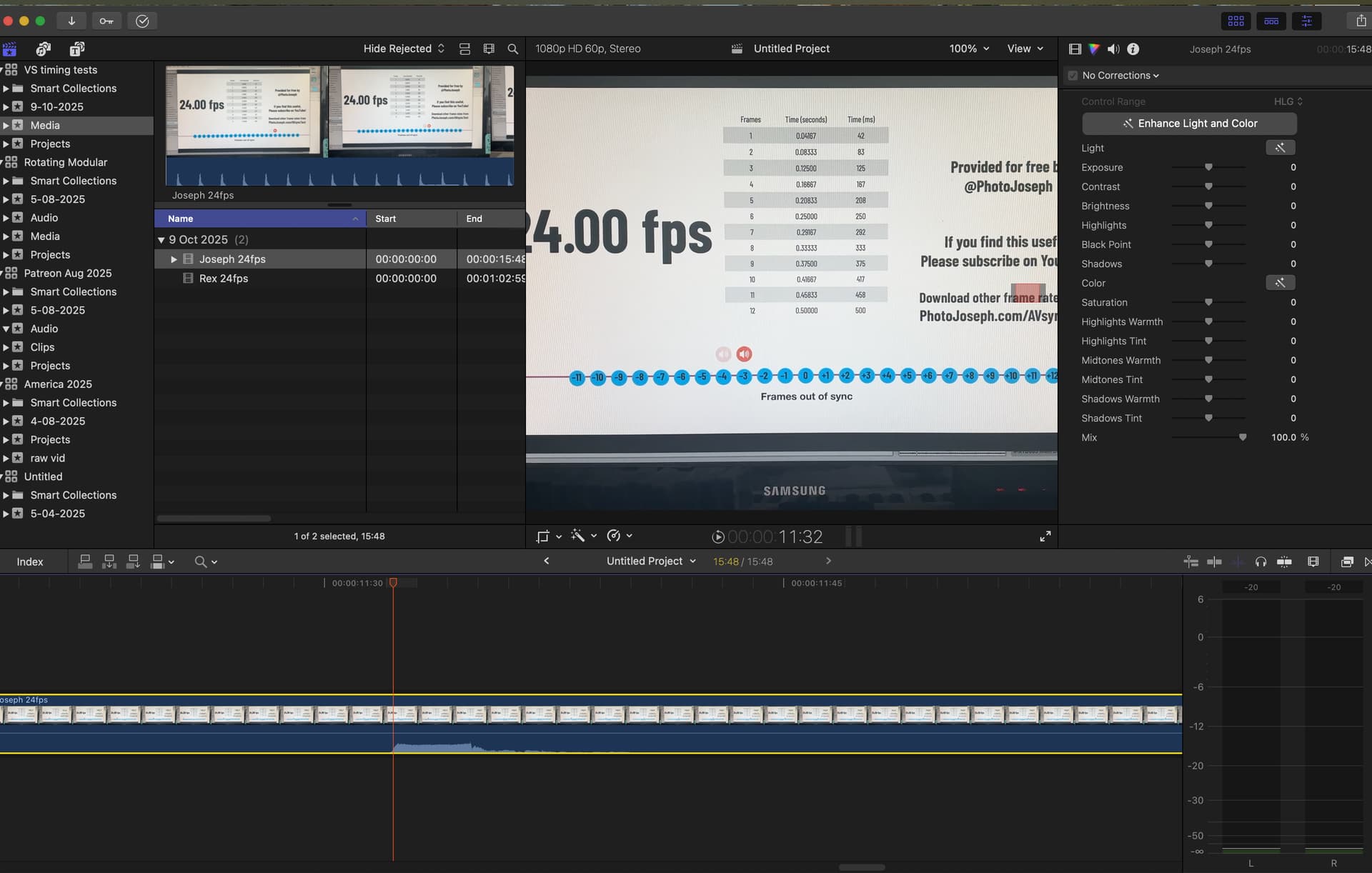
Thank you for the article, I found that interesting, and downloaded the 24fps example to do some testing. Again I found a delay between audio and video of 125-150ms (screenshot attached).
I would be curious and grateful to know if you have any other ideas. Having said that, your suggestion to use Videosimpler for the one-shots and moments where MIDI and video need to be locked tight is super, thank you! I’m so new to Videosync that this hadn’t occurred to me. That seems to work really well.
Thanks again for taking the time!