i struggle with the 6 an 19 channel mode for my varytecs…on 6 channel mode, I have to push strobe to full to get the light stay on… don’t know how to fix it
I need the 19 channel mode..dont know what I do wrong..
thx for helping me out again!, ( im new to colo0r wheels and moving heads..)
I have to push strobe to full to get the light stay on…
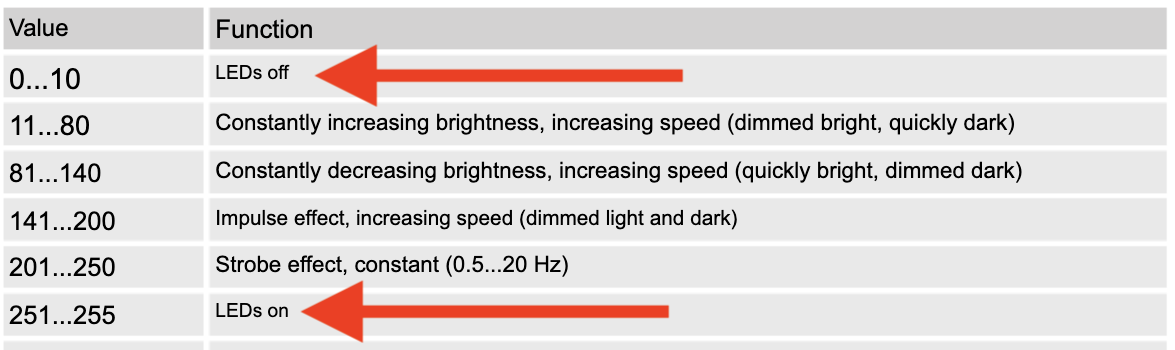
That’s a common thing with moving heads. Such fixtures usually have a so-called Shutter/Strobe channel, which combines both shutter and strobing functions and needs to be in an Open / Off position in order for the fixture to light up. This is often at maximum DMX value 255, while the DMX value of 0 results in the light being Off:
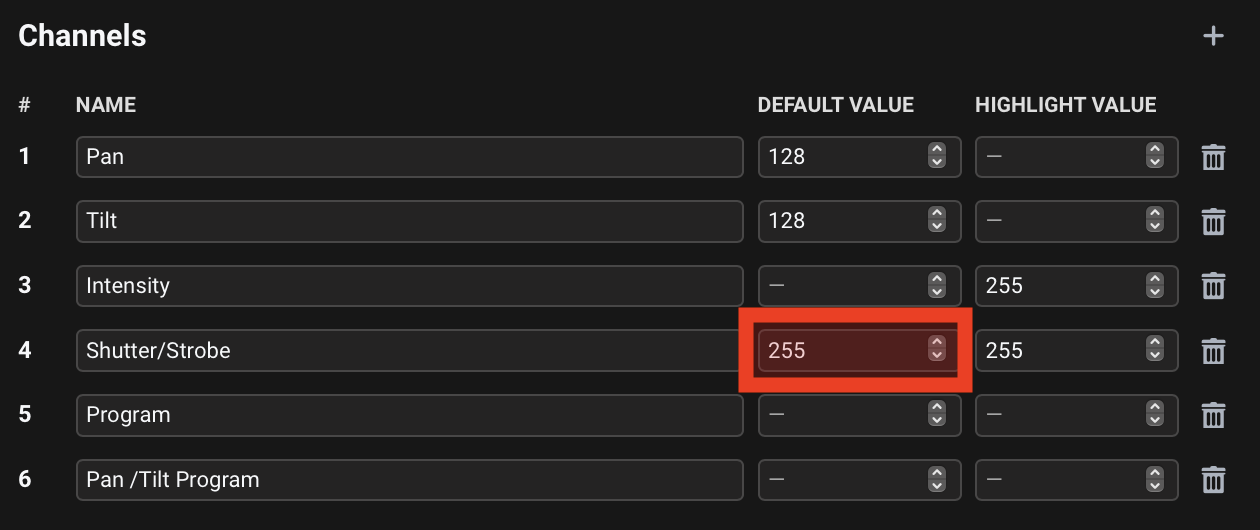
While setting the shutterstrobe modulation to 1. opens the shutter, I recommend just setting the Default Value for such a channel to 255 in the fixture profile - this way the (in this case virtual) shutter of the fixture will already be open by default without having to use shutterstrobe at all, and you can just directly control intensity.
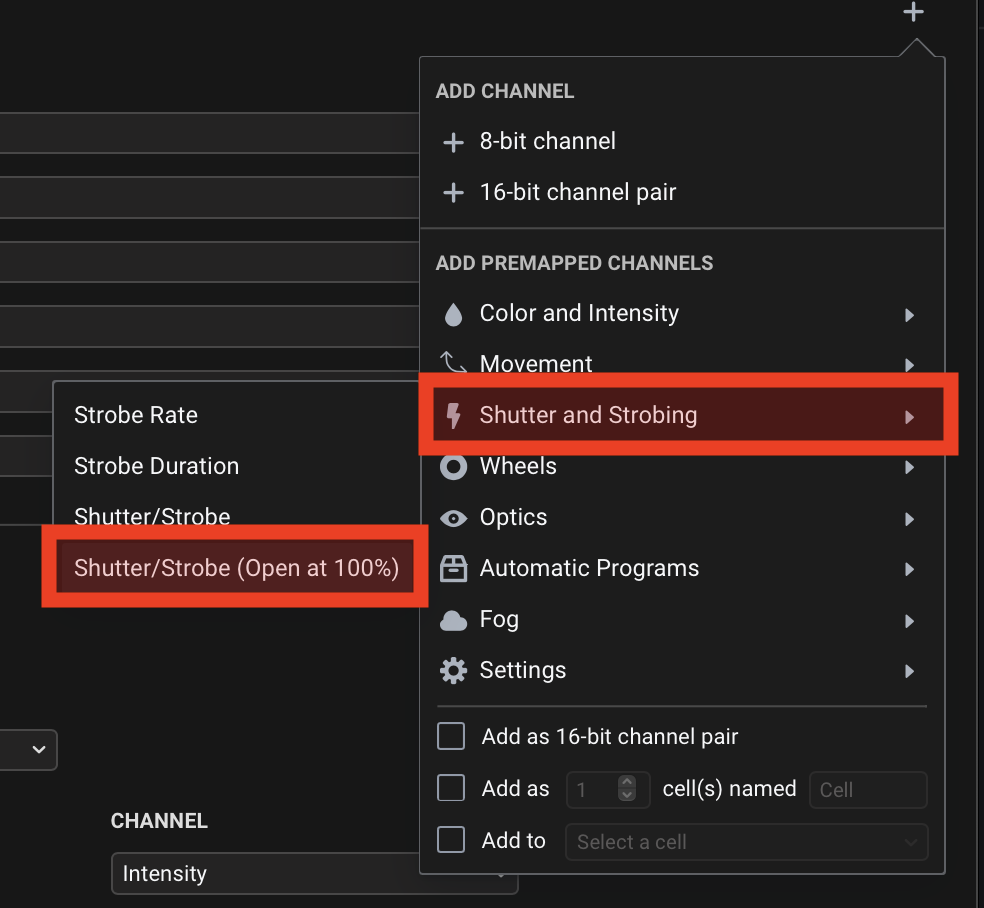
Considering this is a common situation, the Fixture Editor also already has a preset for this - Add Premapped Channels > Shutter and Strobing > Shutter/Strobe (Open at 100%):
Hey Reinhard, thanks for bringing this up. I was able to verify this and indeed, the two channels are inverted. You can download a corrected profile here: Varytec Hero Beam 100.sbf (4.9 KB)
I have also updated the file in @Luka’s original reply to avoid any confusion.
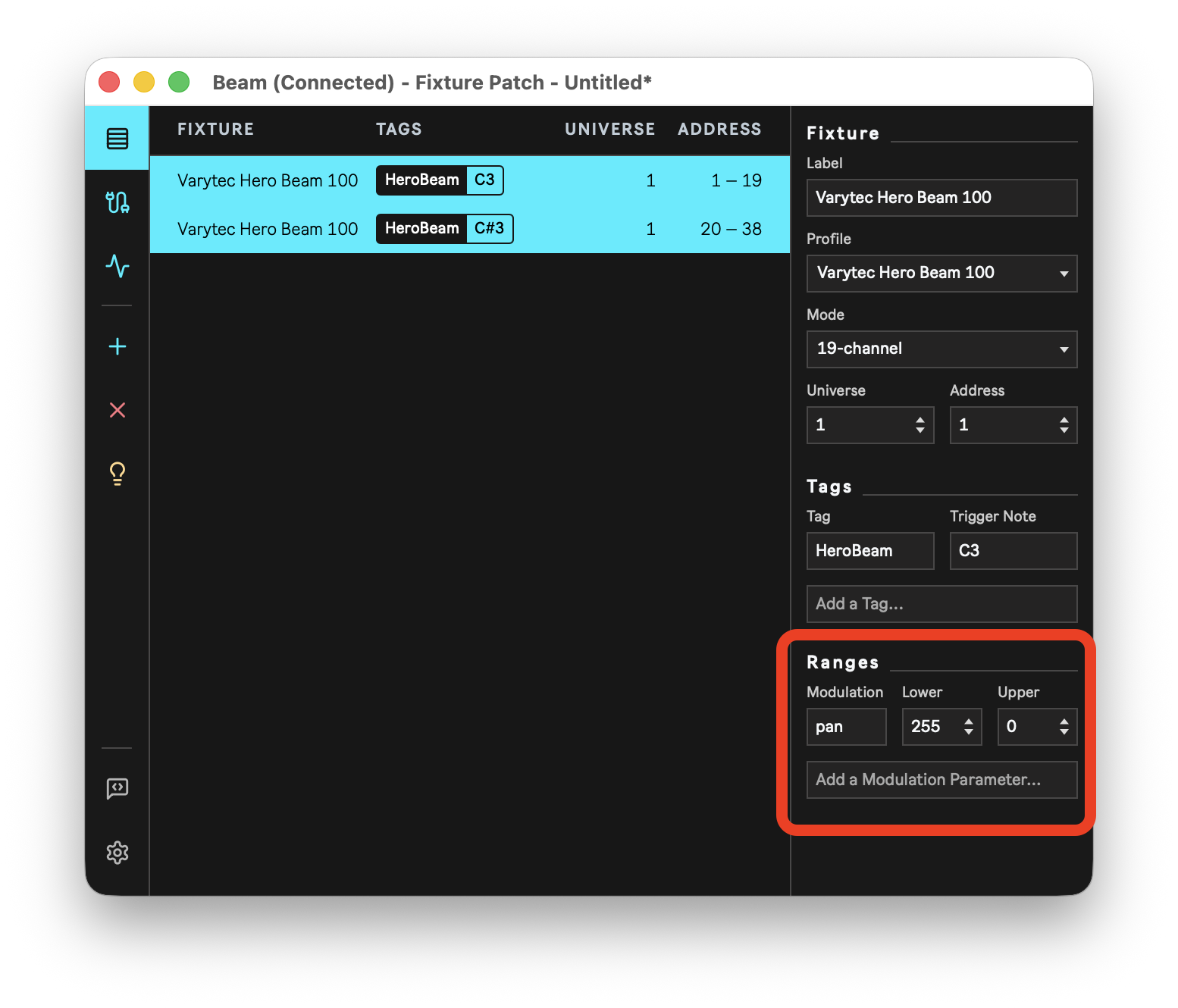
In Beam’s Fixture Patch. This applies the inversion to the fixtures directly and this can’t be automated or changed from Live. Select both fixtures in the patch, add the pan modulation to the Ranges section and invert the Lower/Upper values:
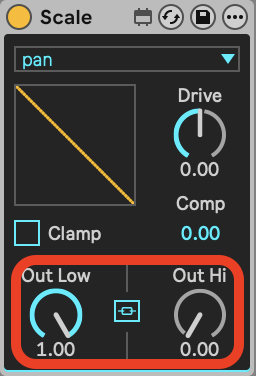
Using the Scale effect. For this you will need a Tag that contains only the two fixtures you want to invert the panning of. Select the tag in an instrument, and then add a Scale effect after it. Select pan from the modulation list and invert the Out Low and Out Hi values:
Hey Reinhard, it seems channel 4 and 5 were also inverted. Not sure what went wrong there, but here is the fixed profile: Varytec Hero Beam 100.sbf (4.9 KB)
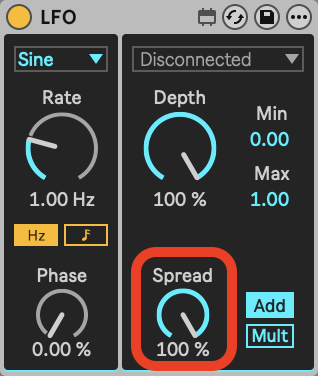
if I make a group, put two varytec beam 100 in it, then add a lfo to that group which should modulate pan for example..now I want that the second varytec beam 100 to move on an inverted pan …I have tryd your example to add a scale effect, choose the tag pan ( which I have programed like you mentioned ) in one of the beams and inverted the low high settings