Is there info on, or how to use RGBA values in a M4L interface made with the plugin SDK, instead of using the colorpicker?
The beat flash sample uses a colorpicker to set the color, but a colorpicker can not be automated (as far as I know), so I want to set RGBA values, but have no idea how to do that.
Any help would be welcome.
The Beat Flash example indeed isn’t really a great example at how to do this specifically. Instead, I would recommend looking at the color picker bpatcher in a Videosync device like Keyer. There are a lot of small intricacies that come with patching this together, so that would be one of the better examples.
Regardless of the above, below is one of the simplest approaches, based on the Beat Flash patch:
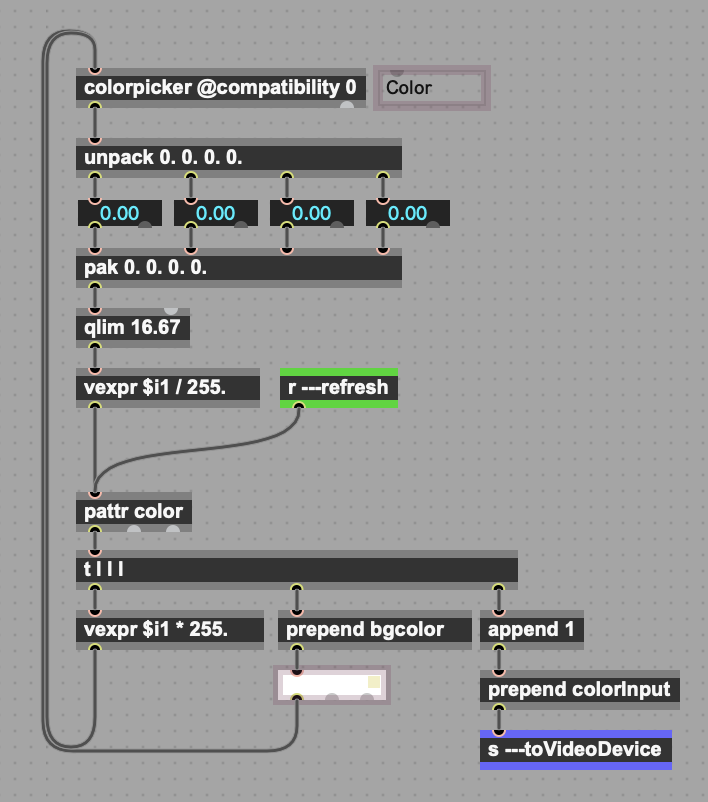
----------begin_max5_patcher----------
1532.3oc6YkzbaaCE9rzuBNb5oNxrXg.frm5zzK8VO0KYxnghB1FoTjrjPpN
MS9uWrPZQZwMaAkCMwaTDKuM7gG9dved8J+cEOwq889Yu26sZ0mWuZkoIcCq
Zdek+gjmRyRpMCyOm+OE69n+FaWR9SRSy+cl3fGjFPYscke7fHOiKMSCctwh
ix1VgMsVlHSeTj+v1JdpzZLDDK.rQIQh9Aw7BBD.79PybD6M5UYK2gCa0oU1
xOUxsRw226C5d9x505+r457wxj+xCD77OC5nguUGESr9KdROE6XOMSbhGnrU
8nZj7ojp7jC7W186weXPGFNnCiF2goLnwSg.8ivPyKjQ7Wz396FO+6yJRTRs
chYo6SKxJprivHdPPLt2WJcYTXG8kTVxSpRxS4cW.KUMcfK4Ua44I6x3c805
jS78aSjxJwtiR94OU2Dpah08MoUc5XkO+oxJdcsnH23sxG4G3lgFnC5aUSba
ZQtrpHa68OrMIS5amoZssQ1mRxNxKt+RQe1zyJxeX5EydC+Pwd0OlQiGn65G
KpjCItgjU6REXf9NlKj0xO0DTa8q0meb6PwHWghQ3EihQzuihuInXz2pnXni
PwDFY4n3umK91fhgeihhcDDtg+zhfvfuCguEP3+OgeGg6+w7xjz4o+OL7MbV
3aDXAr+gfnQwuVr6lw+fKKDp16t6tSV7mh87heieRnf5KOX.FOXvPwZ+Gyn5
GwzIKE54BM6sIMDn9hRnnPFDGuw1BDfhgXLKlRMMEGGQHwXBggILVby9W2Ee
pzwmJ98pcjONXjA7ZqRjZiLvXa4vwSEYPjoJRbnflIyVTHFhYHRXL.FSg5l.
TDKj.hi.3XDj573jNUY9dO3q.8.mG8.M3FBZxsRraQgzoEGNvykW3muyDras
bEpPMnDoJWcGqOzlA.Z7Ah8XrnNF+fwFsF93wZo3dQpQf81f0QQuosiTVj4L
U5HlTm3I02cnhS5yx79AAz6G8PDRfaPGMIZaPGwgStChcSuPot7gR6BM5bSS
JJ.d85aAdOdVuGYuHMRzj6MltbUyuOOOK2E0zTpZBhKB0ozhjLqXZoL0i2zj
Tj5QrPk0nsav5tbXdEDoV.YmEXxCL7Ar89i5jnVLw.5QwpK.XLxUfYIWMpTZ
WXw2LVSRuL82tECGY4EnfuLTXXTTLCSgLBIbBxBKAQ6vKJthaNXyD4+87xiR
2dBmMiLD.lZa7WqKEuwW28vqMc0jzch5lrdxa+G5ZGU6ZpjFR0olskzkmWb9
bT+2kITkBHeTT6ojjmrvK8whhZtWhcEOXnD8FN.d+54xdmlG.tKO.xR3ATbh
W0iUGVykSSiCa3vY9Dy1V25UGilv8pxEqE+qMSkdcXpsqOCG9CcnoOemwWd6
wrXjZ1Iyt0Uj2oncSjvtL0NwVj4kIx6GHrSsWHzP7EYXGaHAaJdPyGNzPO9b
Lbfit.Oq9WHTU4MphSLKGZN2FQE12TV9AYcbtIuPfKJ2umY85l5KBTugI2Ep
tro67ilNyx7mbOKyl5zhmrFDL8qSFZSjtTsujW48KpRTTlsXmHSH+jGvo2AW
n8xjsOFka83oqyD0lKrXWR9C8i.FAo5O+k+upMFit89gk5hiUoshskQu2Y6Y
OWUyT9yo7d+YSqyfNH1WVnRtznRBlFPTIshBCBAgH..fQXBNDn1JSfn.HKFQ
vQ.HCnR3heMiTE9hILRbDCRAH.IRkNnQcW10HPikFIHWcffhY1.gM6MTyCCE
qyjorOZHcl9Pz.LAQiBigD.kvzs05rWz0U5ruvQF1aMWqlG3JUEdIpRuk+50
DdIZJzEZBsDMoMG70tPQWplPWqlVrOAuVMAVplt10IKBFOmpPNSUn4RfPclp
fyoJ24UylVD3.UsnzDLWr4cIaofNIgzRhcLGon4fdPWon4.dPWjgEQ9ZsHAW
BCHW3RvEkJ2EJZIakHWnHKWxjxRUQHs0YXzghL8GskjDsw7pH29J07ZEWe0c
1wSLsjToHBKUrfOVYqw+Ipkbqu9x4pxOJZ9eRZp9w2PTWee.0kIVGwvme8WV
+eTUtNaM
-----------end_max5_patcher-----------
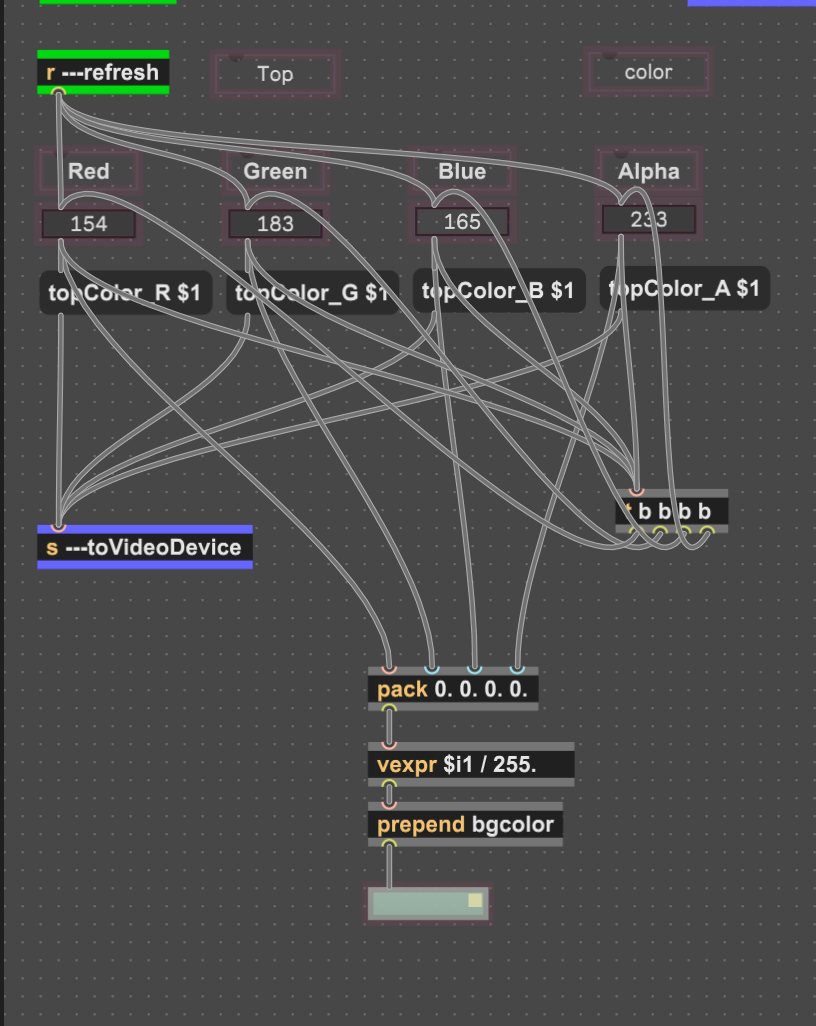
Thanks for the reaction. Somehow I couldn’t make your solution work, but ..
I solved it like this, with the RGBA values separate in the ISF Shader.
As used in this shader:
/*{
    "DESCRIPTION": "Draws a 3-faced parallelogram shape (top face ABCD, front face ABEF, right or left side face depending on angle sign). All sizes in pixels.",
    "CREDIT": "Custom ISF Shader",
    "ISFVSN": "2",
    "CATEGORIES": ["Generator"],
    "INPUTS": [
        {
            "NAME": "topColor_R",
            "TYPE": "float",
            "DEFAULT": 255.0,
            "MIN": 0.0,
            "MAX": 255.0
        },
        {
            "NAME": "topColor_G",
            "TYPE": "float",
            "DEFAULT": 255.0,
            "MIN": 0.0,
            "MAX": 255.0
        },
        {
            "NAME": "topColor_B",
            "TYPE": "float",
            "DEFAULT": 255.0,
            "MIN": 0.0,
            "MAX": 255.0
        },
        {
            "NAME": "topColor_A",
            "TYPE": "float",
            "DEFAULT": 255.0,
            "MIN": 0.0,
            "MAX": 255.0
        },
        {
            "NAME": "sideColor_R",
            "TYPE": "float",
            "DEFAULT": 127.0,
            "MIN" : 0.0,
            "MAX" : 255.0
        },
        {
            "NAME": "sideColor_G",
            "TYPE": "float",
            "DEFAULT": 127.0,
            "MIN" : 0.0,
            "MAX" : 255.0
        },
        {
            "NAME": "sideColor_B",
            "TYPE": "float",
            "DEFAULT": 127.0,
            "MIN" : 0.0,
            "MAX" : 255.0
        },
        {
            "NAME": "sideColor_A",
            "TYPE": "float",
            "DEFAULT": 127.0,
            "MIN" : 0.0,
            "MAX" : 255.0
        },
        {
            "NAME": "width",
            "TYPE": "float",
            "DEFAULT": 500.0,
            "MIN": 1.0,
            "MAX": 3840.0
        },
        {
            "NAME": "height",
            "TYPE": "float",
            "DEFAULT": 200.0,
            "MIN": 1.0,
            "MAX": 2160.0
        },
        {
            "NAME": "angleDeg",
            "TYPE": "float",
            "DEFAULT": 30.0,
            "MIN": -45.0,
            "MAX": 45.0
        },
        {
            "NAME": "thickness",
            "TYPE": "float",
            "DEFAULT": 60.0,
            "MIN": 0.0,
            "MAX": 2160.0
        },
        {
            "NAME": "originX",
            "TYPE": "float",
            "DEFAULT": 200.0,
            "MIN": -3840.0,
            "MAX": 7680.0
        },
        {
            "NAME": "originY",
            "TYPE": "float",
            "DEFAULT": 500.0,
            "MIN": -2160.0,
            "MAX": 4320.0
        }
    ]
}*/

float signCross(vec2 p, vec2 a, vec2 b)
{
    return (p.x - b.x) \* (a.y - b.y) - (a.x - b.x) \* (p.y - b.y);
}

bool inTriangle(vec2 p, vec2 v0, vec2 v1, vec2 v2)
{
    float d1 = signCross(p, v0, v1);
    float d2 = signCross(p, v1, v2);
    float d3 = signCross(p, v2, v0);
    bool hasNeg = (d1 < 0.0) || (d2 < 0.0) || (d3 < 0.0);
    bool hasPos = (d1 > 0.0) || (d2 > 0.0) || (d3 > 0.0);
    return !(hasNeg && hasPos);
}

bool inQuad(vec2 p, vec2 v0, vec2 v1, vec2 v2, vec2 v3)
{
    return inTriangle(p, v0, v1, v2) || inTriangle(p, v0, v2, v3);
}

void main()
{
    vec2 px = isf_FragNormCoord \* RENDERSIZE;
    vec4 topColor = vec4(topColor_R / 255.,topColor_G/255.,topColor_B/255.,topColor_A/255. );
    vec4 sideColor = vec4(sideColor_R/255.,sideColor_G/255.,sideColor_B/255.,sideColor_A/255. );

    float angleRad = angleDeg \* 3.14159265 / 180.0;
    float skewX = tan(angleRad) \* height;

    // Top face vertices
    vec2 A = vec2(originX, originY);
    vec2 B = A + vec2(width, 0.0);
    vec2 D = A + vec2(skewX, height);
    vec2 C = D + vec2(width, 0.0);

    // Front face (ABEF) going down by thickness
    vec2 E = A - vec2(0.0, thickness);
    vec2 F = B - vec2(0.0, thickness);

    // Right side face: B, C, G, F
    vec2 G = C - vec2(0.0, thickness);

    // Left side face: D, A, E, H
    vec2 H = D - vec2(0.0, thickness);

    // --- Hit tests ---
    bool onTop   = inQuad(px, A, B, C, D);
    bool onFront = (thickness > 0.5) && inQuad(px, A, B, F, E);

    bool onSide  = false;
    if (thickness > 0.5)
    {
        if (angleDeg >= 0.0)
        {
            // Right side face: B, C, G, F
            onSide = inQuad(px, B, C, G, F);
        }
        else
        {
            // Left side face: D, A, E, H
            onSide = inQuad(px, D, A, E, H);
        }
    }
    // --- Composite (top draws over sides, transparent background) ---
    vec4 col = vec4(0.0, 0.0, 0.0, 0.0);

    if (onFront) col = sideColor;
    if (onSide)  col = sideColor;
    if (onTop)   col = topColor;

    gl_FragColor = col;
}
Oh, the forum does something weird with shader talk.
How to prevent this?
WIIM Parallelogram Pixels.zip (21.5 KB)
Here two ISF Shaders with plugin wrappers.
There’s only a problem with default values when a one of those m4l wrappers is loaded on a track. Some defaults are right, others go to 0.
Fixed problem with default values.
WIIM Parallelogram Pixels.zip (21.6 KB)
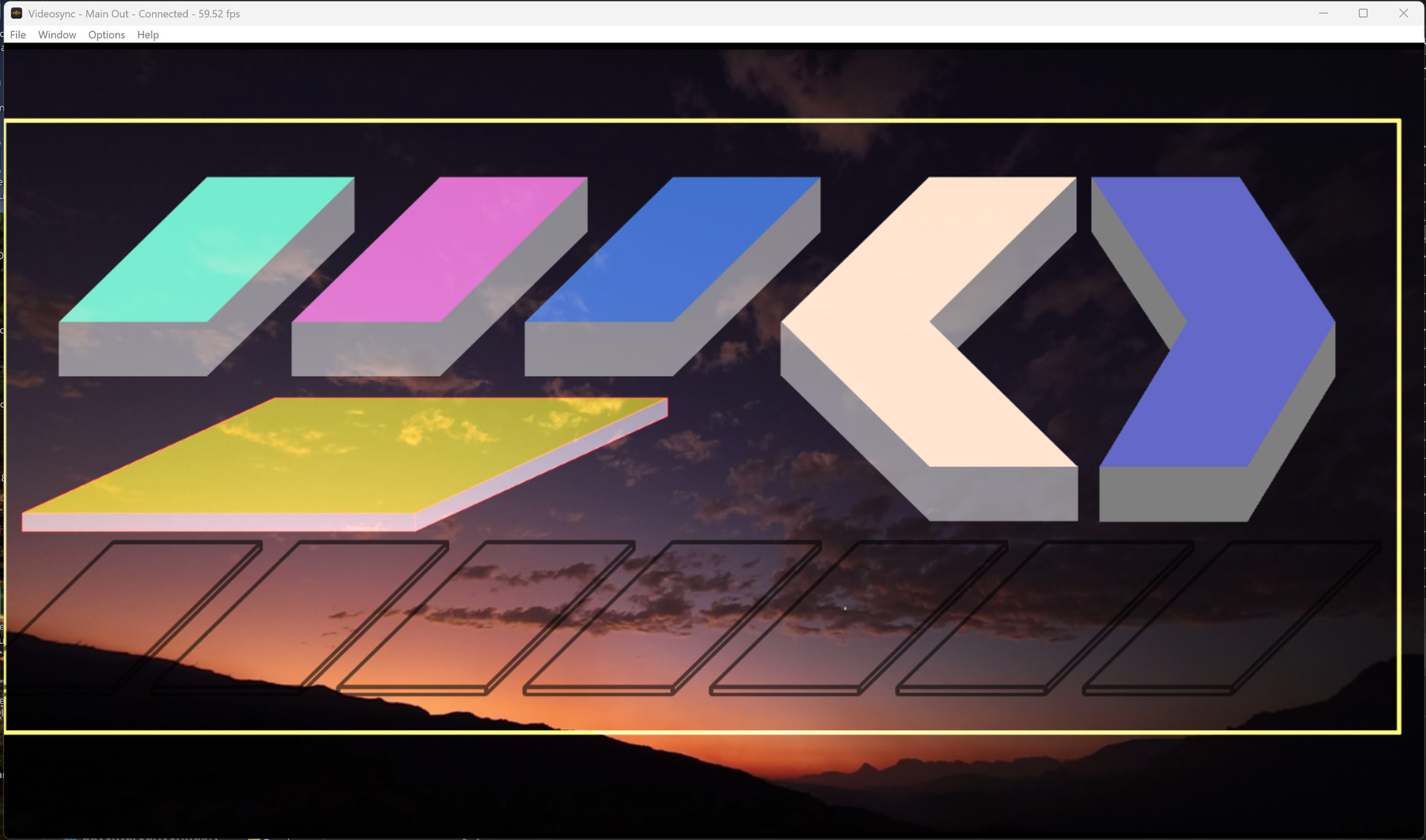
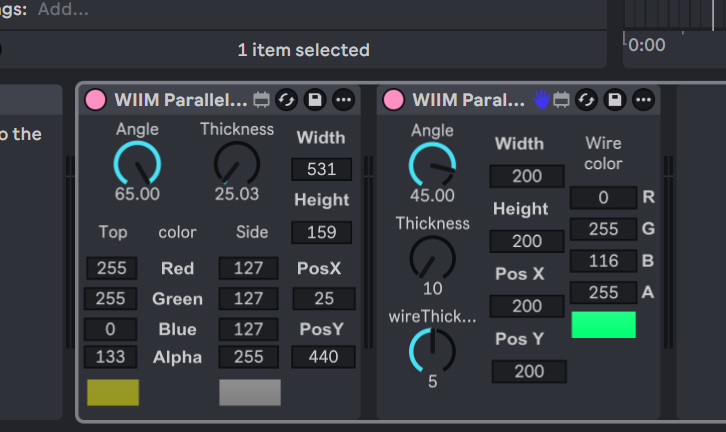
I’ve cleaned it up a bit for you  . You can create a code block by adding three backticks ( ``` ) before and after your code.
You don’t have to add this [t b b b] object as long as you use [pak] instead of [pack]. With [pack], the list fires only when the left most inlet/value is updated. With [pak] any input will output the entire list, making the [t b b b] unnecessary, and keeping your patch a lot cleaner .
Here the versions without the t b b b and pak instead of pack.
WIIM Parallelogram Pixels.zip (21.3 KB)
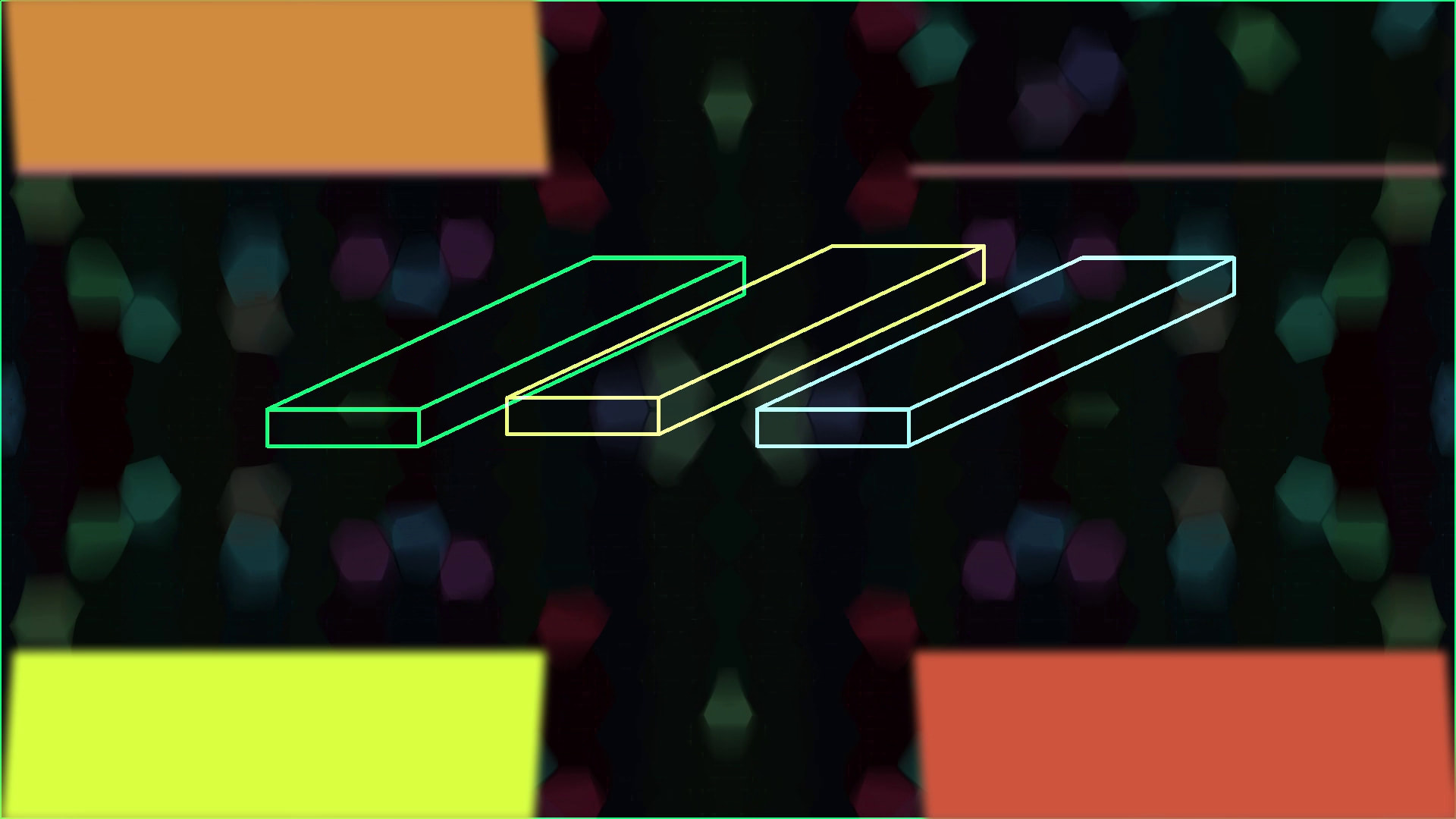
I made a new test project and recorded a short animation, see snapshot, the yellow bar is animated with an envelope follower. While the motion is fluent on screen, in the recording, by Video Recorder and by OBS, the movement is jerky. How come?
Here also the Live project file.
Thanks so much for the assistance.
Parralelogram Sample.als (241.8 KB)
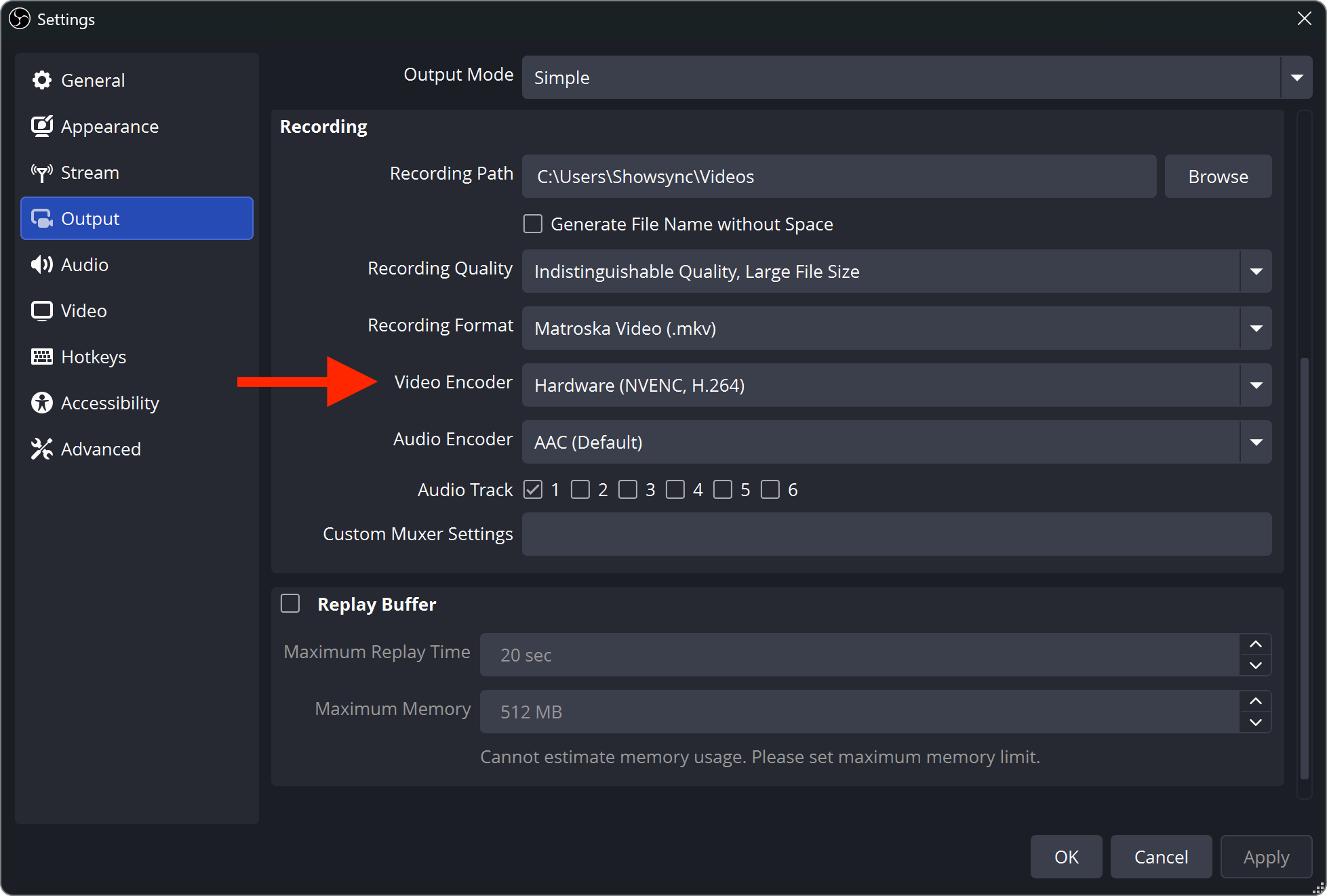
That is already set as shown.
Very strange, after I added an ISF Shader to the project, Video Recorder recorded smooth video.
If I then remove the track with the ISF Shader then the video recording is jerky again.
Here the Live project file with ISF Shader and the Shader
Parralelogram Sample.als (249.8 KB)
WIIM Parallelogram Pixels Fireframe.fs (3.9 KB)