Hi,
I am using the Rockville Motionstrip and while Beam has a fixture profile for it, there is only the 9 Channel profile. The Motionstrip also has a 38 Channel DMX Mode. Would be great if a profile for that could be created.
Thanks in advance!
Hi,
I am using the Rockville Motionstrip and while Beam has a fixture profile for it, there is only the 9 Channel profile. The Motionstrip also has a 38 Channel DMX Mode. Would be great if a profile for that could be created.
Thanks in advance!
Hi Rishab,
Since the release of the new Fixture Editor we no longer make fixture profiles on request. You can learn how to create your own fixture profiles (or open/edit existing ones to add new modes) with the help of the Fixture Editor manual.
If you have any questions or need help while creating a fixture profile, feel free to continue in this thread, or start a new one.
Hi Jean-Paul,
So I made a fixture profile for the MotionStrip. It mostly works. I got the panner to work and the dimmers also work but for some reason my Red is missing. Using the color wheel in Beam I noticed I am getting everything except red. I did follow the manual and matched up in the fixture editor for the 32 channels. I’ve attached my fixture here. Please let me know if you can see what I did wrong.
Rockville Motionstrip 9+32 Channel.sbf (11.0 KB)
This is the manual I am referencing: https://www.rockvilleaudio.com/content/Manuals/MotionStrip_Manual_OL.pdf?srsltid=AfmBOooxIT_7Gzz_TDG5Dkzz9O0ExwZFvaPsq1hlOSqd-HY7ItBPPmak
Hi @Jean-Paul ,
Just wondering if you have any suggestions for the issue I’m facing. Please let me know if you can help me with this.
Thanks!
Update:
So I managed to make the 38 channel fixture work. I think it was just a channel setting on the Motionstrip that was incorrect.
But I have another issue. When I play C3 it triggers the first LED. Subsequent LEDs are supposed to trigger on C#3, D3 etc. But they don’t work. They only work if I hold down C3. It seems like C3 is some kind of condition to trigger the other LEDs. This means that whenever I want to address LED number 8, I need to also light LED 1. One workaround was to have C3 playing along other notes but have it at a velocity of 1. But somehow that also affects the brightness of the other LED a little. So other LEDs are also slightly dimmer.
Any ideas what is going on?
Hey @Rishabhrajan,
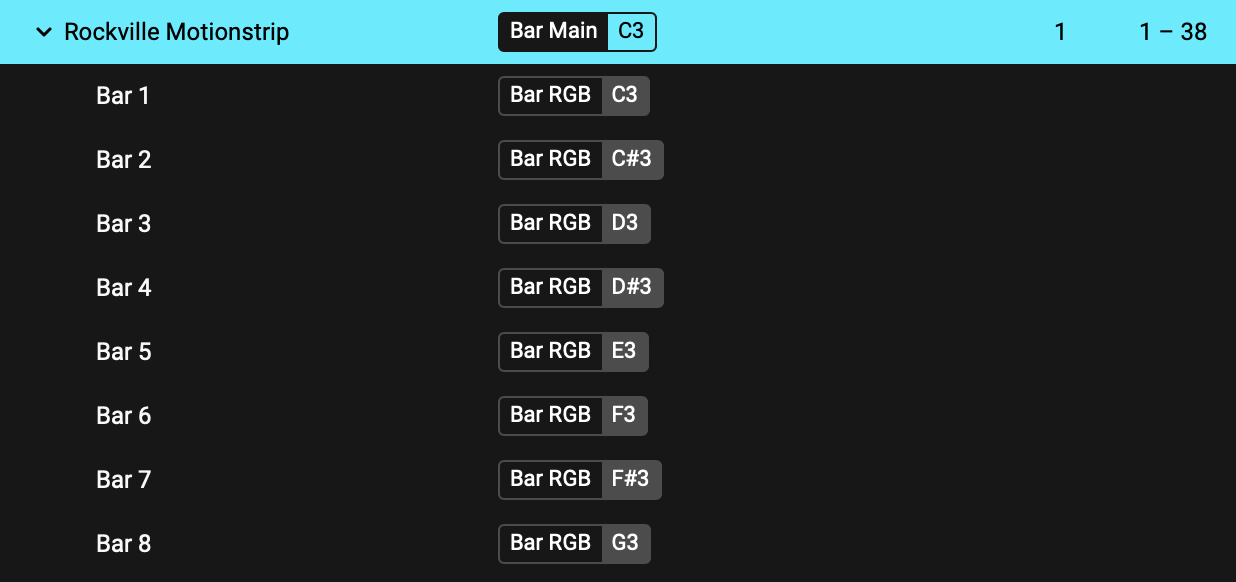
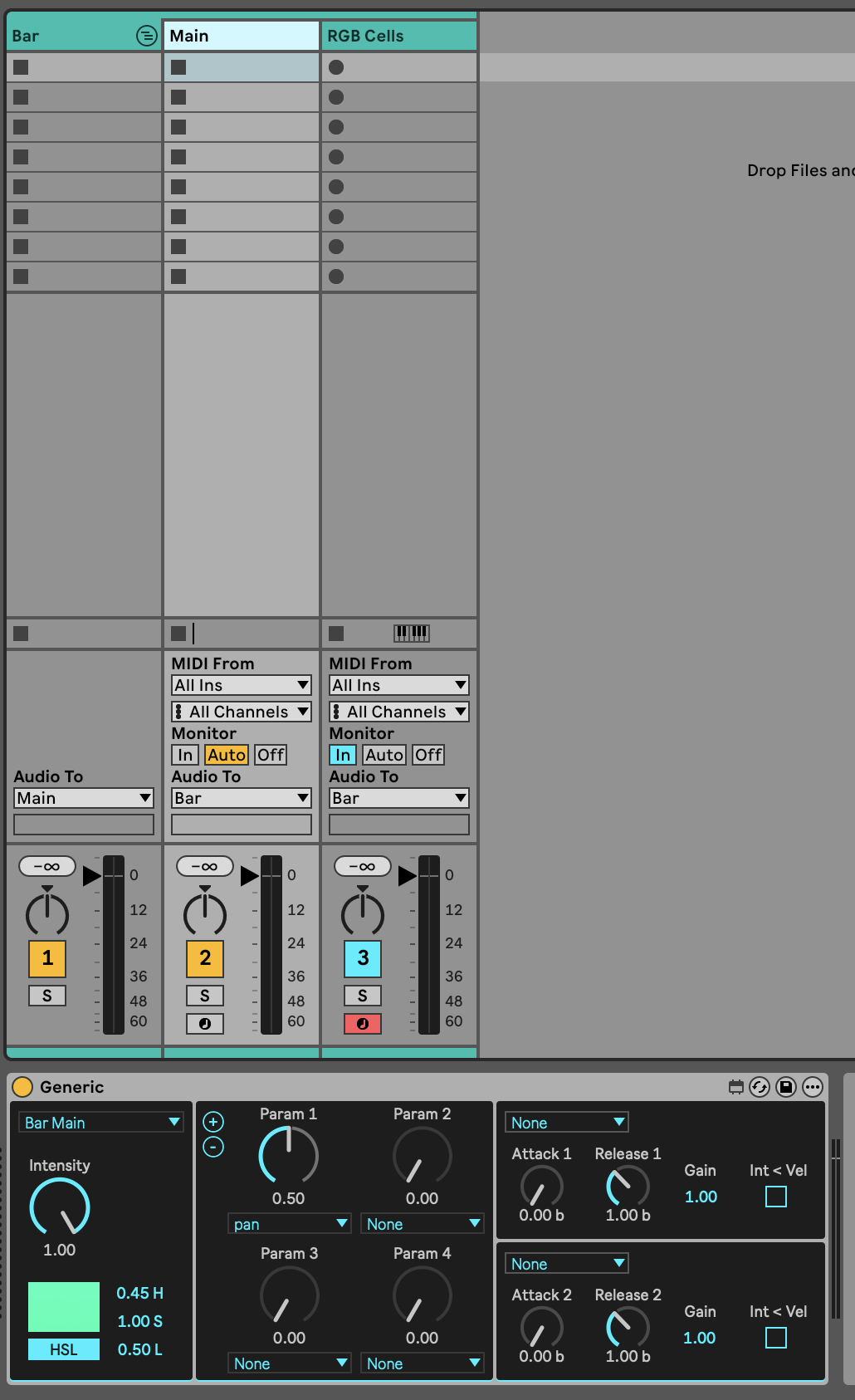
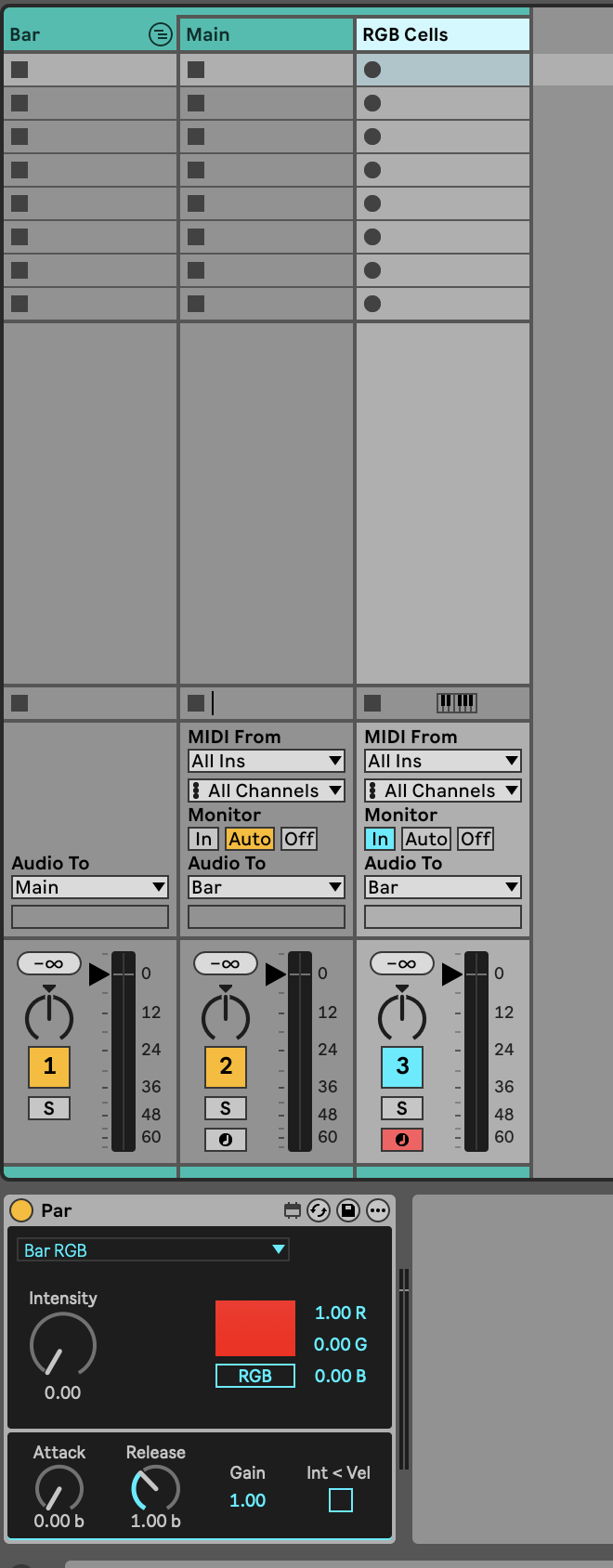
The fixture profile looks good, the issue you are describing is most likely due to how the fixture is tagged. To get full control of the fixture, assign separate tags to the fixture base section (e.g. Bar Main) and all the cells (e.g. Bar RGB). When you assign a tag to the fixture base, tags will automatically also be assigned to all the cells, so you should first remove that.
In Live, use a dedicated device for each of the two tags - one to control parameters that apply to the entire fixture, and one to control fixture cells/pixels. You can set the main intensity to always be at 100%.
You should now be able to address each of the 8 cells/pixels individually.
Let us know if you are still experiencing issues.
Hi @Luka Thanks for this! It addressed the issue.