Need help with a fixture file

Hy!

Please help me out! I use the beam fixture and the 10 channel mode for my cameo hydrabeam 4000 is working..

I cant figure out how 19 channel mode works..

Only one moving head is working with pan and tilt, no lights at all..

I have a gig on Friday so im a bit nervous🙈

Can someone create a working file?!

Would love you!!!


  • Manufacturer and model: cameo hydrabeam 4000
  • Fixture profile file:
  • Link to the DMX channel list:
  • Edition (Beam for Live / Beam for Max) and version: Beam for Live
  • DMX channel mode(s) you’ve tested:10 ch works, 19 channels dont work

Hi @Reinhard, welcome!

When asking for help in this section, please always attach your own fixture profile attempts.

You can create fixture profiles yourself using the Beam Fixture Editor. If you’re new to this, check out the manual.

If you get stuck, please share your fixture profile file (.sbf), a clear explanation of any issues you’re facing, what you’ve already tried, and any relevant screenshots. We will be glad to help you.

Hey @Reinhard,

The factory fixture library in Beam for Live 2.0.5 includes a fixture profile for the Cameo HydraBeam 4000 RGBW in 56-channel mode, have you already tried that?

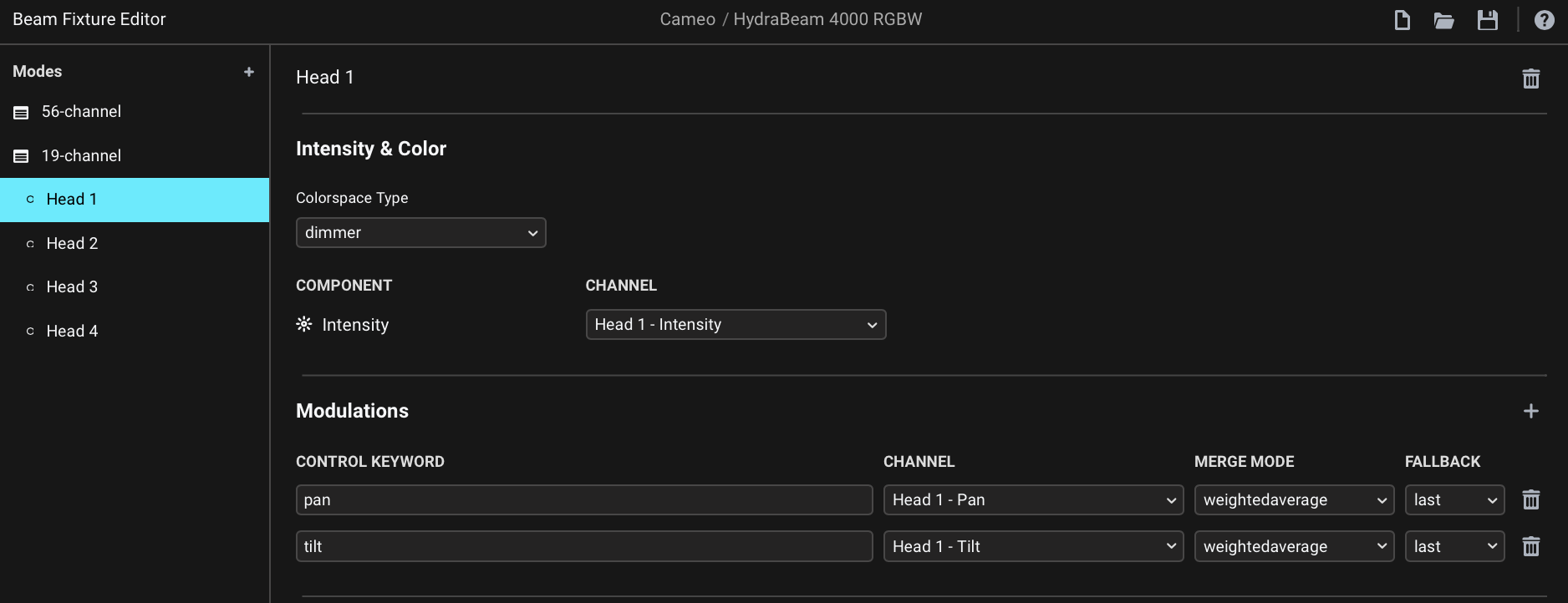
As far as the 19-channel goes, this is how you would approach making a fixture profile for it:
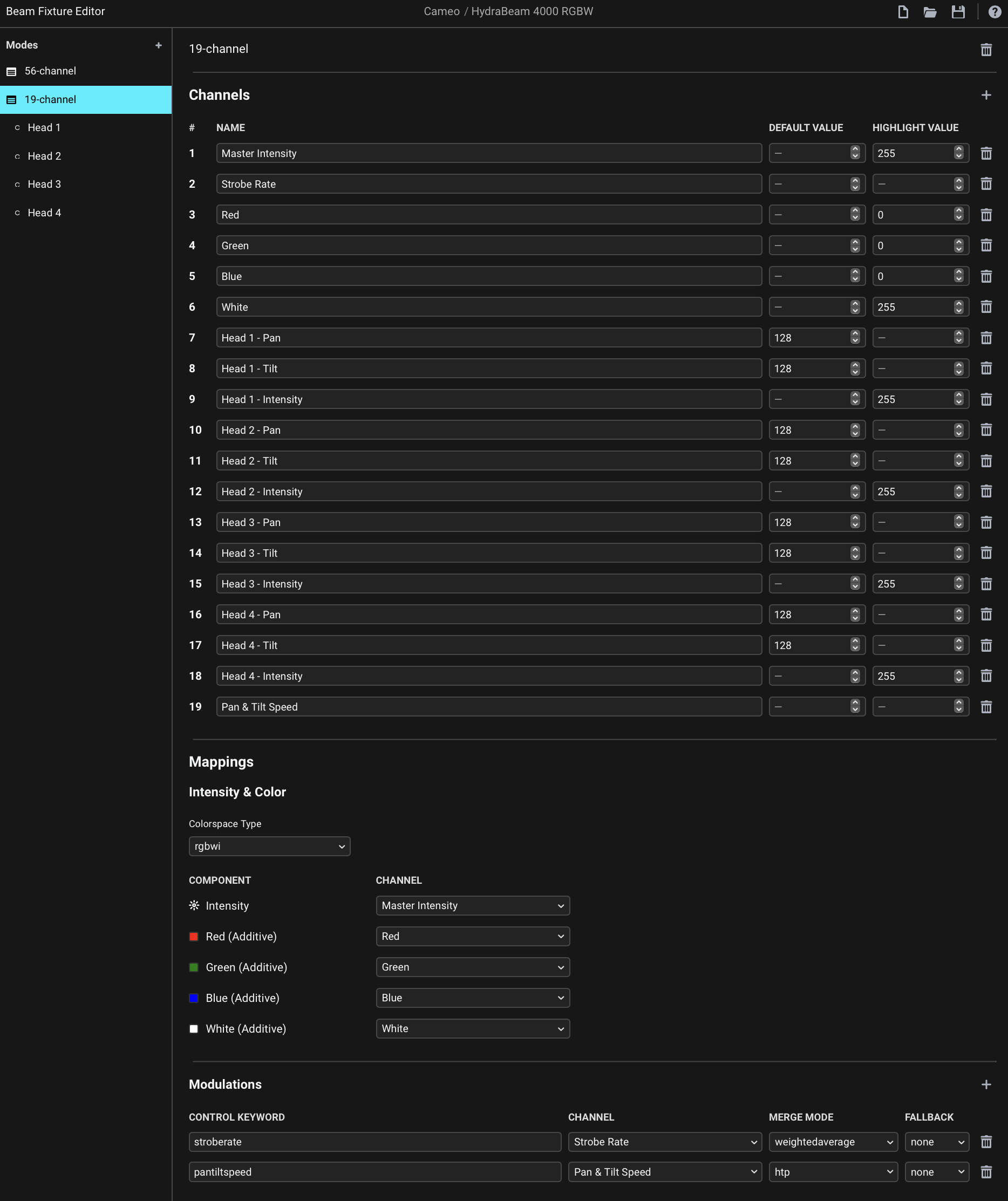
Cameo HydraBeam 4000 RGBW.sbf (17.7 KB)

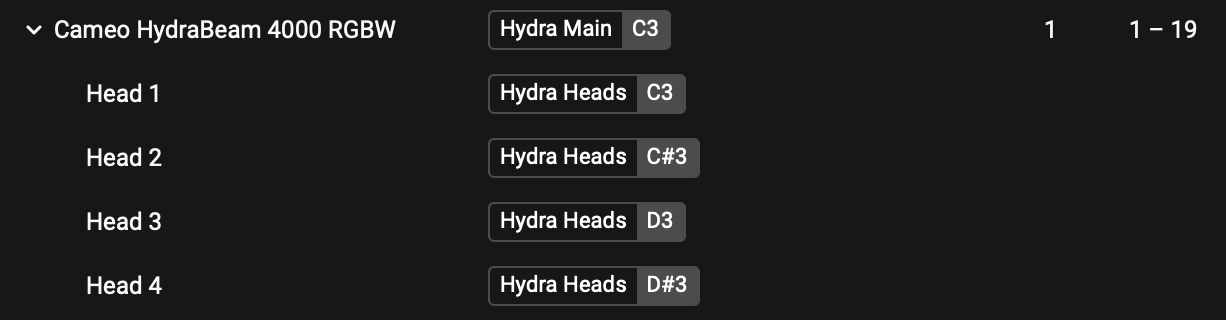
In Beam, assign a tag to the base part of the fixture and a separate tag to the “heads”:

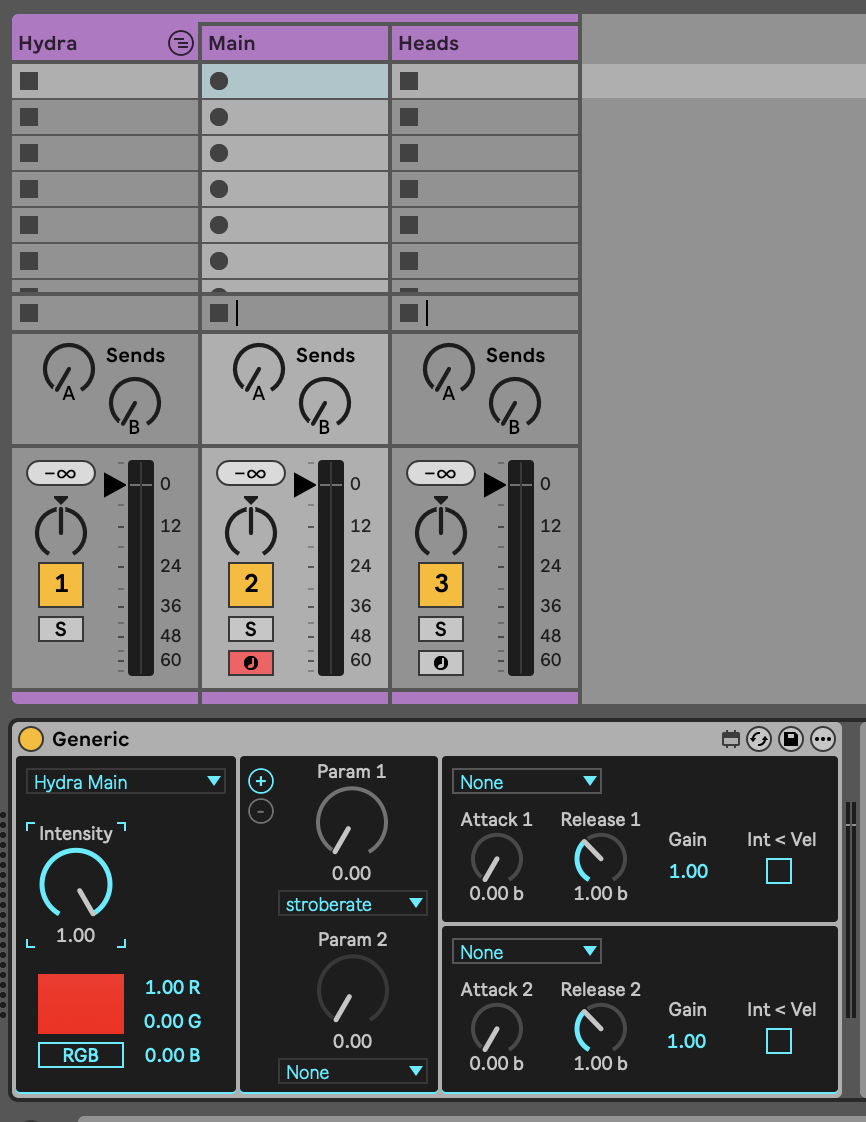
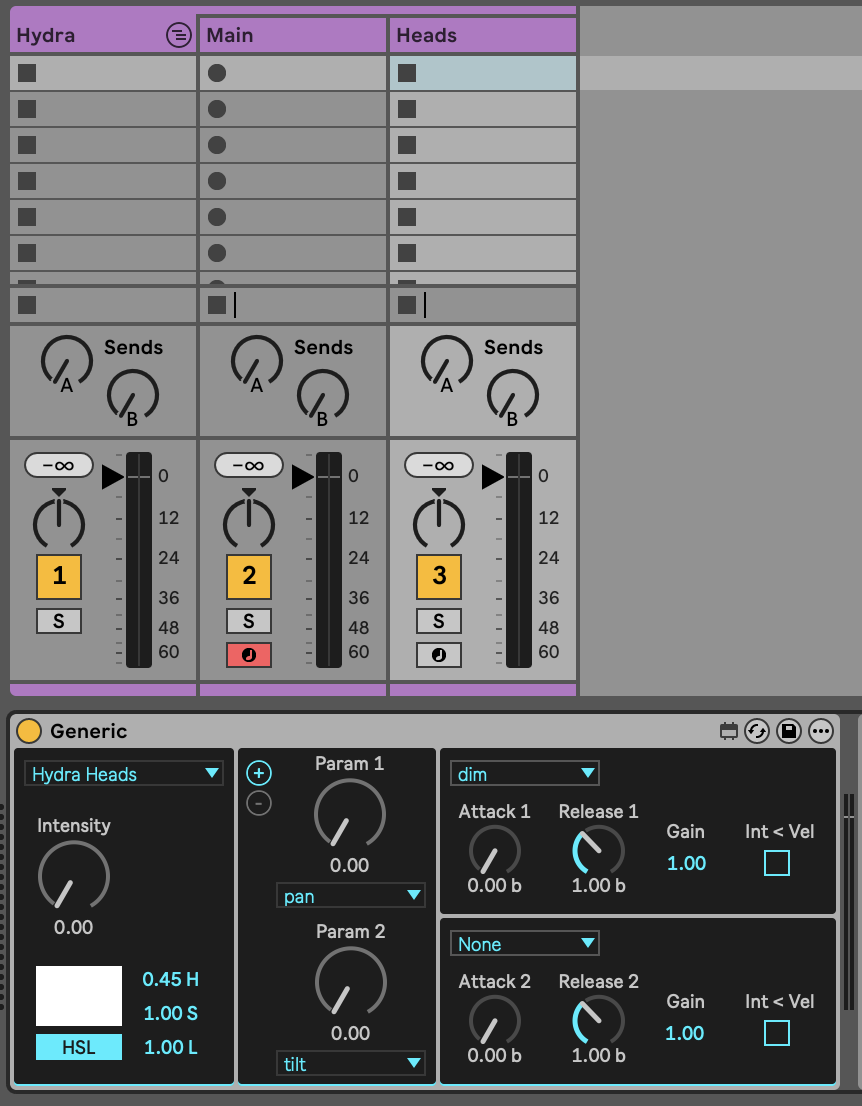
In Live, use separate devices for controlling each part of the fixture:

Hey! Wooow thank you so much! I havent noticed that there was a fixture in the libraray!

My fault was that i havent assigned separte tags tags to the fixture and the heads!

I will try that later!! Thank you so so much!!!

1 Like