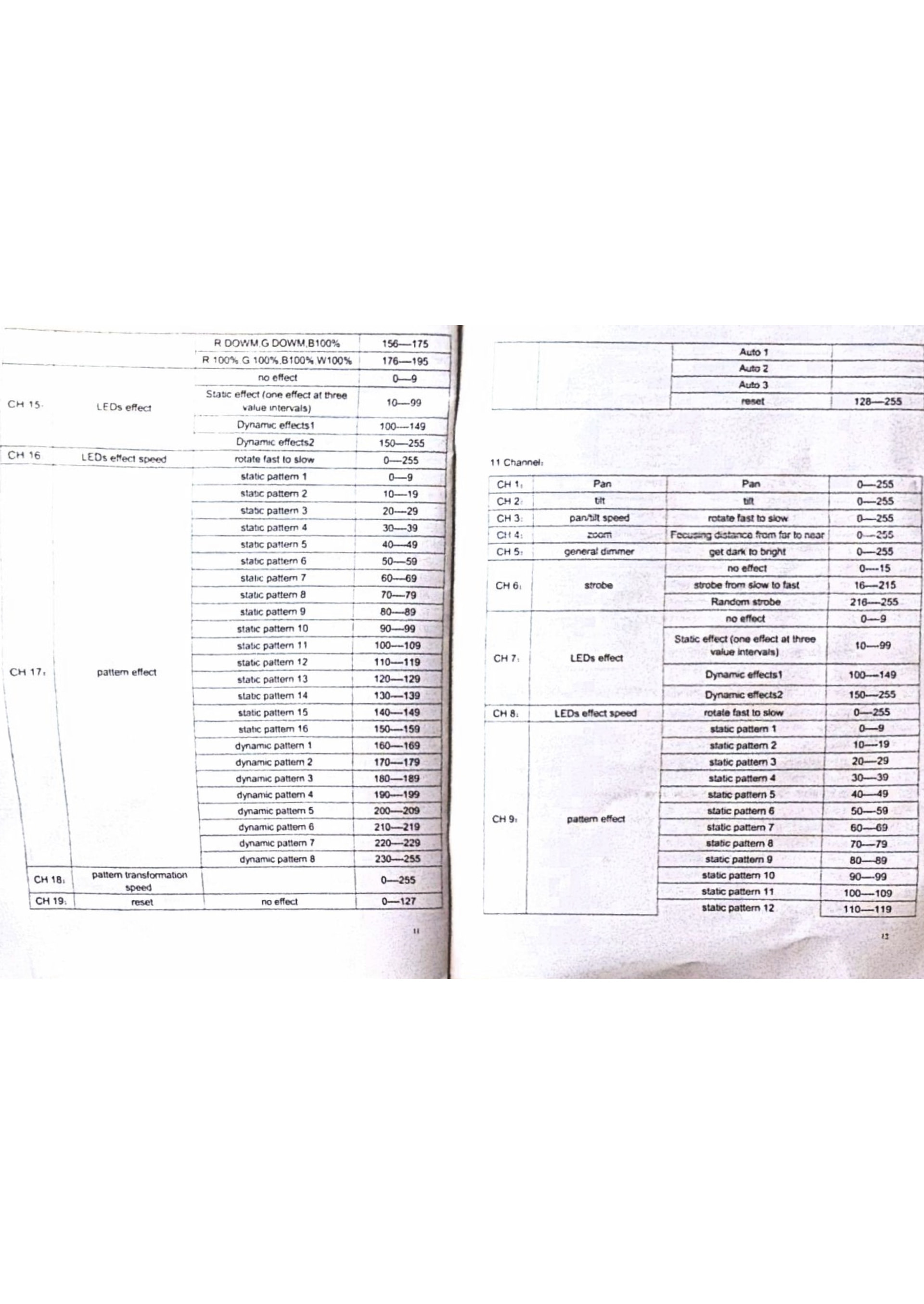
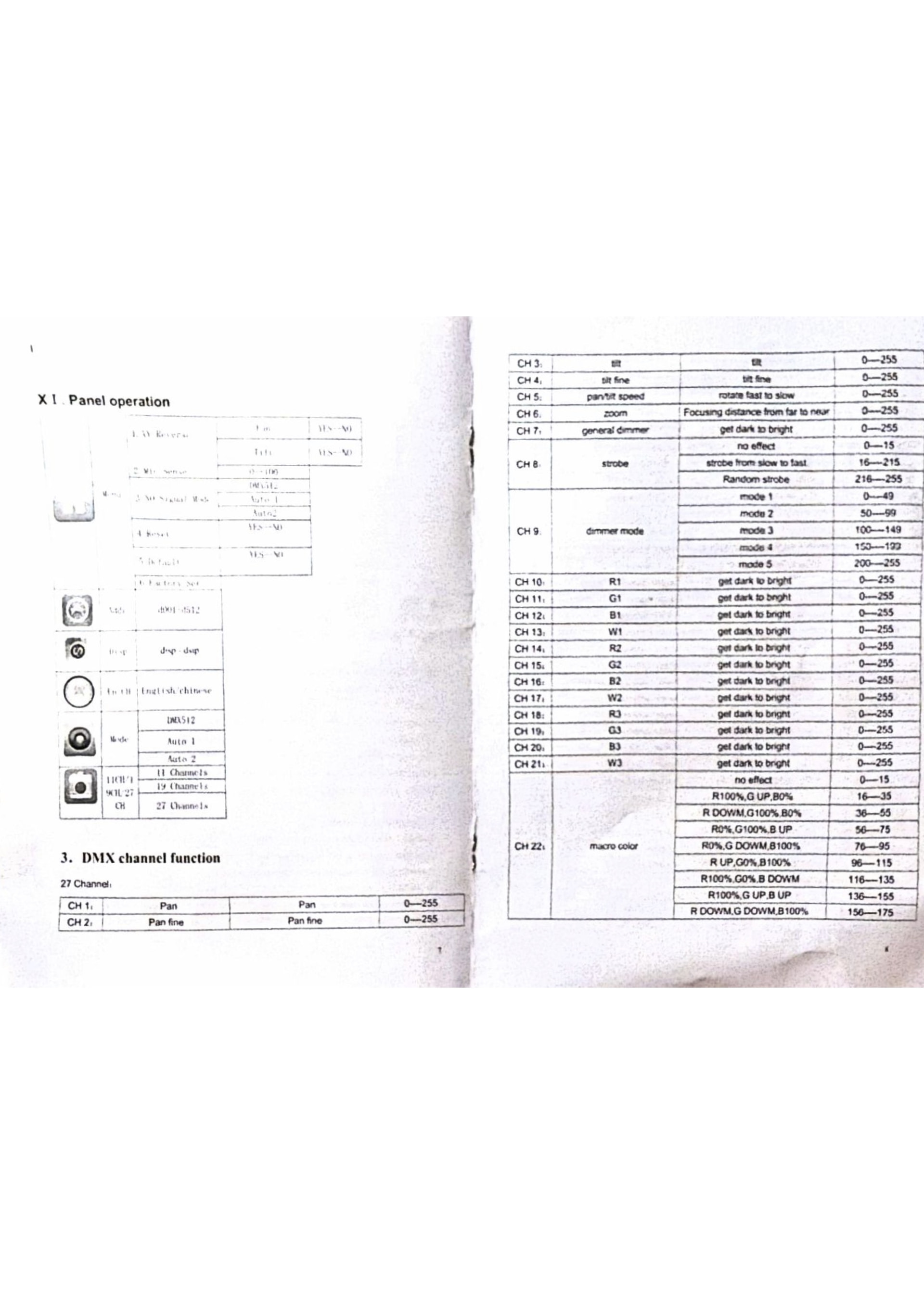
-
Manufacturer and model: moka sfx epl 19x15 focusing led moving head wash
-
Fixture profile file:
Moka Six EPL 19x15w.sbf (3.2 KB)
-
Link to the DMX channel list:
- Edition (Beam for Live / Beam for Max) and version: beam for live 2
- DMX channel mode(s) you’ve tested: 19 ch
Hello I think this one might need to be made with cells also , I made the patch for 19 ch in beam then I found a profile in capture called the color stage stellar 19x15w rgbw not sure if it matches up . I did look in the preview in capture and in beam and I see some of the numbers move but not the right ones I tried moving head , par and lfo and generic please advise on how to proceed
Hi Eric, thanks for sharing your profile! If you want individual control over the pixels, then you’ll need the 27 channel mode.
I made a new profile that contains all three modes:
Moka Six-EPL 19x15W.sbf (10.9 KB)
Please take a moment to load the profile in the Fixture Editor so you can see how this was put together.
I’ve also made a simple example of a Live Set and Beam Patch that uses the 27-channel mode:
Moka Six EPL 19x15W Example Project.zip (39.9 KB)
Notice how the different modulations for the different layers are controlled:
- “Moka Main” track:
- Has
Intensity set to 1.
- Supports all modulations.
- “Moka Pixels” track:
- You can set the color for the pixels using the color picker.
- Use MIDI notes to trigger each pixel separately, following the intensity envelope.
Let me know if you have any questions!
thanks so much I ll test it out