Hi @spheres, thanks for getting in touch!
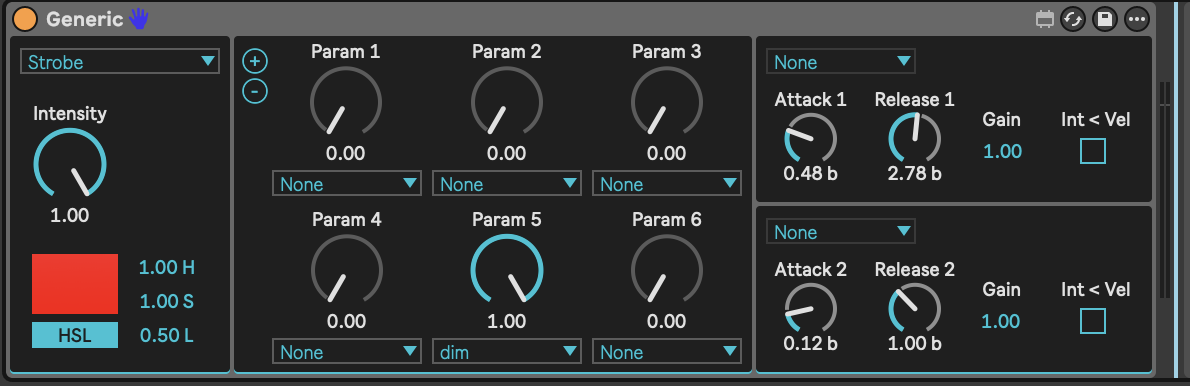
The dials on the Generic instrument device are not directly linked to the order of DMX channels on a fixture. Instead, they can control any available modulation parameter you assign to them.
Modulation parameters are defined in a fixture profile for a given fixture, where they are linked to specific channels.
Let’s have a look at how to gain control over this fixture.
Building a fixture profile
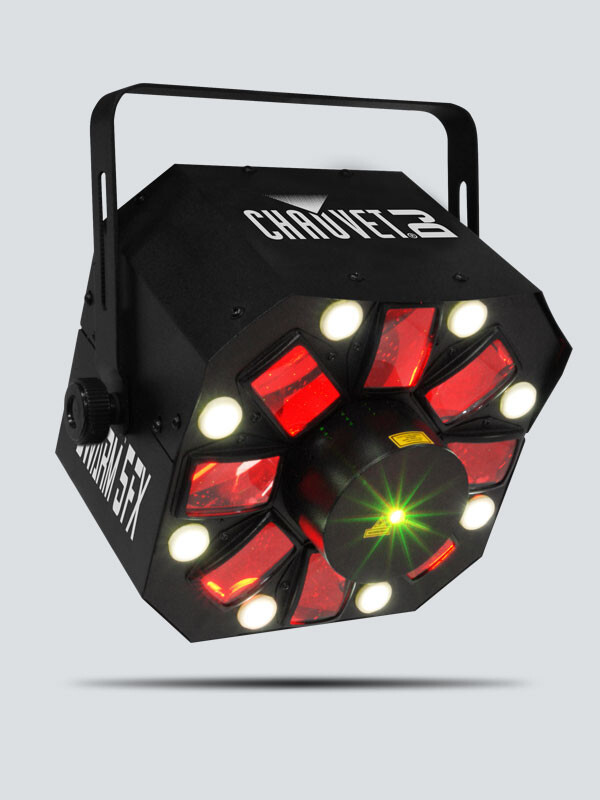
As mentioned by the manufacturer, this fixture is actually 3 fixtures in 1:
Swarm 5 FX is a 3-in-1 LED effect light that combines red and green lasers, white strobe effects and RGBAW rotating derby effects into one fixture.
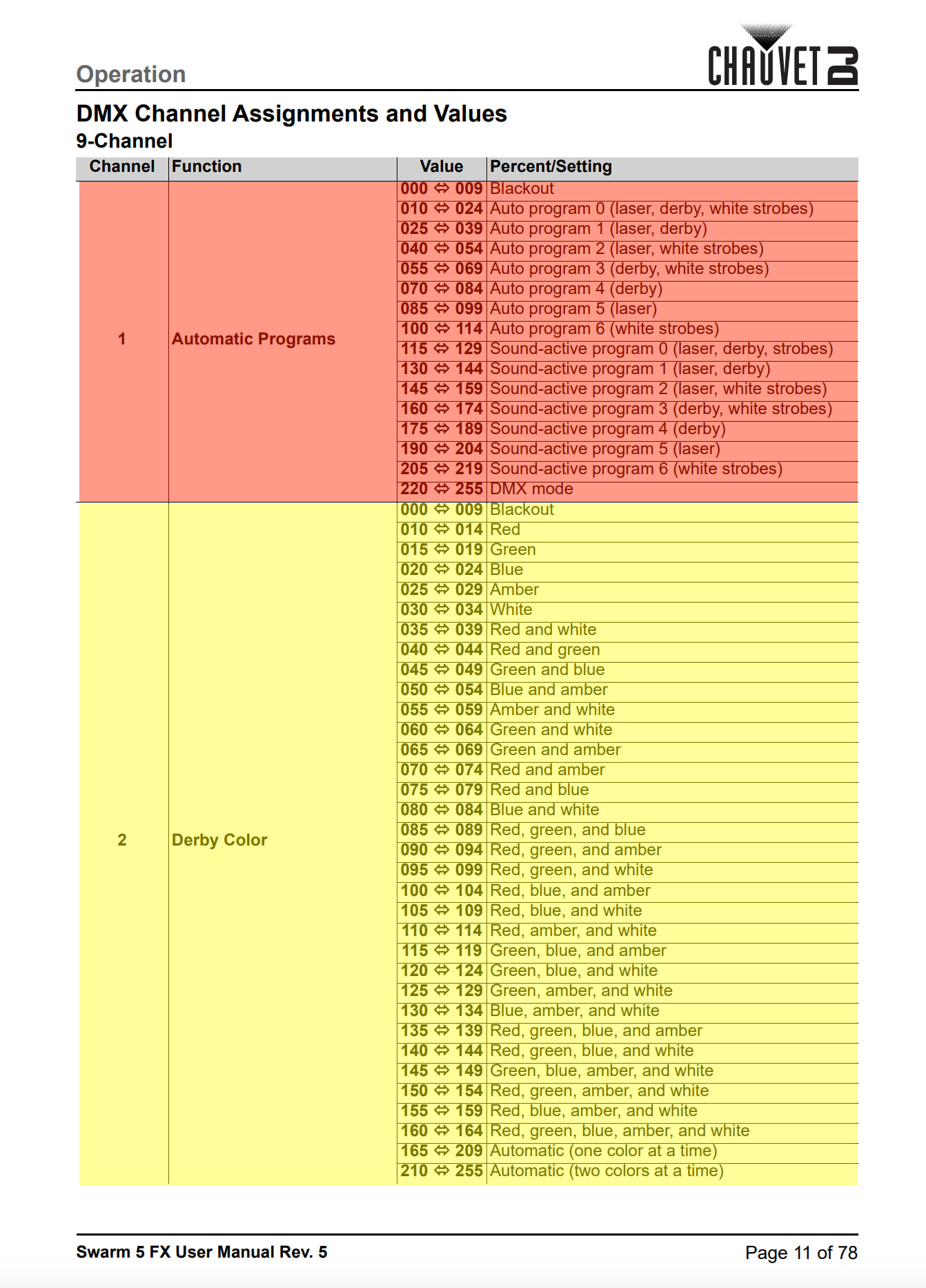
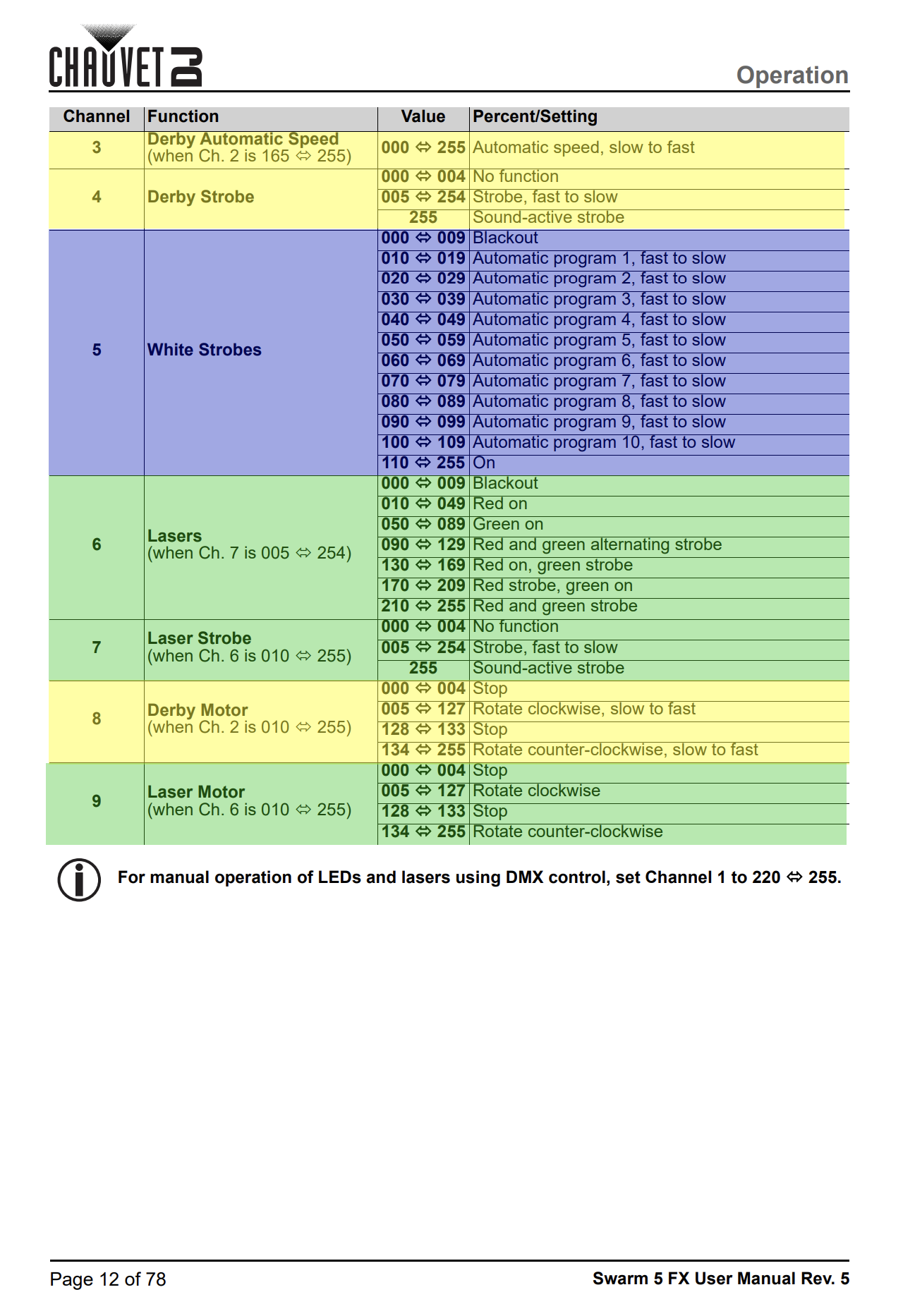
This means we also need to make a fixture profile that reflects this. For reference, here is the fixture’s DMX channel chart:
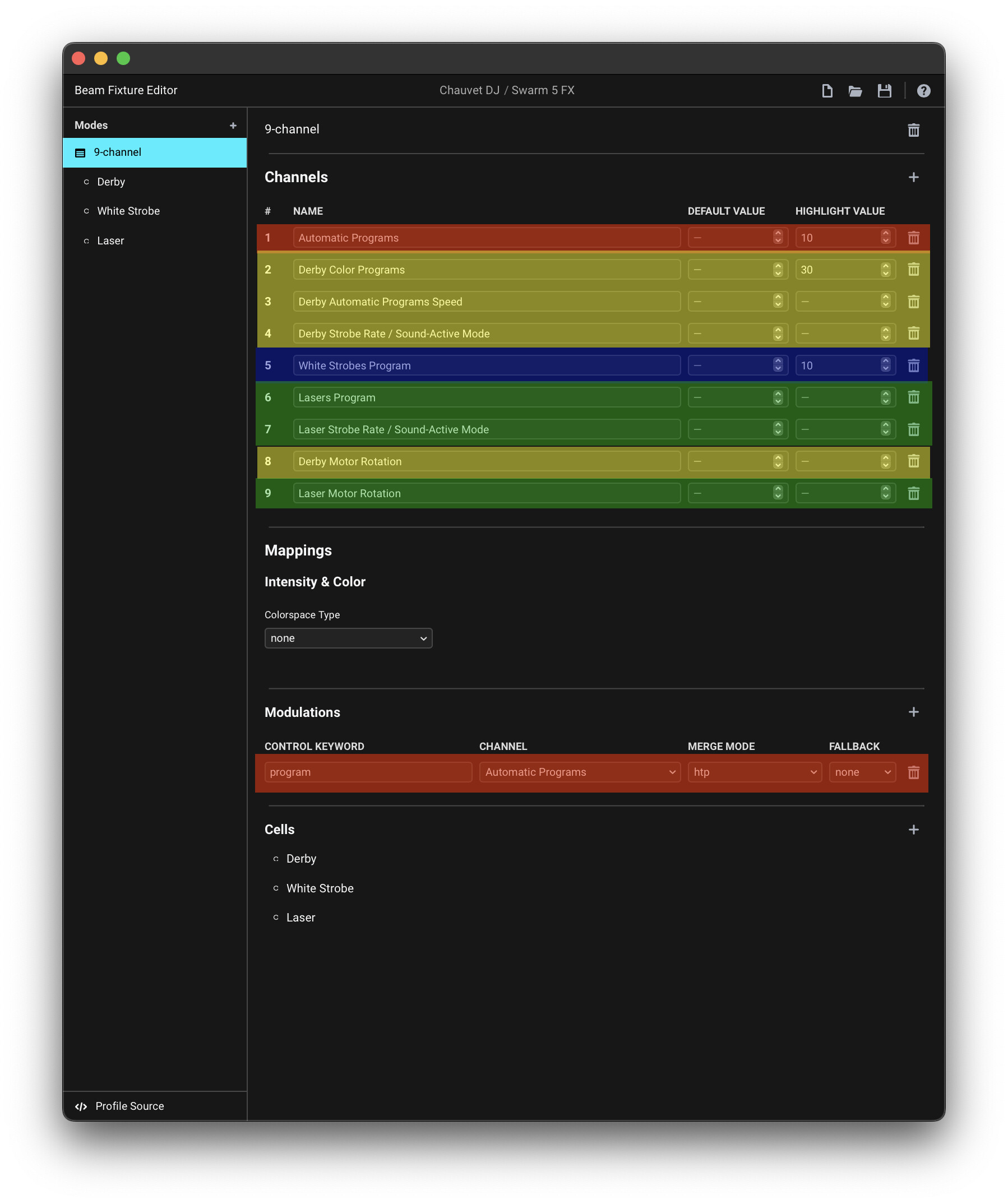
We can sort the channels into 4 types, which I highlighted using 4 distinct colors:
- a channel that affects all fixture parts (red = 1)
- channels that only affect the “Derby” (yellow = 2, 3, 4, 8)
- a channel that only affects the “White Strobe” (blue = 5)
- channels that only affect the “Laser” (green = 6, 7, 9)
When making a fixture profile, we need to map the different channels accordingly.
Channel 1 (Automatic Programs), which affects all the fixture parts is best mapped to a modulation parameter in the fixture base. In this case I used a keyword program, which is also what we’ll use to later control this via Beam devices.
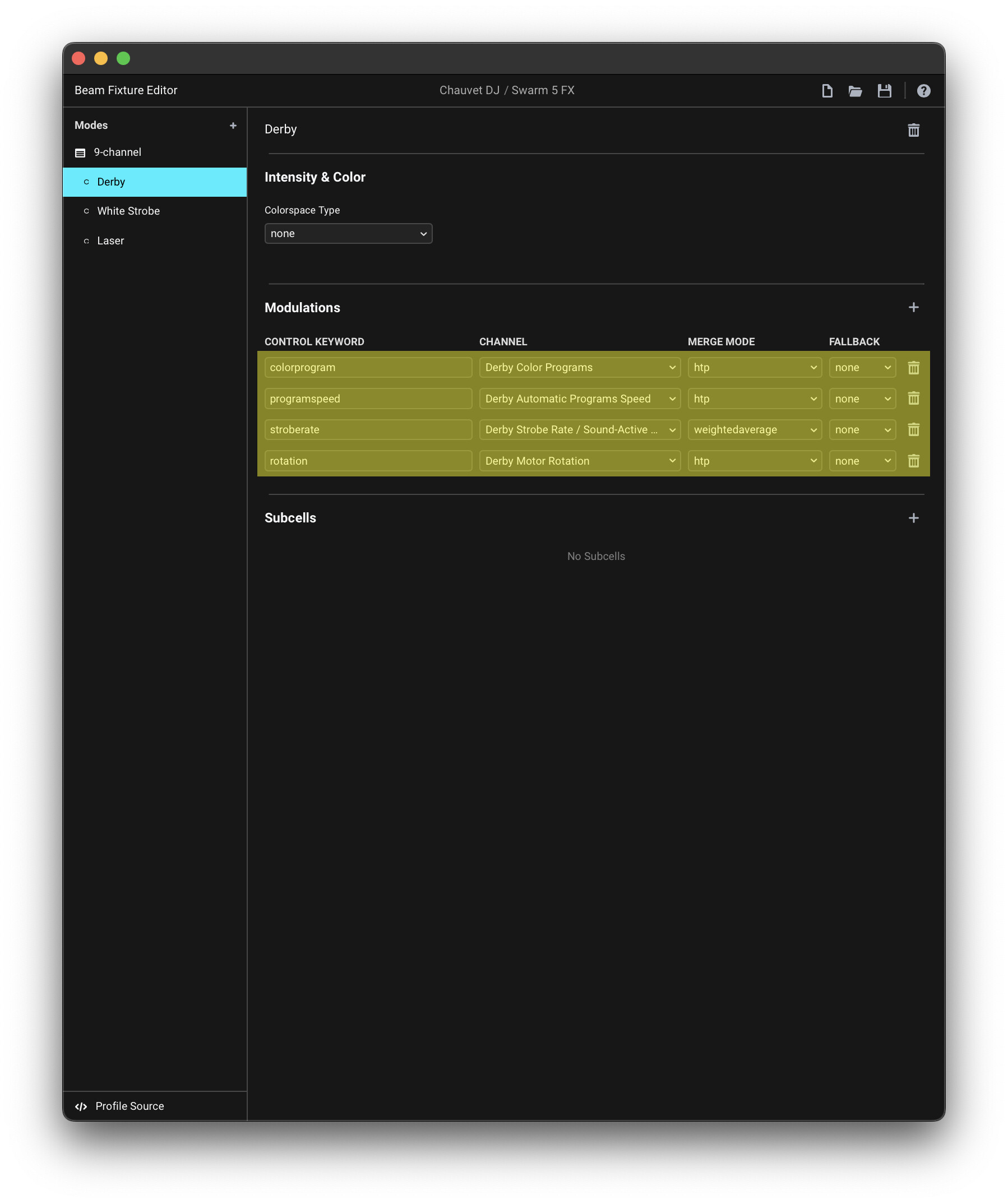
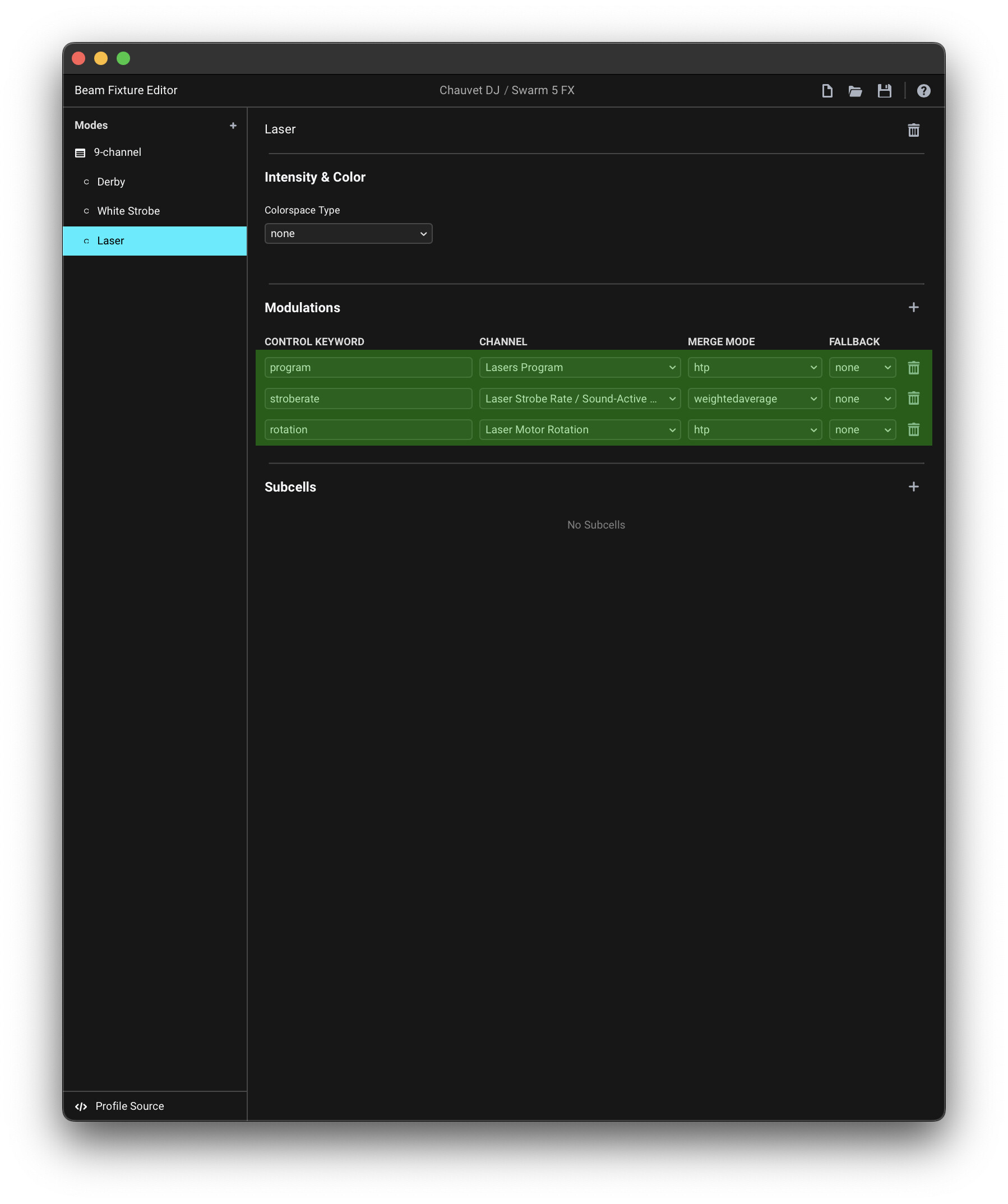
The rest of the channels affect specific fixture parts, and should be mapped under Cell sections of each corresponding part:
Here’s the finished fixture profile: Chauvet DJ Swarm 5 FX.sbf (3.2 KB)
For a more in-depth explanation on how to create fixture profiles with Cells and other concepts mentioned above, please refer to the Fixture Editor manual.
Patching the fixture
Place the finished fixture profile into your Documents/Beam/Fixture Profiles/User folder and restart Beam.
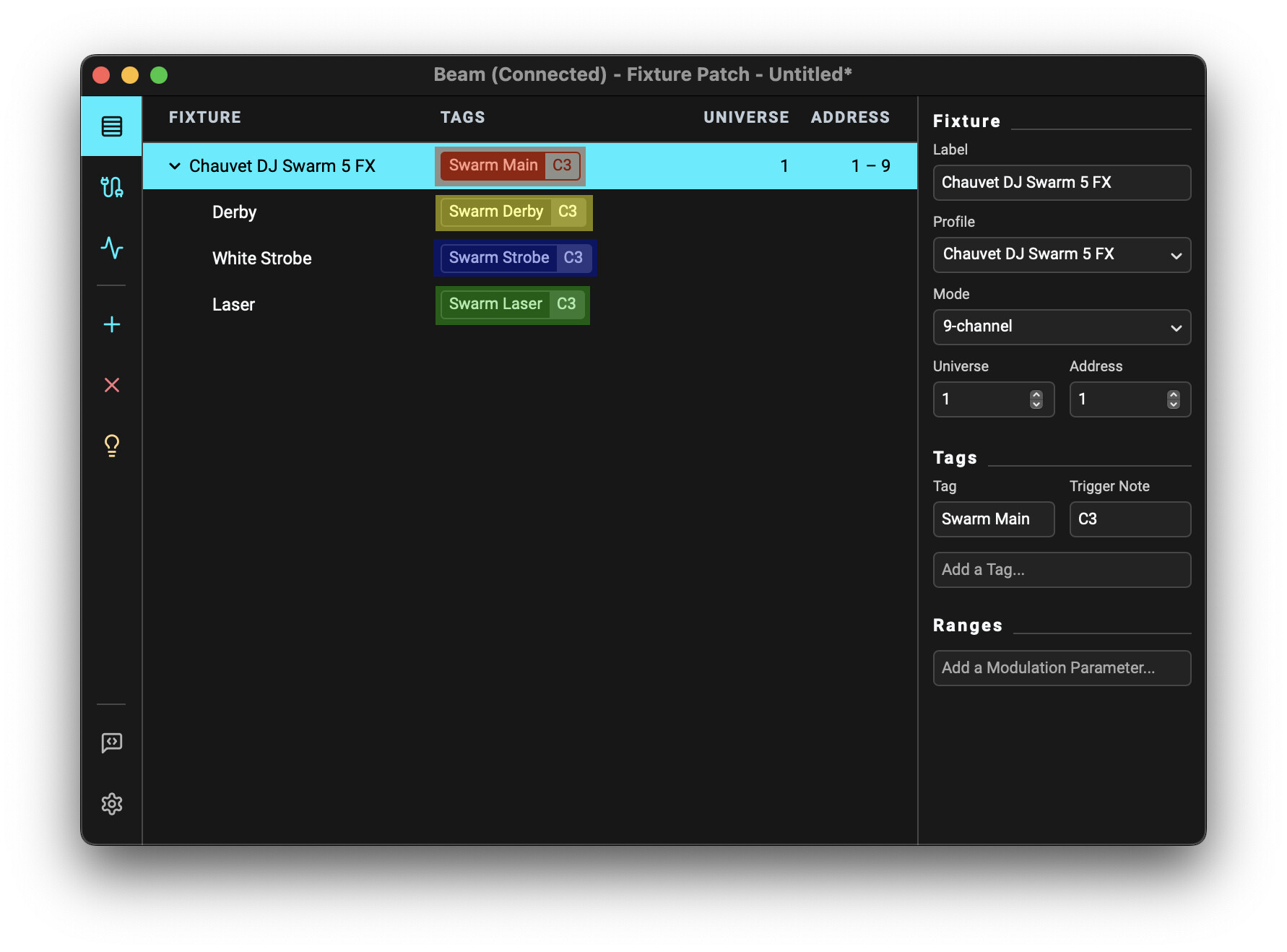
You can now add the fixture to your fixture patch, using the Address as set on your fixture.
Assign a separate fixture tag to each of the 4 control sections (main, Derby, Strobe, Laser):
Swarm 5 FX demo.sbp (624 Bytes)
Controlling the fixture in Live
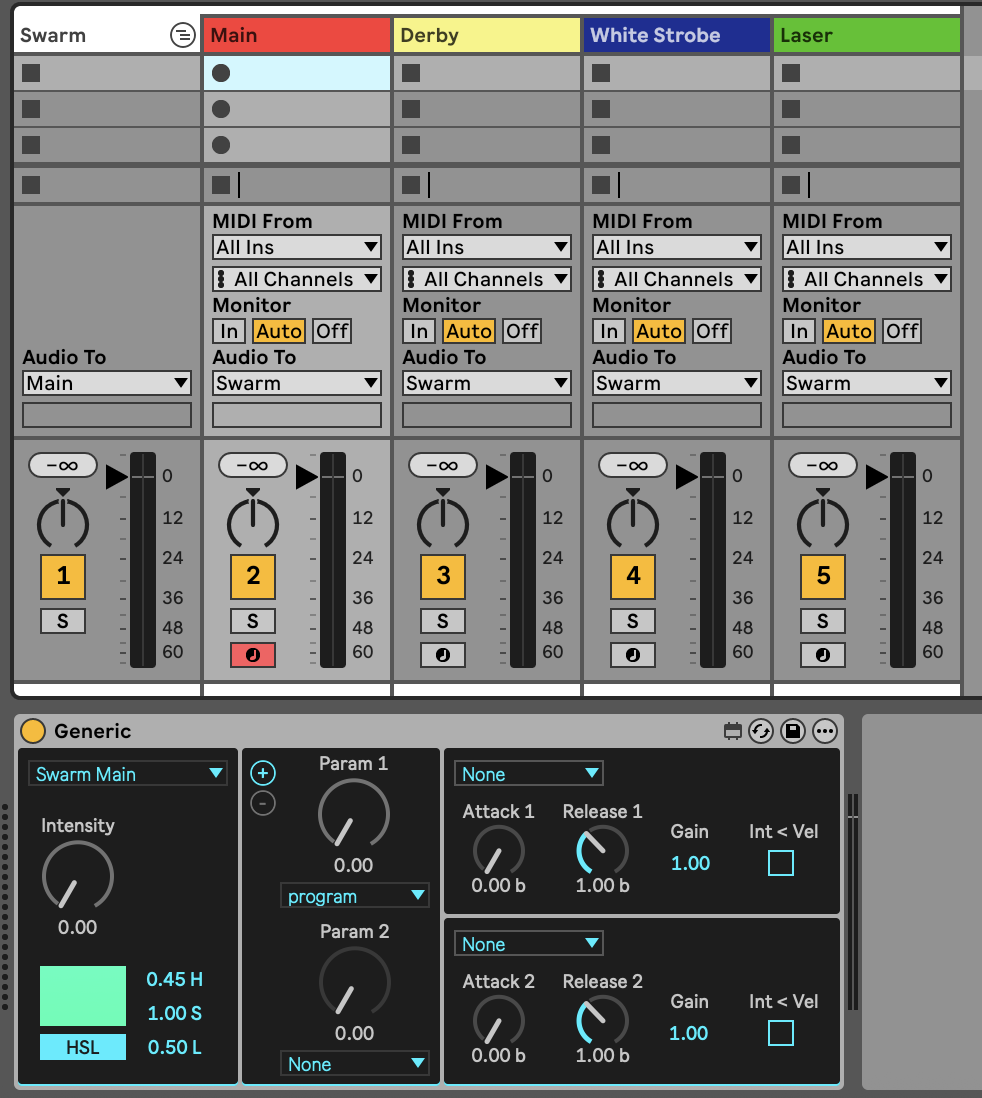
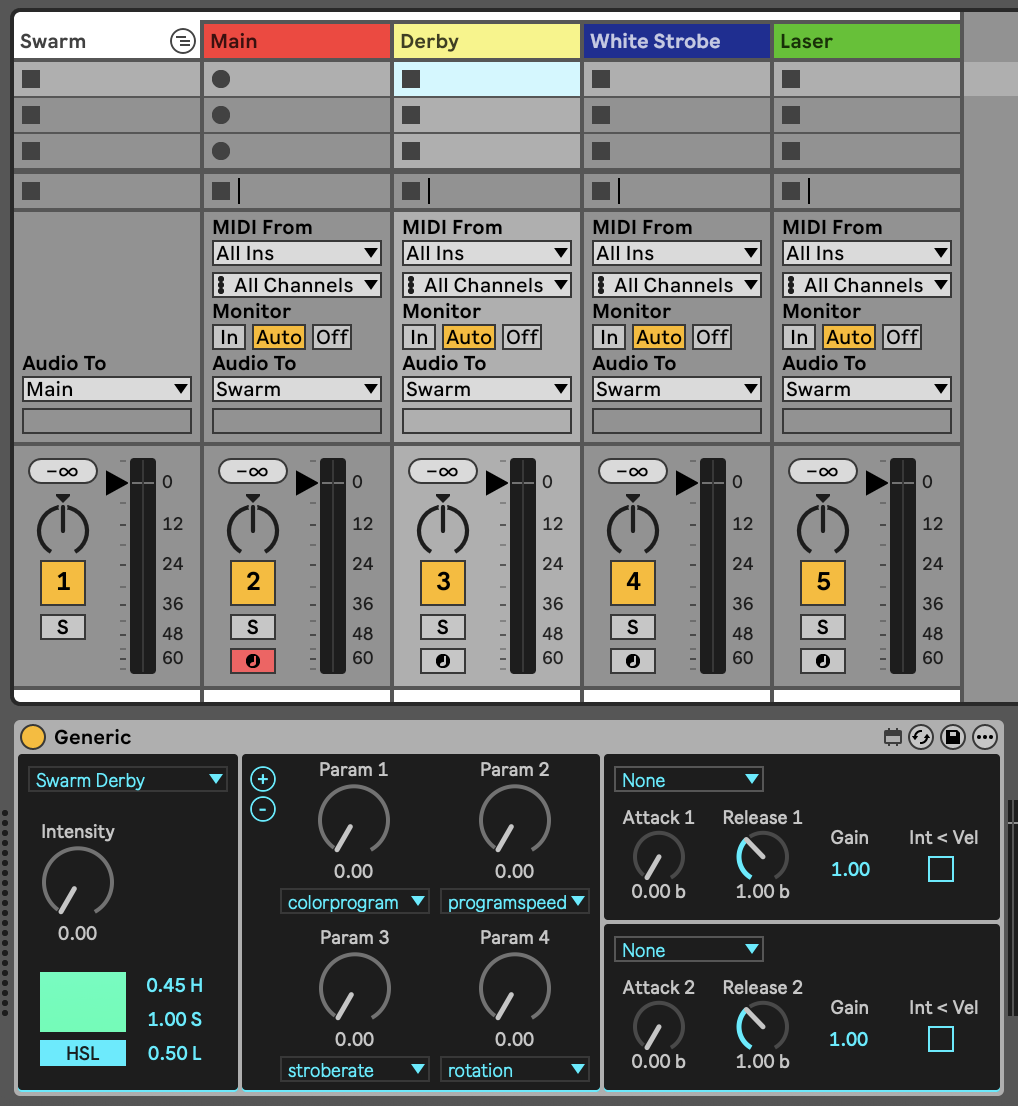
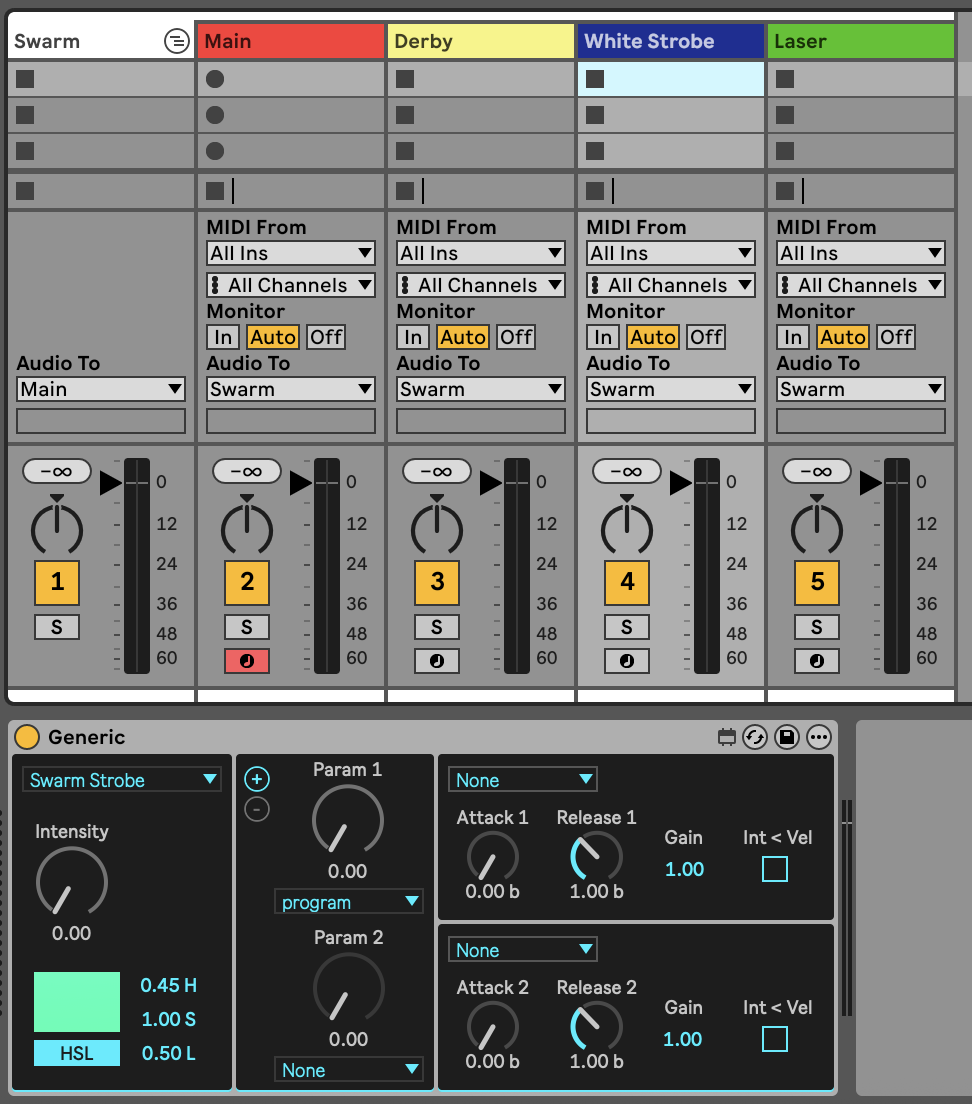
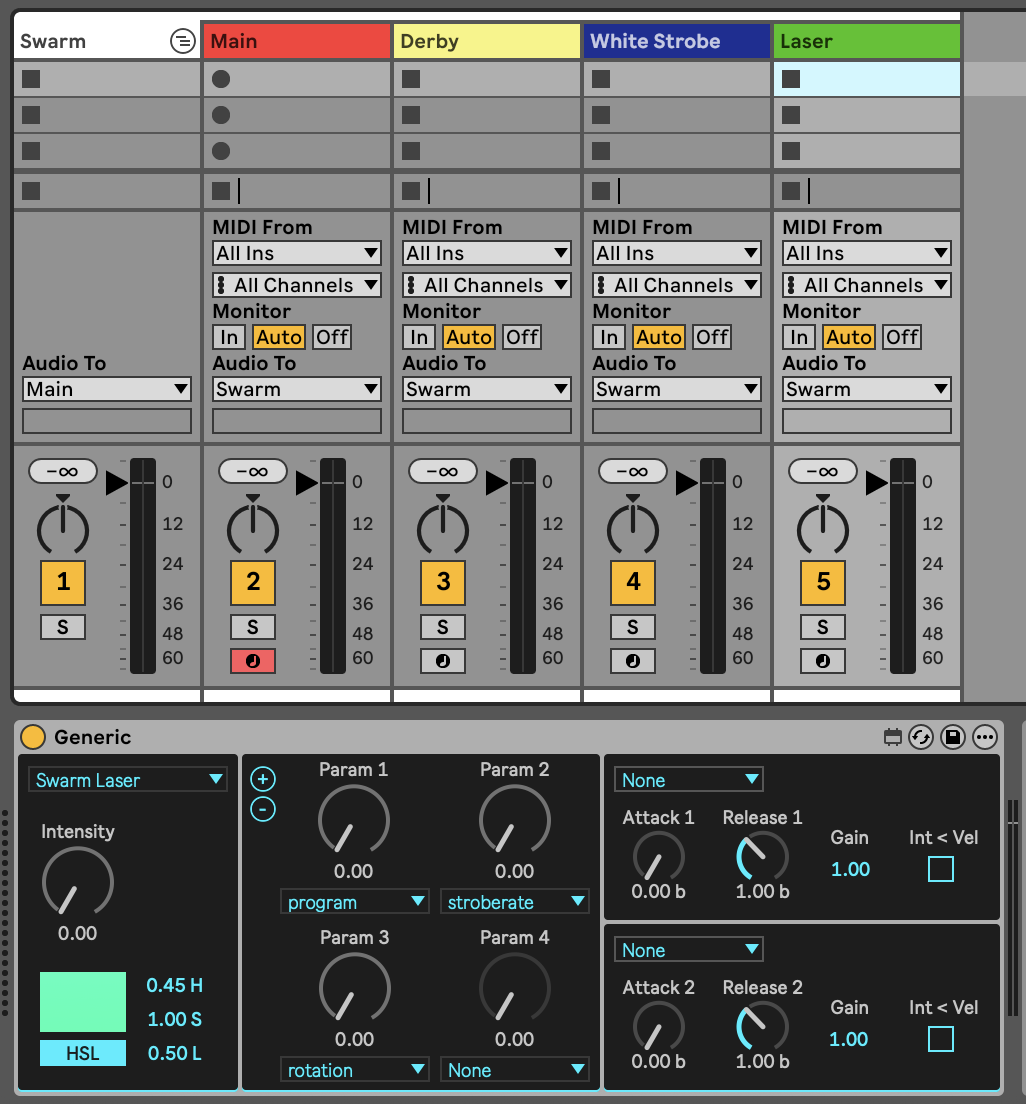
Add a separate Generic device for each of the 4 tags assigned in the fixture patch and select the relevant modulation parameters:
-
Main - program:
-
Derby - colorprogram, programspeed, stroberate, rotation:
-
White Strobe - program:
-
Laser: program, stroberate, rotation:
Please note that as there are no dedicated channels for controlling intensity or color-mixing (all the fixture channels are multi-slot, preset-based), the Intensity, color-mixing parameters and MIDI-note-triggered envelopes on Beam instrument devices will not be relevant with this fixture.
To achieve what you described in your post, set the program of Swarm Main (controlling channel 1) to the desired value and use program of Swarm Strobe to control the functionality of channel 5.
Swarm 5 FX demo.als (307.6 KB)
Hope this helps! Please let us know if you have any further questions.


 Exceeds expectations!