In Beam for Live (Ableton) with a CMY fixture (Martin MAC Hybrid Axiom), I’m seeing a white flash when triggering notes.
It looks like colour changes from the Beam colour picker don’t output DMX immediately. The CMY values only get sent when a note-on / dimmer change happens, so the dimmer opens while the CMY is still transitioning, causing a brief white flash before the target colour lands.
I tried the Robe MegaPointe and similar discharge fixtures and all behave the same.
How can I make Beam send/refresh colour independently of dimmer/note activity (i.e., push CMY as soon as the picker changes)?
This happens because when the intensity of a Beam lighting signal chain is at zero, Beam’s internal color-mixing system has no color information and also sets all the color channels to zero (CMY at 0/0/0 = white). When intensity goes from zero to non-zero, Beam does in fact immediately set the color channels to the relevant DMX values, but because CMY fixtures use physical filter wheels to create a color mix, it takes a moment for the wheels to spin from “white” to the desired positions after the fixture has received the DMX values.
We’ve been aware of this and a solution is already on our list.
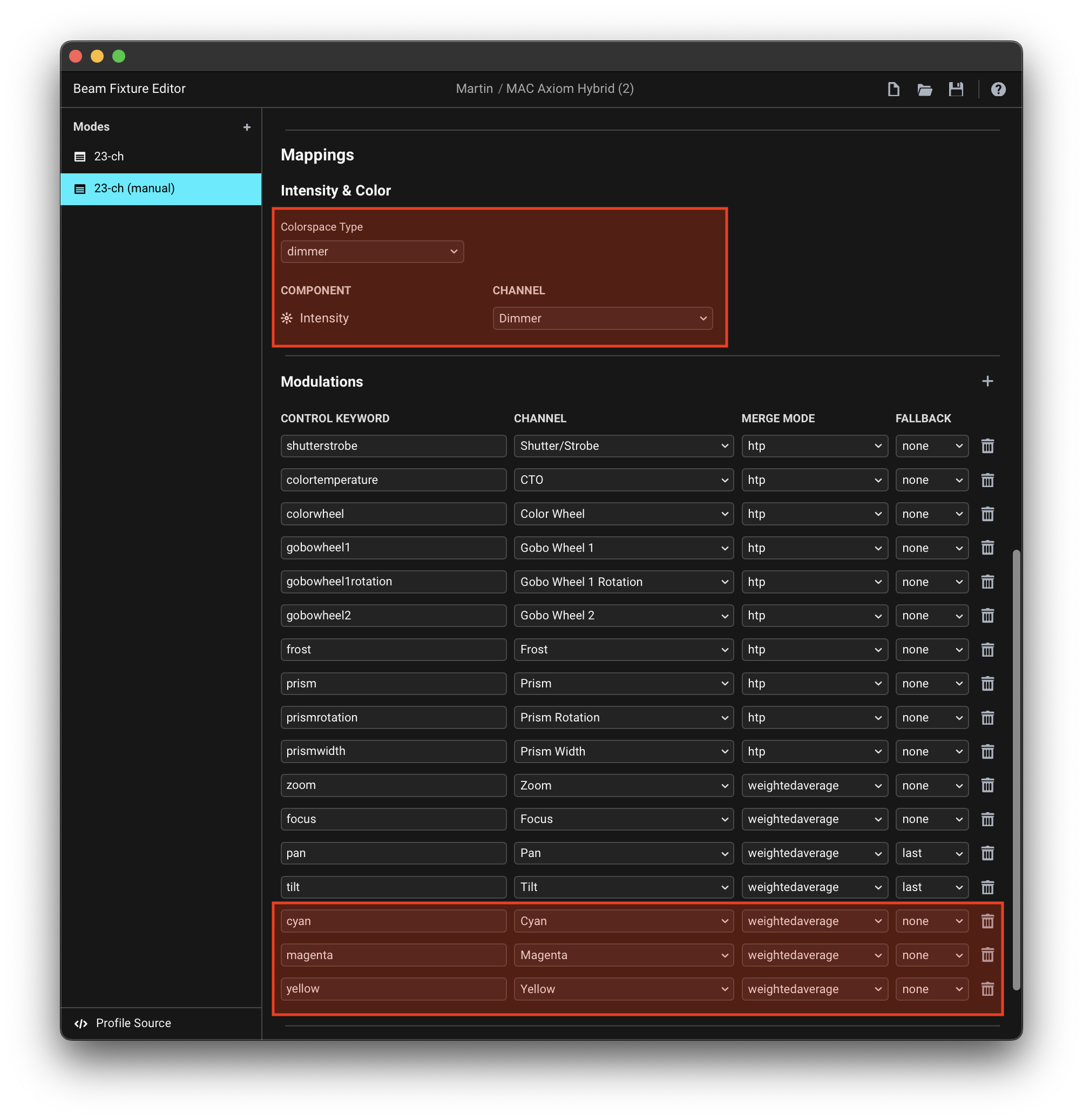
In the meanwhile, you can work around this by making a fixture profile that uses the dimmerColorspace Type, and maps Cyan/Magenta/Yellow channels as direct modulations:
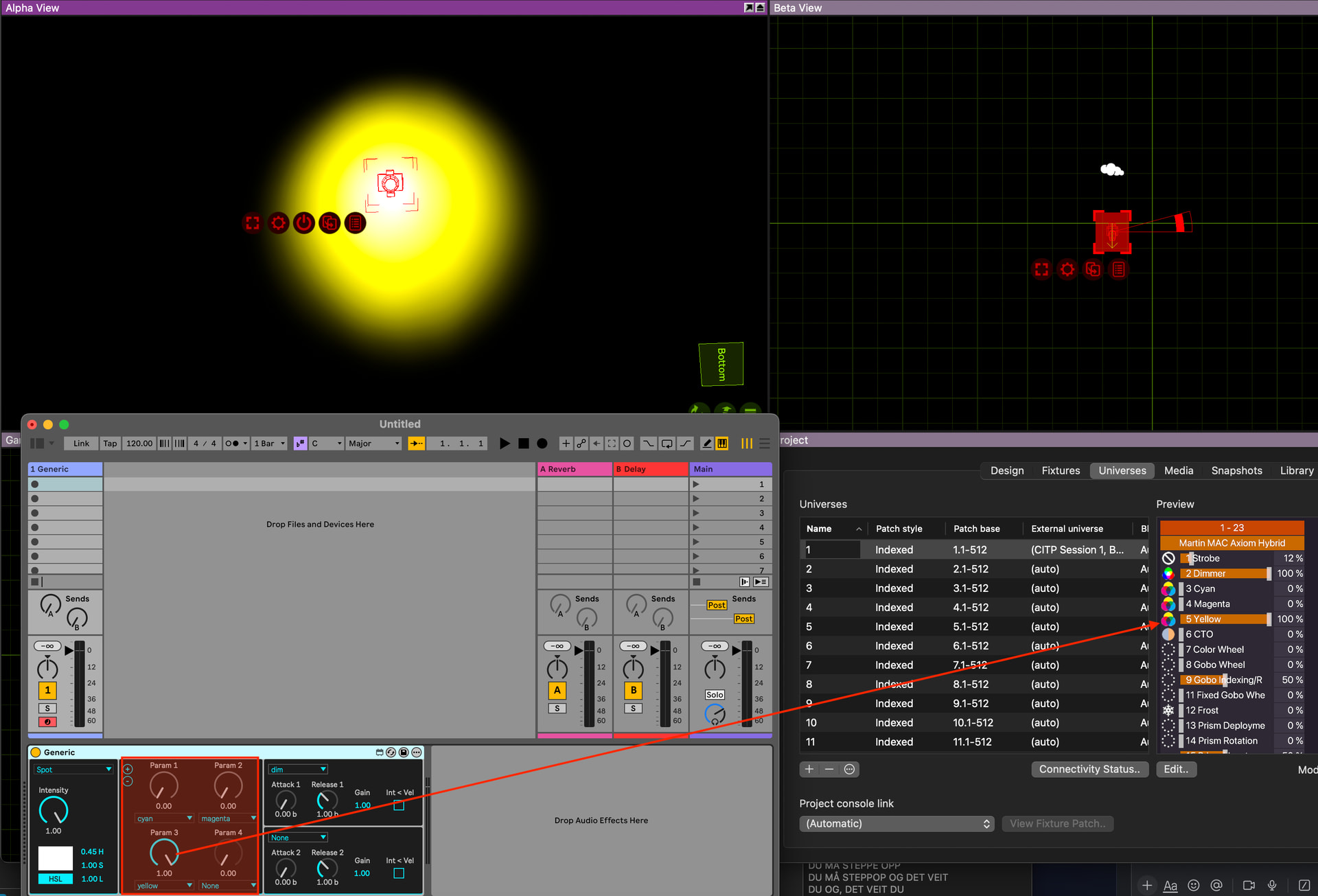
The color picker and the RGB/HSL parameters on a Beam device won’t do anything with a profile like this, but you can directly control CMY channels using e.g. cyan, magenta, yellow modulations:
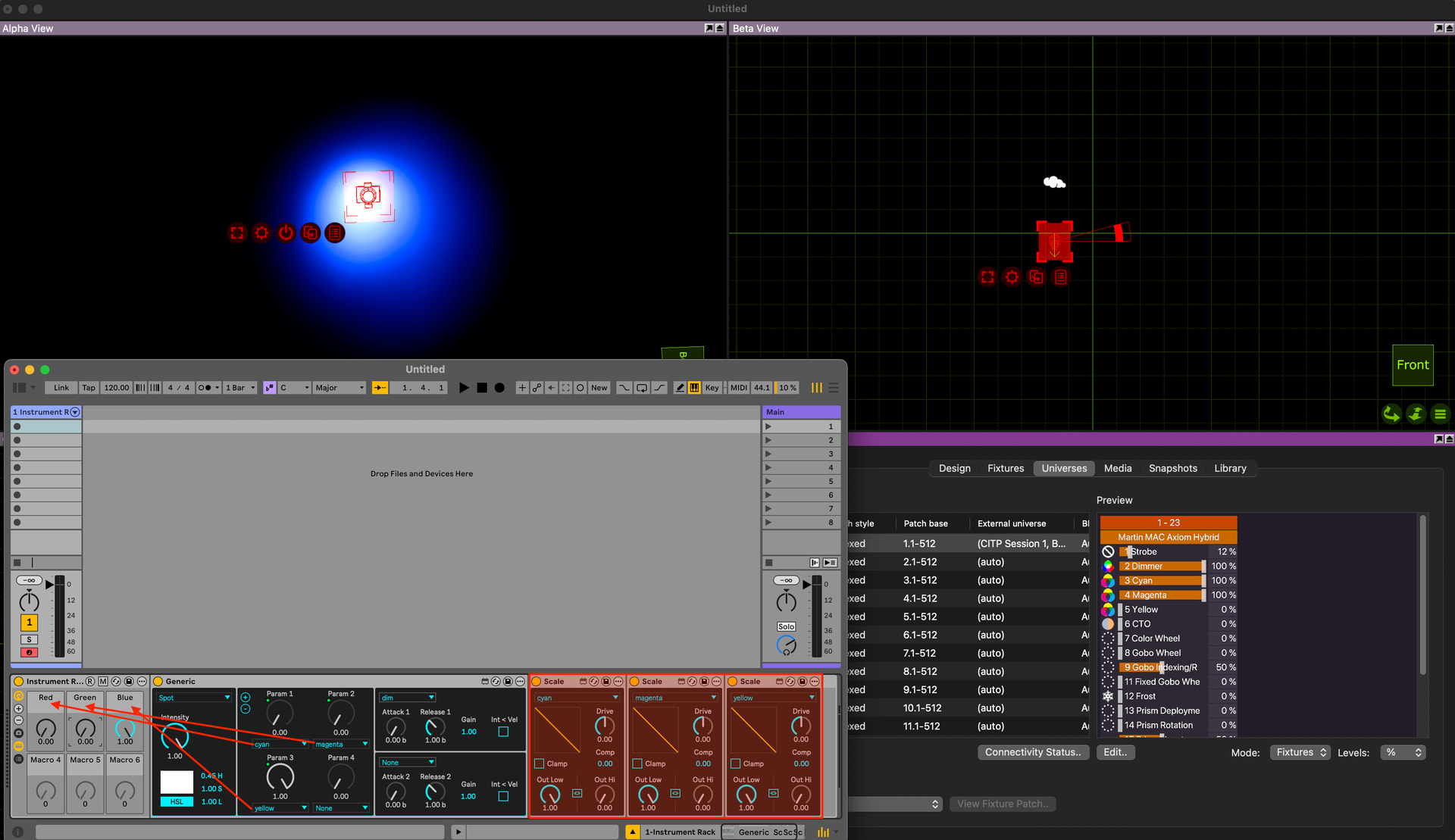
If you want to think in Red/Green/Blue instead, you can invert the cyan/magenta/yellow modulations, which effectively turns them into red, green, blue parameters:
Alternatively you could also just use the colorwheel and use fixture’s color presets, although that takes away the benefits of having a CMY fixture with smooth color-mixing.