Chauvet DJ Shocker Panel FX

Hi all,

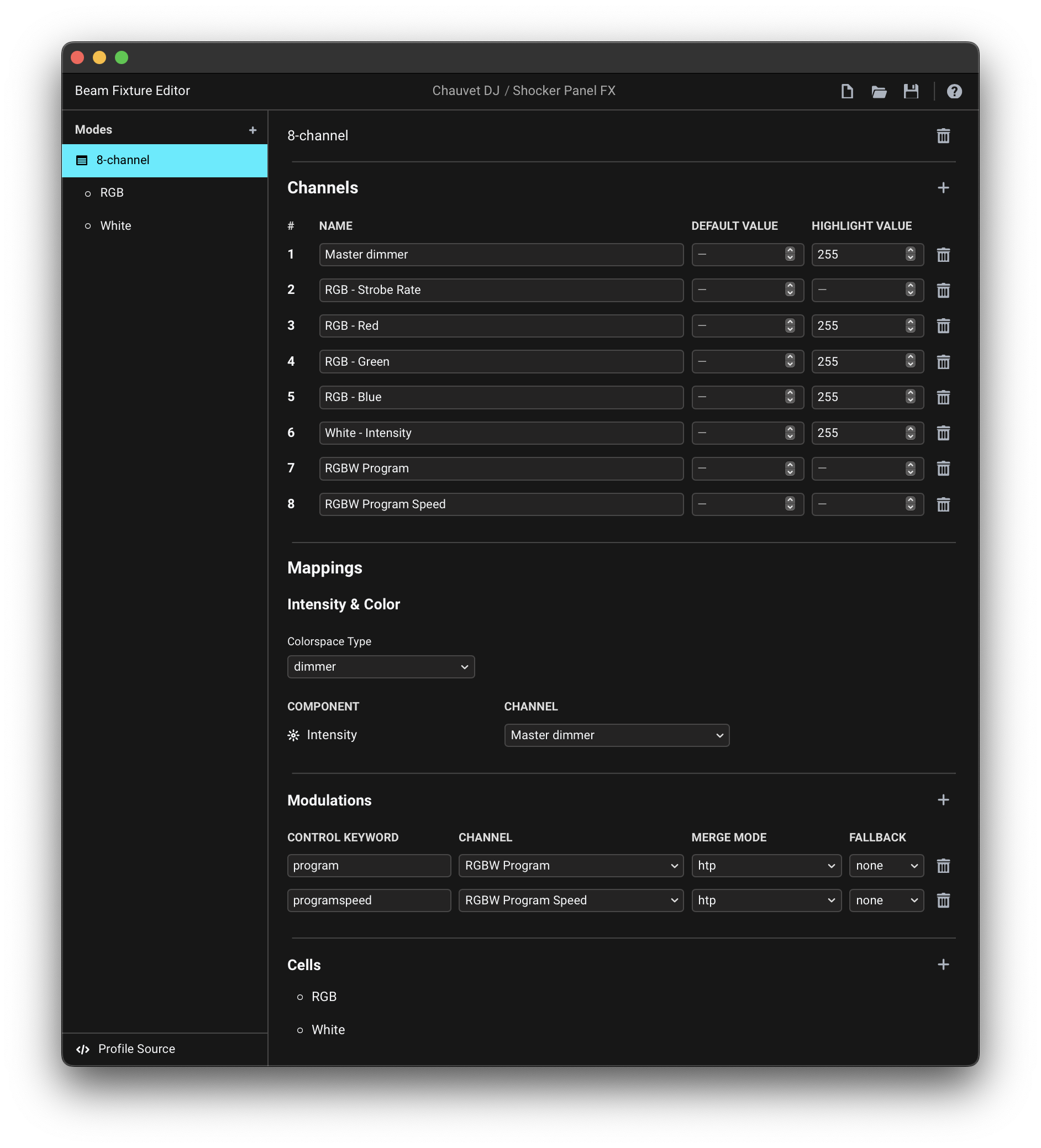
We’ve built a custom 8-channel Beam profile for the Chauvet Shocker Panel FX (8ch mode), using the Ableton “Generic” plug-in .

Everything appears correctly mapped — each channel has its own modulation, defaults are set, and DMX output confirms the strobe channel is at 0.

The problem:

As soon as we raise intensity, the strobe activates — even though:

  • The strobe modulation is not being triggered
  • Channel 6 (strobe) stays at 0 in DMX output
  • Default and highlight values are set properly
  • Merge mode for strobe is set to htp

We’re wondering:

  • Is Beam misinterpreting something from Ableton’s Generic device?
  • Or is there a conflict in how the strobe channel is being handled?

Anyone experienced this or have ideas? Appreciate any insights.
CHAUVET SHOCKER4.sbf (2.4 KB)

OK…have an updated one that is working. Im still confused about the relationship between the intensity knob and the dim knob under parameters since they do the same thing, whats the use case for each? Also c3 isnt triggering anything , i can only adjust the light with parameters.

CHAUVET SHOCKER11.sbf (2.4 KB)

Hi @true.murra, thanks for getting in touch and sharing your fixture profile!

Suggested adjustments to the fixture profile

While the profile you’ve shared may already be useable, I would suggest a few changes to the way you’ve assigned the Mappings in the fixture profile that will give you a better control over this specific fixture.

For reference:

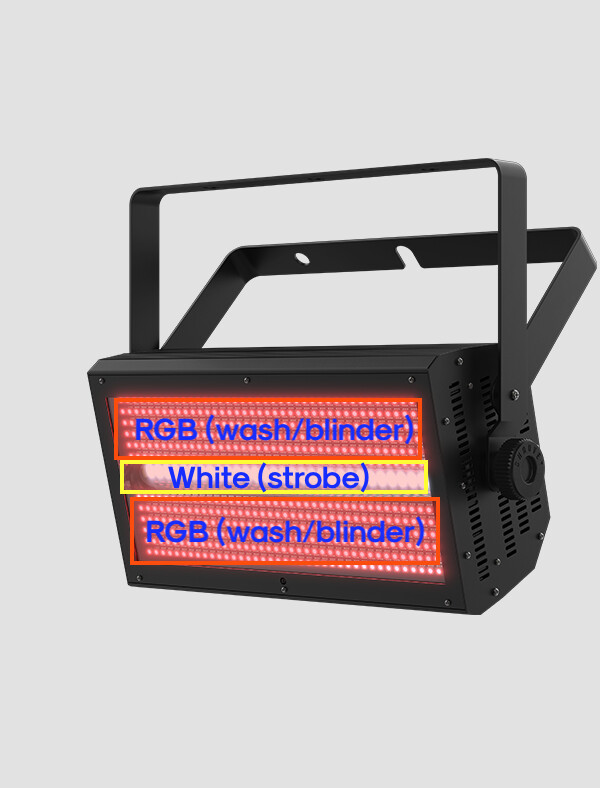
In your fixture profile you mapped the Intensity, Red, Green, Blue and White channels all as components of a single rgbwi Colorspace Type. Using rgbwi or rgbw makes sense when you have a fixture where the white LEDs are directly used for additive color mixing of the same “fixture face” as RGB LEDs. However, this fixture actually has two separately addressable cell sections (basically separate fixtures within a fixture) - RGB wash/blinder and White strobe:

The channels of this fixture in 8-channel mode control different sections:

# Channel function Control unit
1 Master Dimmer entire fixture
2 RGB Strobe RGB wash/blinder section
3 Red RGB wash/blinder section
4 Green RGB wash/blinder section
5 Blue RGB wash/blinder section
6 White White strobe section
7 RGBW program entire fixture
8 RGBW program speed entire fixture

When you map the fixture as you did, Beam will treat it all as a single section, and you will not be able to e.g. have both the RGB and White sections at 100% at the same time.

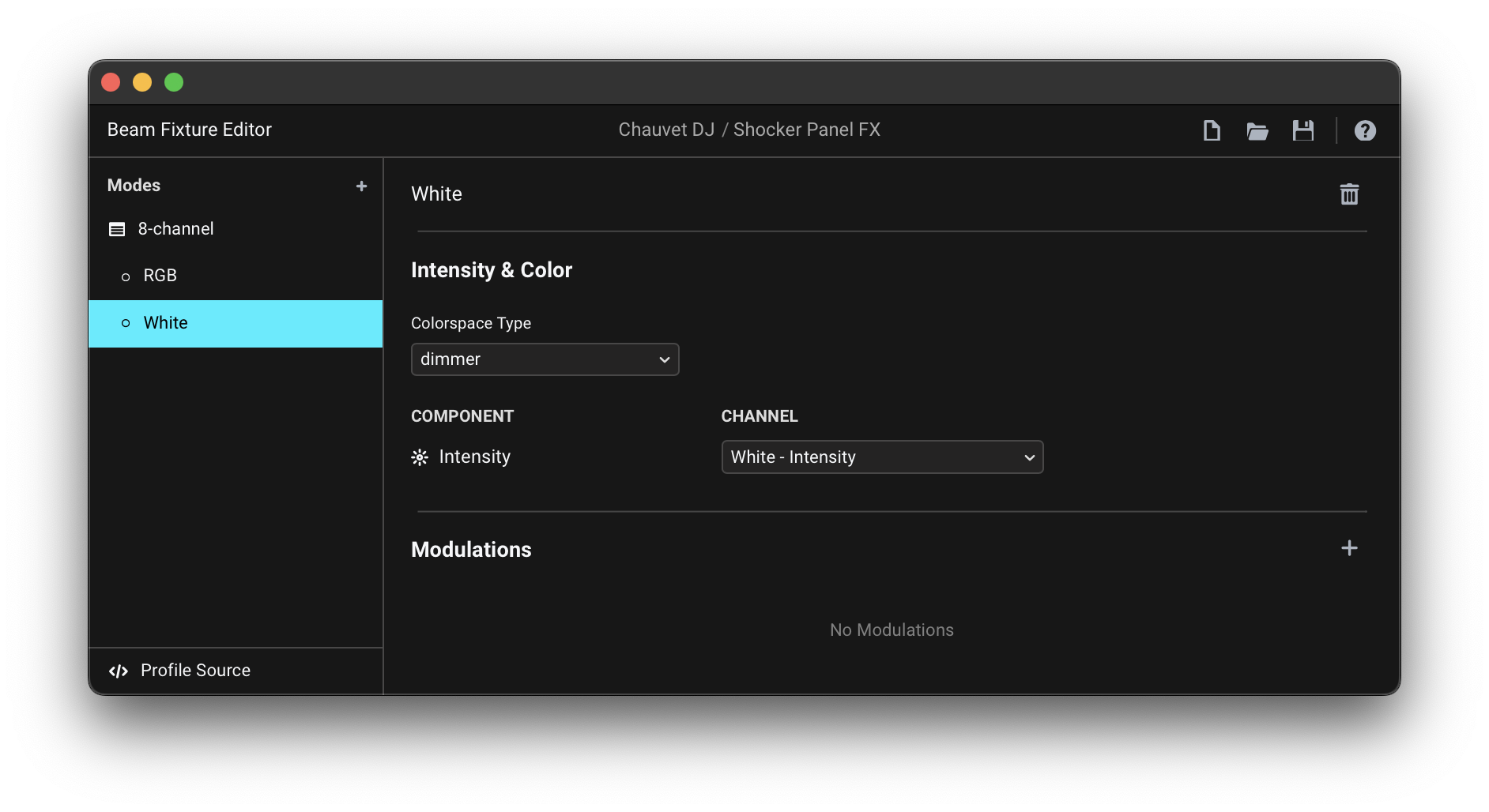
I would therefore suggest assigning the following mappings, using Cells:

  • fixture base / main section:

    • dimmer Colorspace Type → Master dimmer channel
    • program and programspeed Modulations → RGBW Program and RGBW Program Speed channels (or you can skip these if you don’t need them)

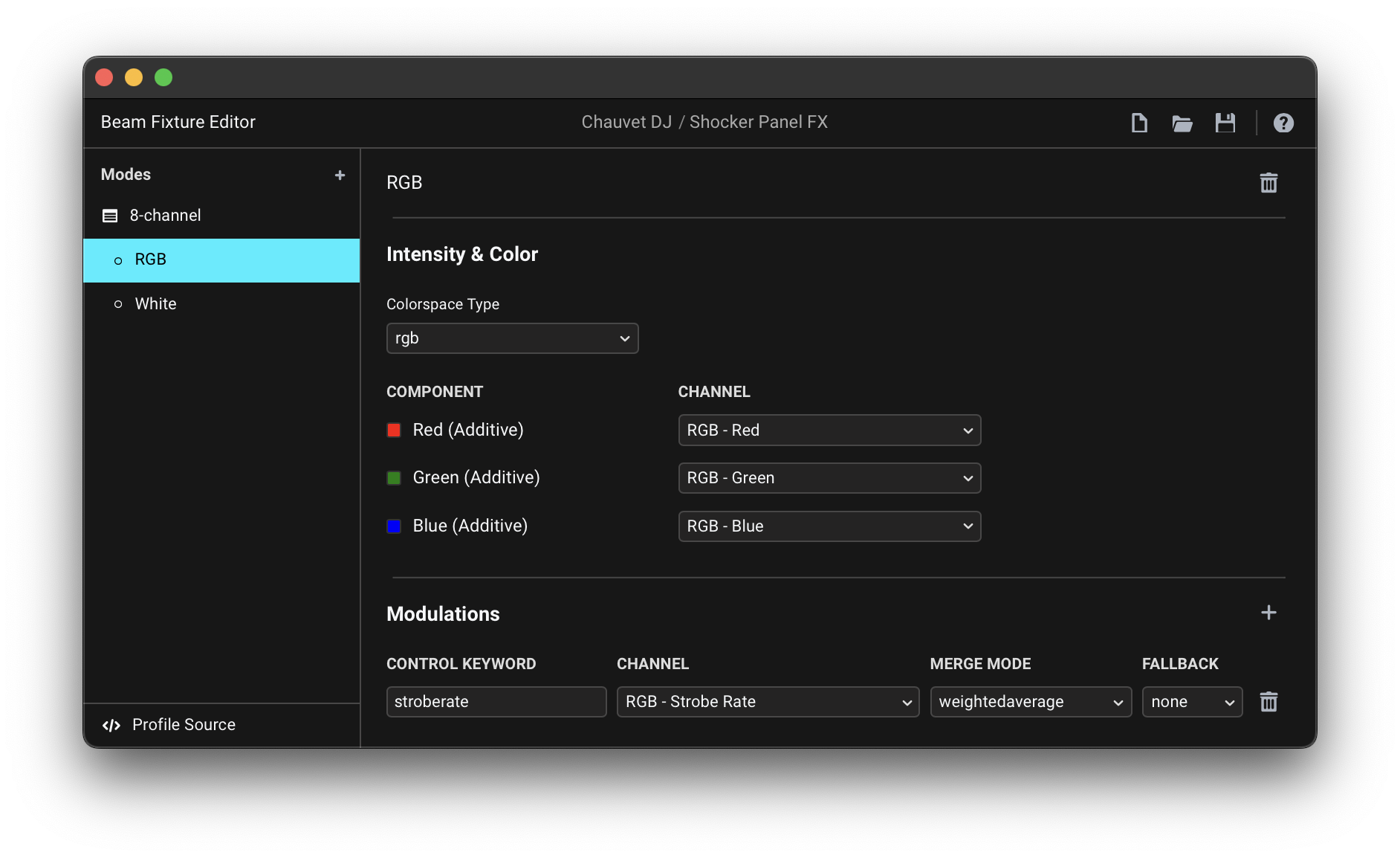
  • RGB Cell:

    • rgb Colorspace Type → Red, Green, Blue channels
    • stroberate Modulation → RGB - Strobe Rate channel

  • White Cell:

    • dimmer Colorspace Type → White channel

Here is the resulting fixture profile: Chauvet DJ Shocker Panel FX.sbf (2.3 KB)

You can read more about creating fixture profiles for fixtures with cells in the manual:

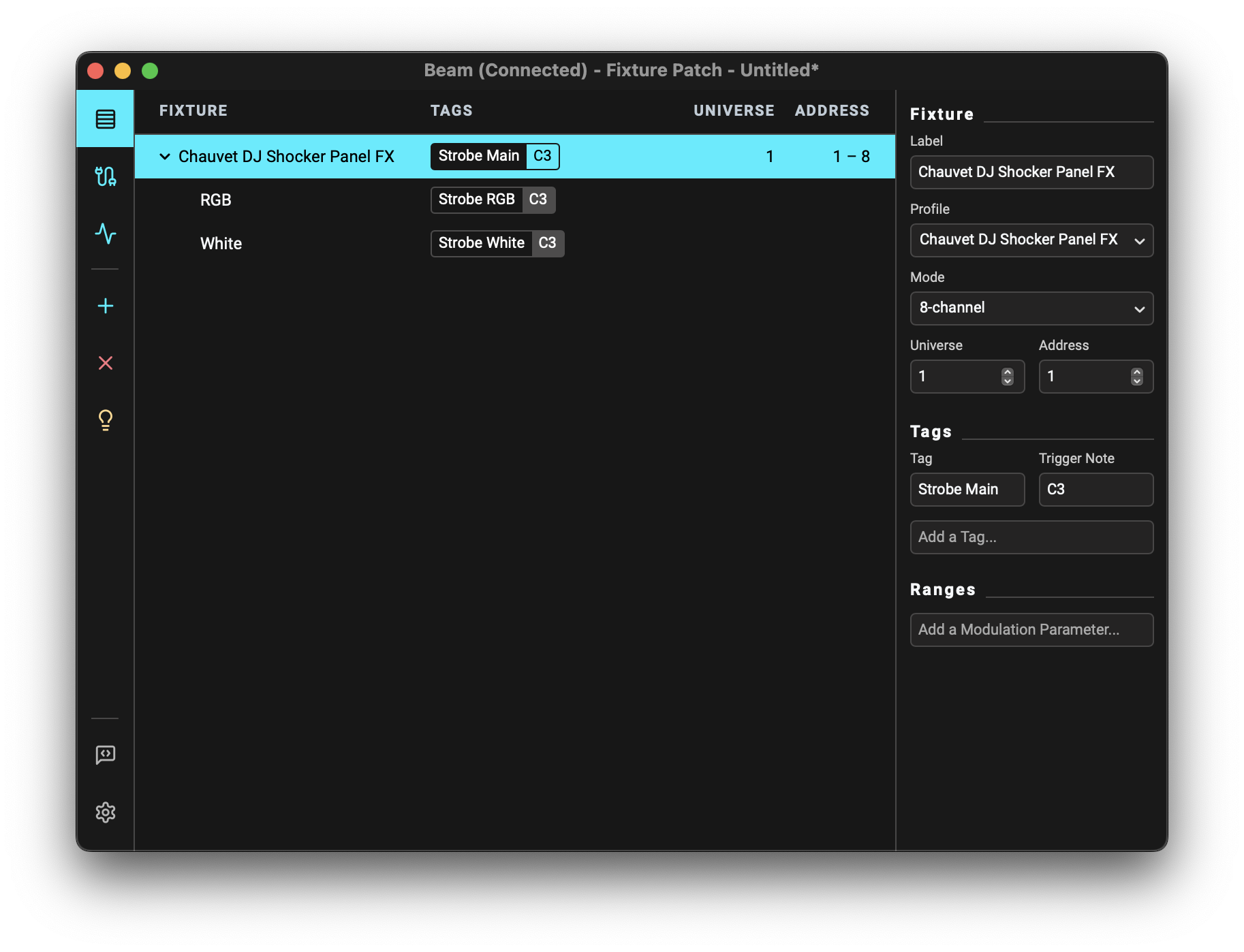
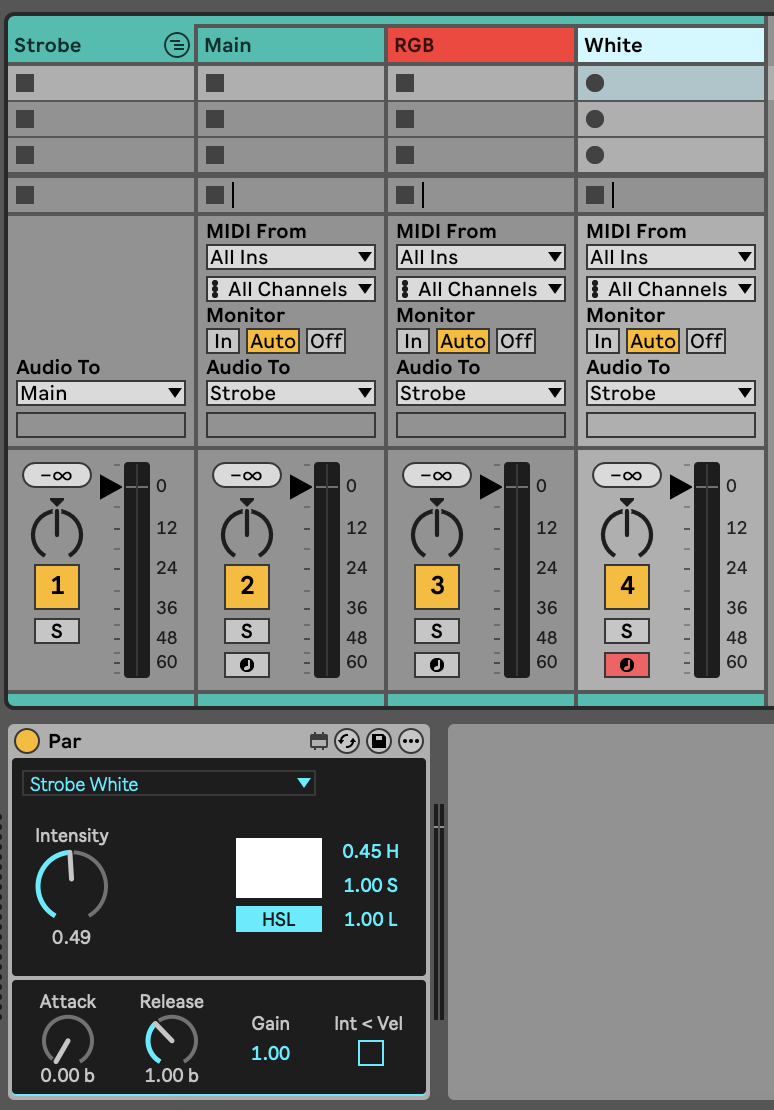
Once you add the fixture to the Beam’s Fixture Patch, you can assign a separate tag to each section:

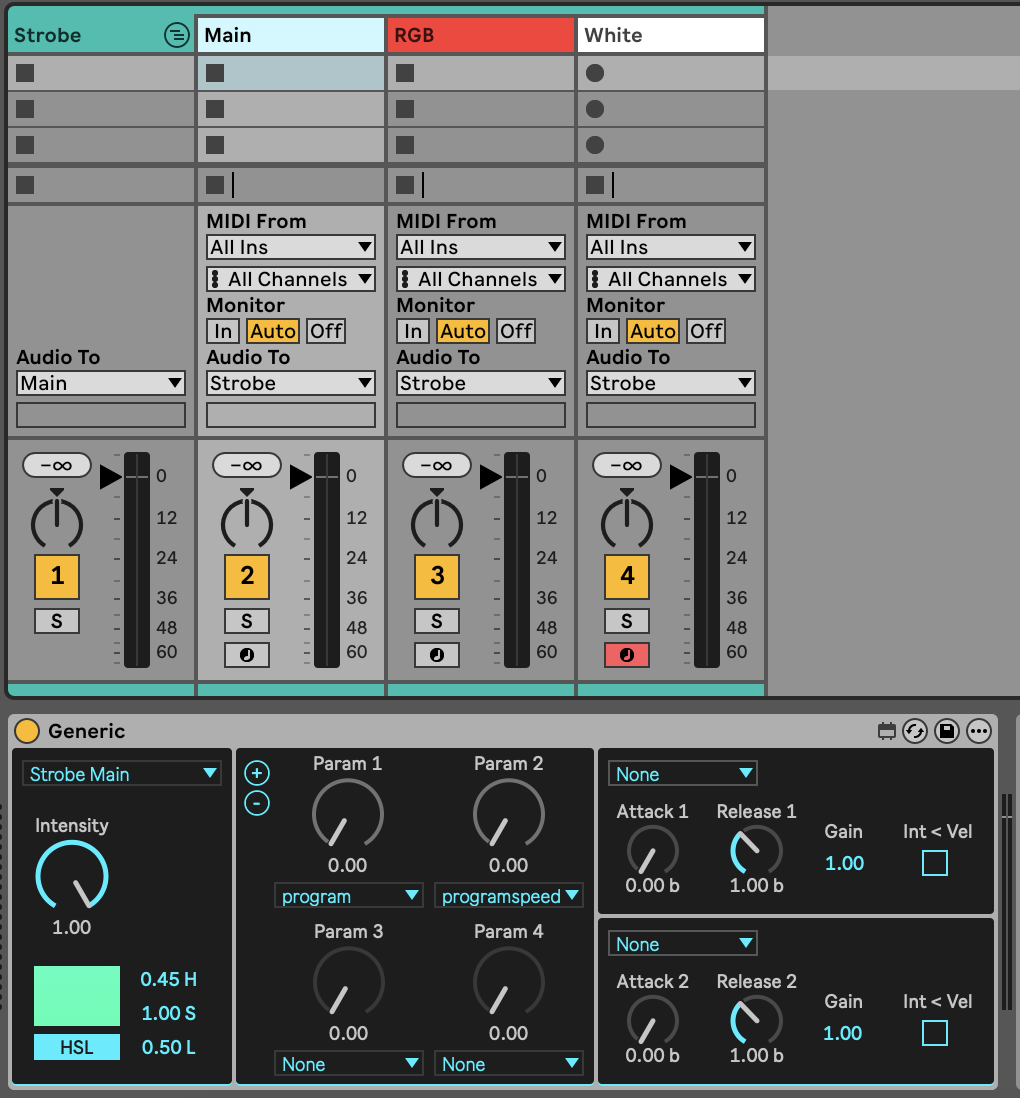
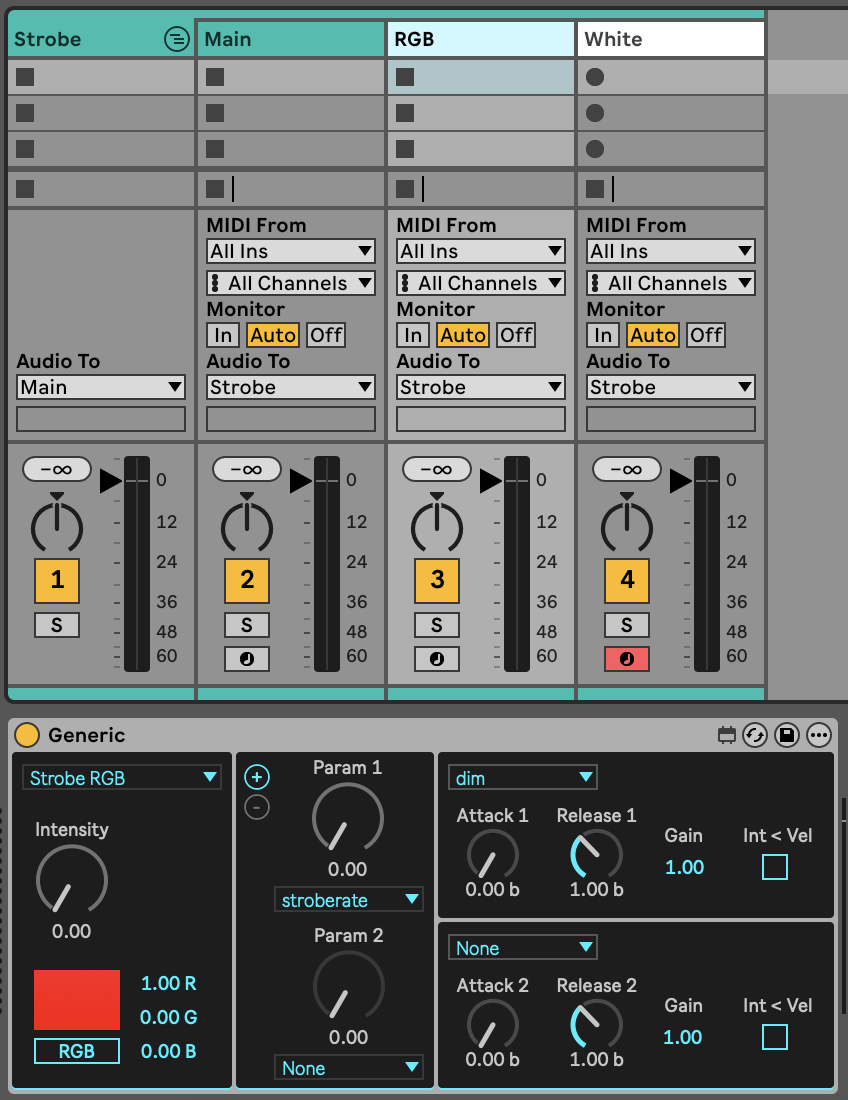
In Live, use a separate device to control each section:


(Main intensity can be always at 100%)

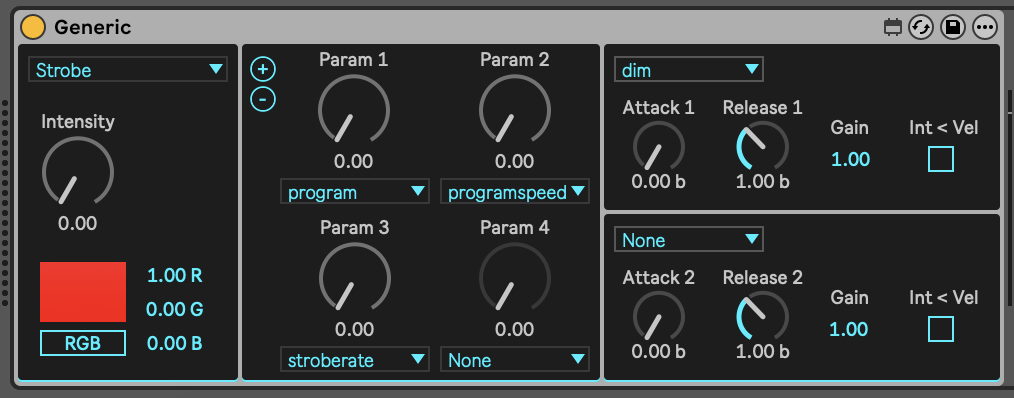
If you don’t need this level of control, you can also just assign a single tag to the entire fixture and use just a single device:

However, that may have some unexpected consequences, such as the white section turning on even when the selected color is not fully white.

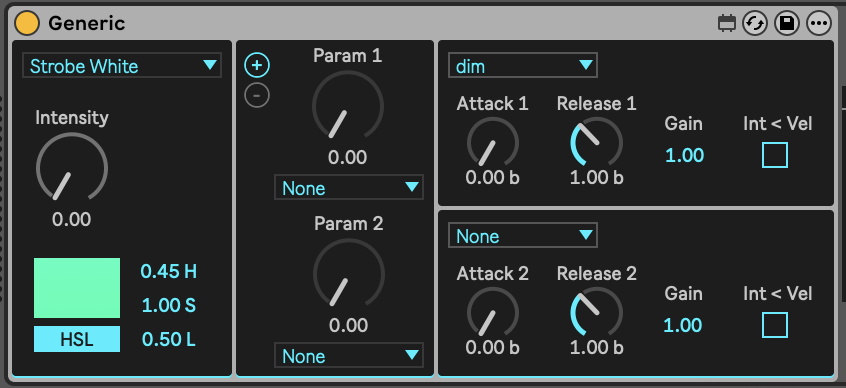
Generic’s Intensity dial vs. dim keyword

Im still confused about the relationship between the intensity knob and the dim knob under parameters since they do the same thing,

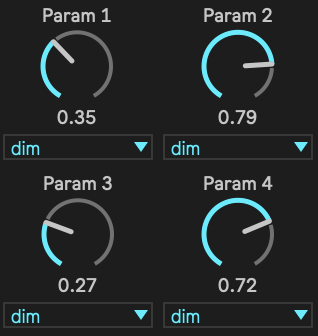
The Intensity dial and the dim parameter in the Generic device indeed accomplish the same thing. However, selecting the same parameter for multiple param slots of the Generic device lets you address sub-groups of fixtures in a tag, so if you e.g. have 4 fixtures within a tag, you could select dim 4 times and each dial would individually address one of the 4 fixtures:

If you only have a single fixture, you can just use Generic’s Intensity dial.

You will also encounter the dim keyword in Beam for Live’s effects (e.g. LFO), where selecting it applies processing on intensity.

Generic: MIDI note-triggered envelopes

Also c3 isnt triggering anything , i can only adjust the light with parameters.

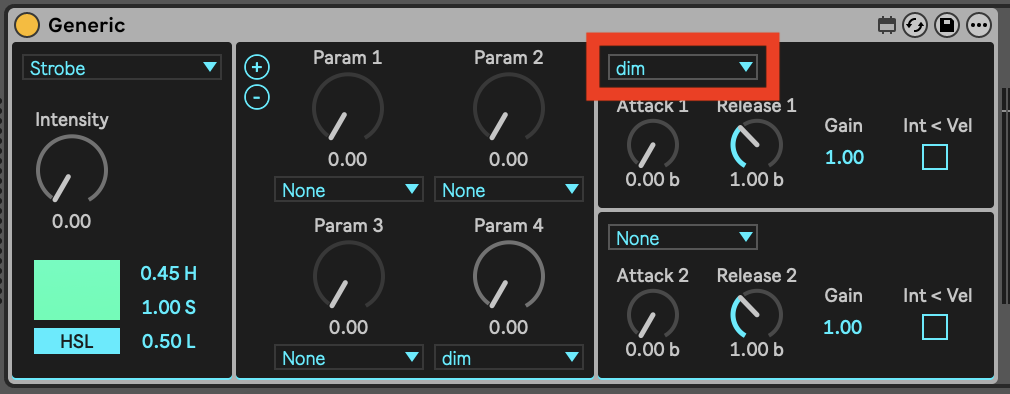
That’s most likely because you still need to select dim as the parameter to control with one of Generic’s envelopes:


Hope this clarifies things a bit. Please let us know if you have any further questions.
1 Like

Hey, I tried your setup … it definitely helped and got me closer to what I need. That said, I’m still a little confused about a few things.

What I’m ultimately trying to do is:
• Fade solid white in and out
• Fade solid red in and out
• Trigger a clean white strobe
• Trigger a clean red strobe

Right now I’m struggling to get solid red unless I make a separate just-red track with a par, for example.

Also, I noticed you set the white strobe as a par. I’m not totally sure why we would do that.

Last thing: what would the ideal setup look like if I wanted to use four of these fixtures together?

Appreciate your help so far … this has been a huge step forward.

Hey @true.murra,

Here is a video that demonstrates how to achieve these things with two of these fixtures: https://www.youtube.com/watch?v=_Pck_vJtLV8

As discussed in the previous post, this fixture is basically two fixtures in one, so it makes sense to use a separate tag/track/device for each of the two individually controllable fixture parts. You can set the “RGB” section to both red or white. The middle, “White” section can only be white.

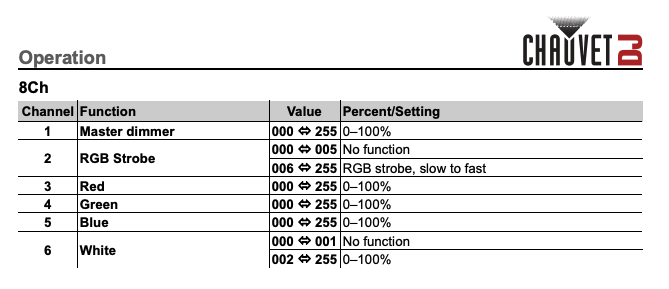
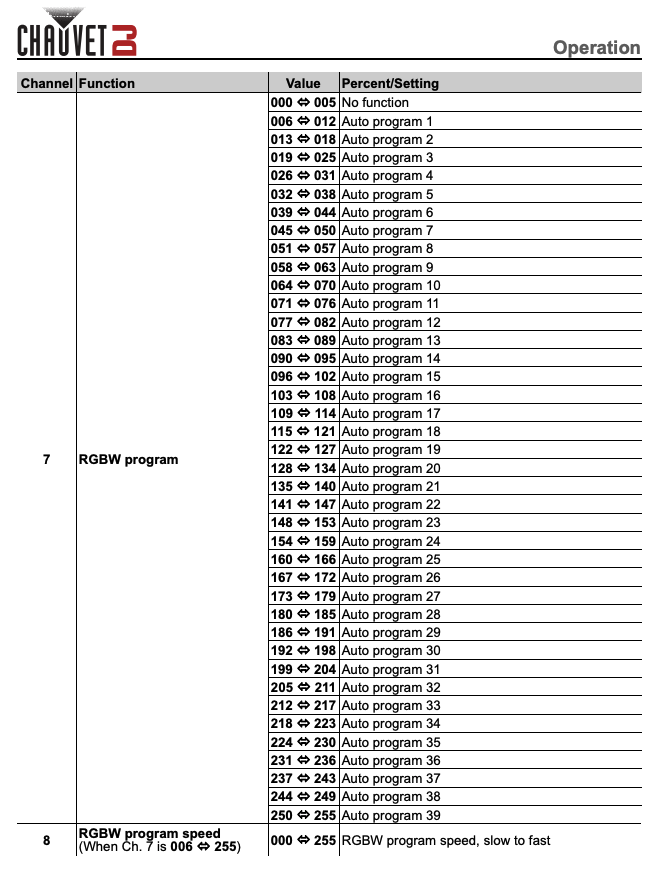
As you can see in the DMX chart of the 8-channel mode of this fixture above, only the “RGB” section has a dedicated Strobe Rate channel, which is why we are able to control its strobing rate with the stroberate modulation.
However, we can create a strobing effect in the “White” section using the LFO device modulating dim / intensity.

Also, I noticed you set the white strobe as a par. I’m not totally sure why we would do that.

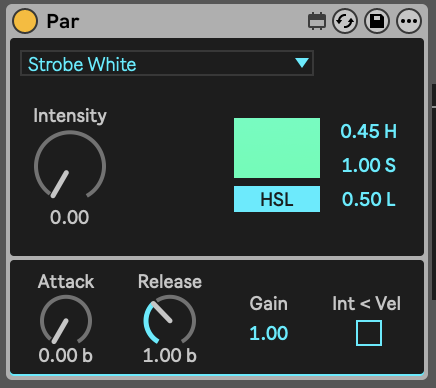
The Par device is the simplest Beam Instrument device, which can be used to control any kind of fixture that only has intensity and/or color channels. In this case we can use it to control the intensity/dim of “White” section. We could also use the Generic Instrument instead and the result would be exactly the same:

However, as the “White” section doesn’t have any other modulations other than intensity, it is simpler to just use the Par device, which also already automatically maps MIDI note-triggered envelopes to control intensity.

Works Perfect TYSM for your patience! The Video Helped A lot!

1 Like