Hi, Everyone i am looking for help today. Few Days ago i bought 12 lights, 4 BETOPPER LM0740 ( WASH ), 4 BETOPPER L1015 ( BAR ) and 4 BETOPPER LF350 ( STROBE ). The lm0740 and l1015 already possess a fixture profile in Beam, however the LF350 profile is not existing yet.
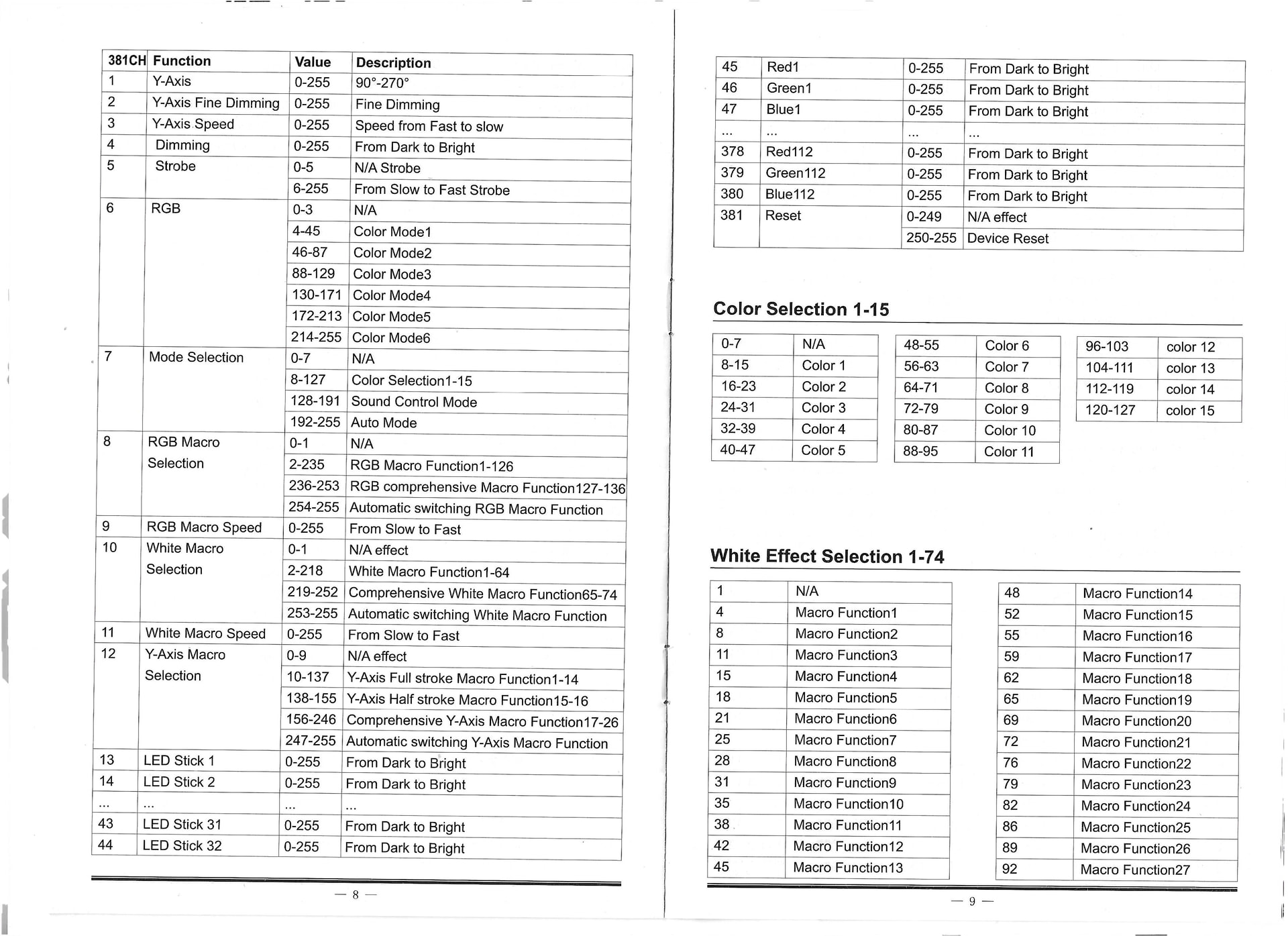
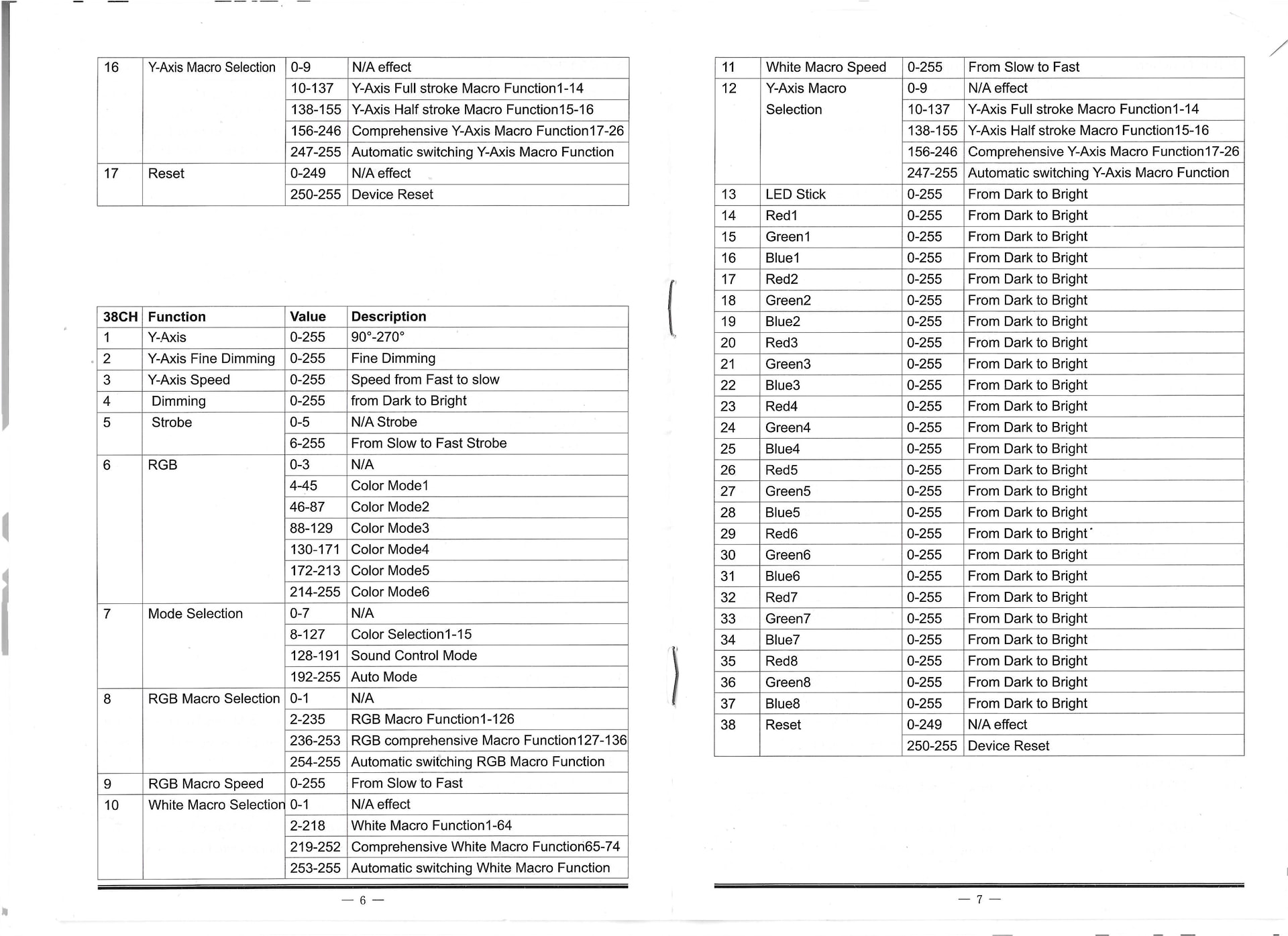
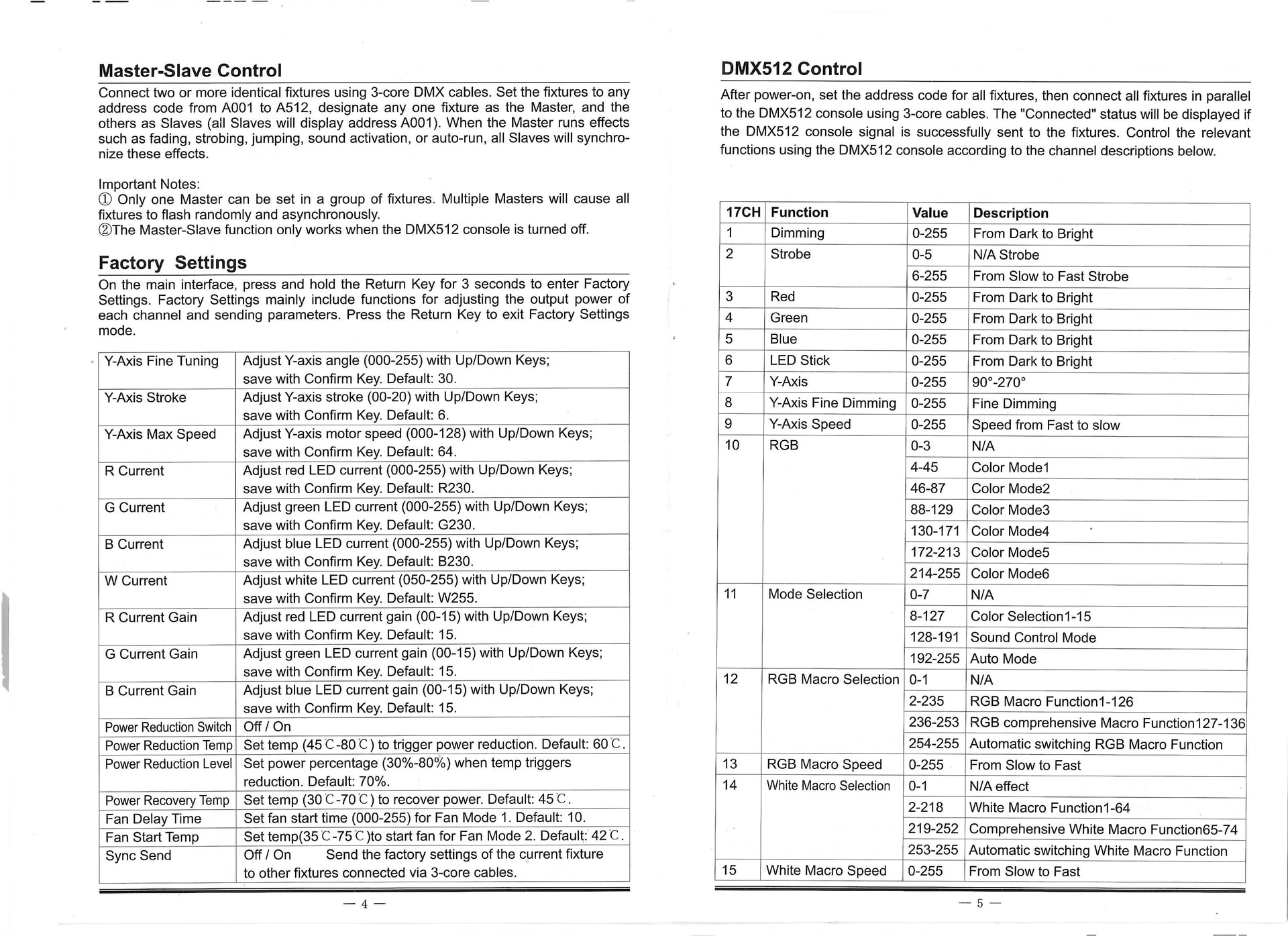
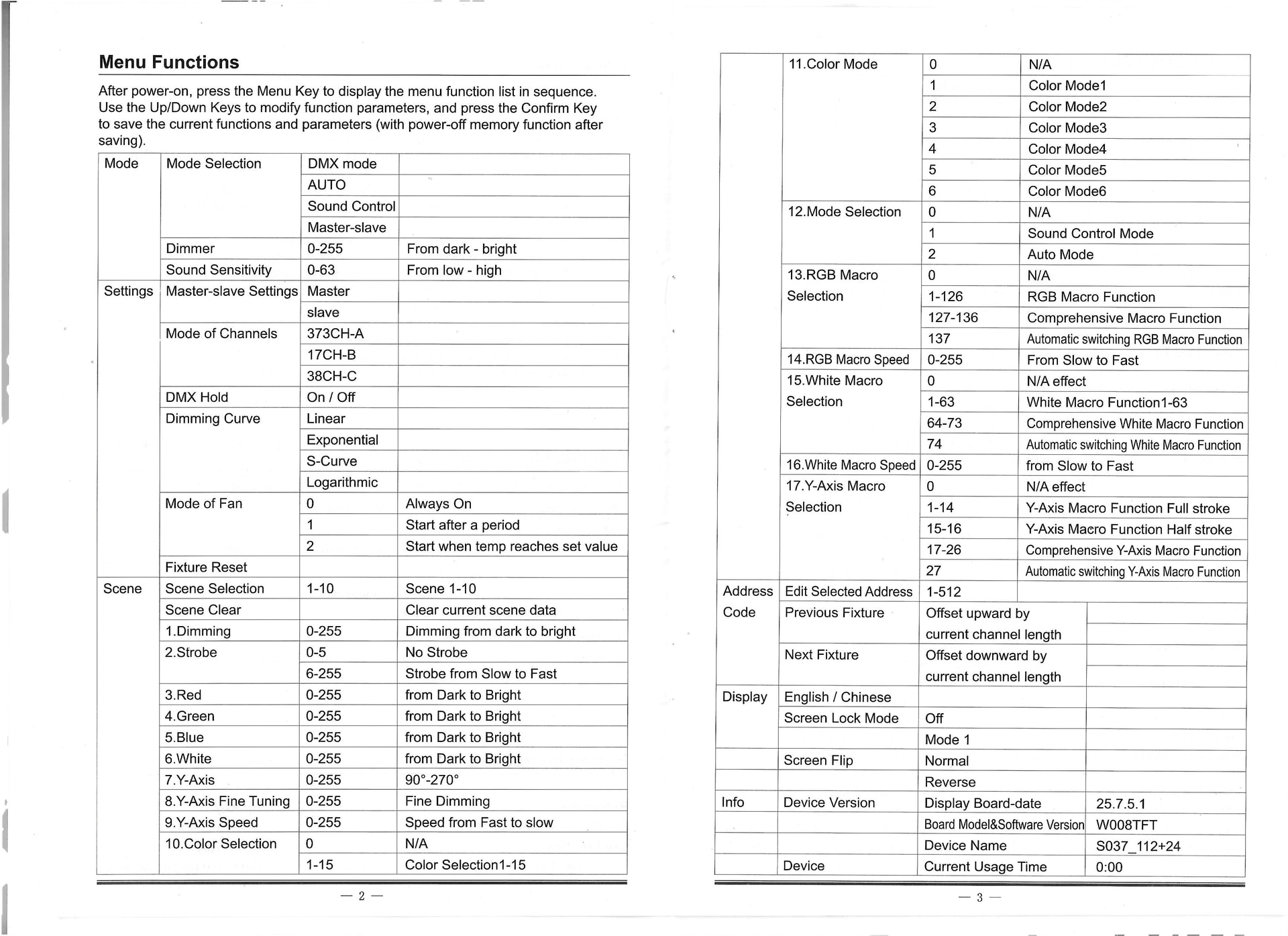
So i tried to make the profile with Beam Fixture Editor, and after working on it for several hours trying to understand every system, the light test in beam works, my strobe turns on but nothing works when i wan’t to control my strobe with ableton, i tried every settings in BFE in addition to the different modes and channels but nothing works so i’m exhausted.
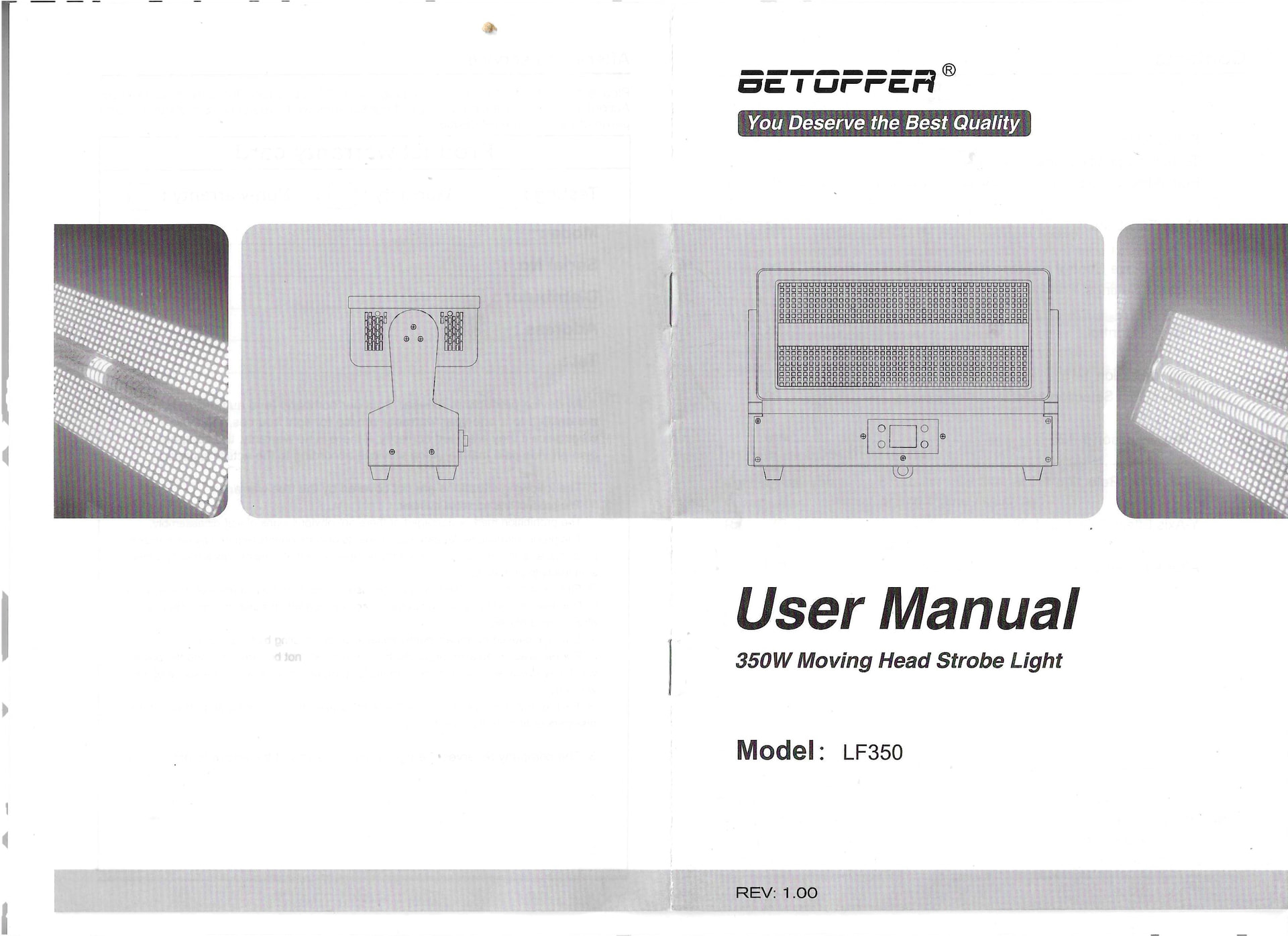
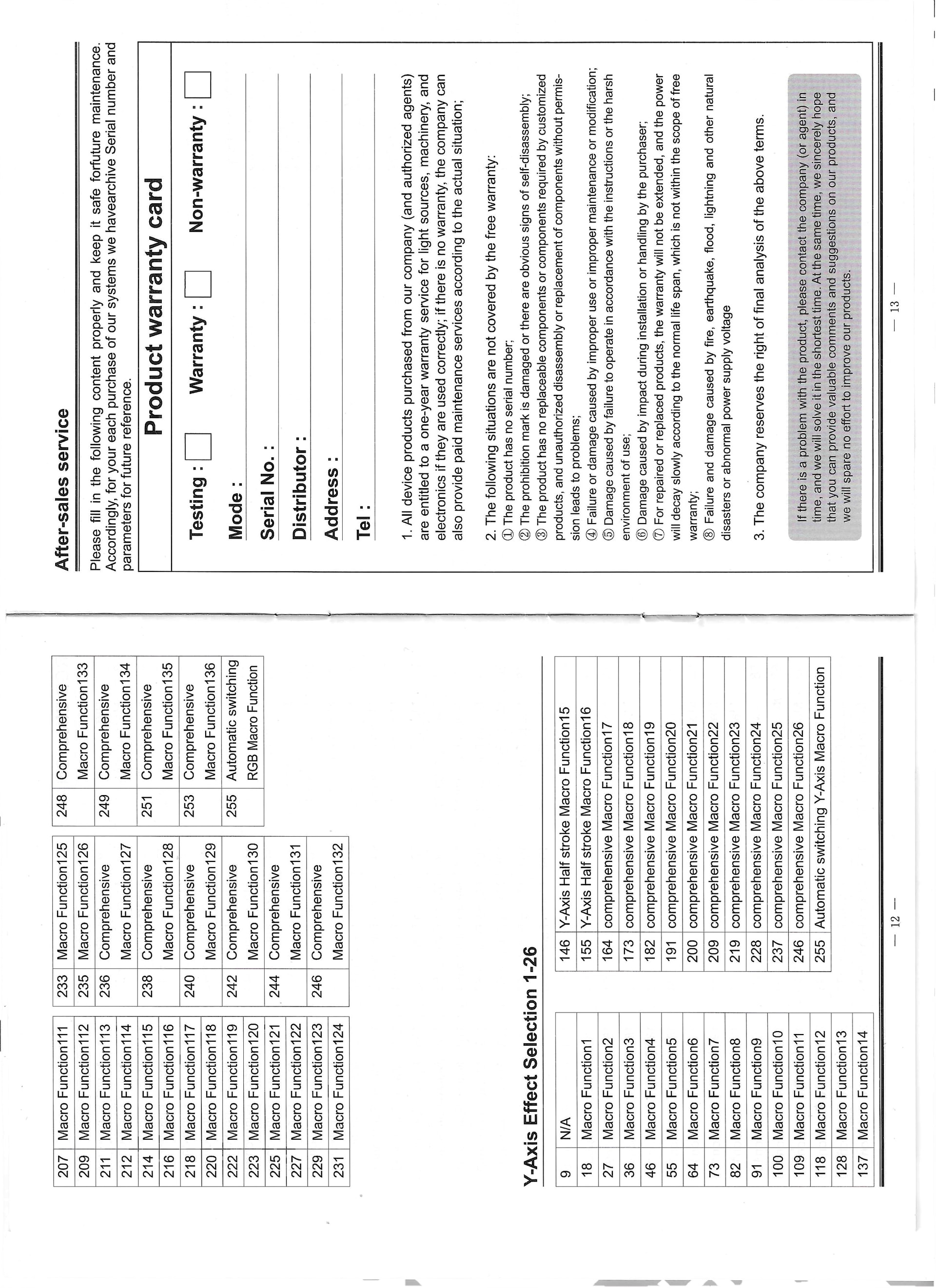
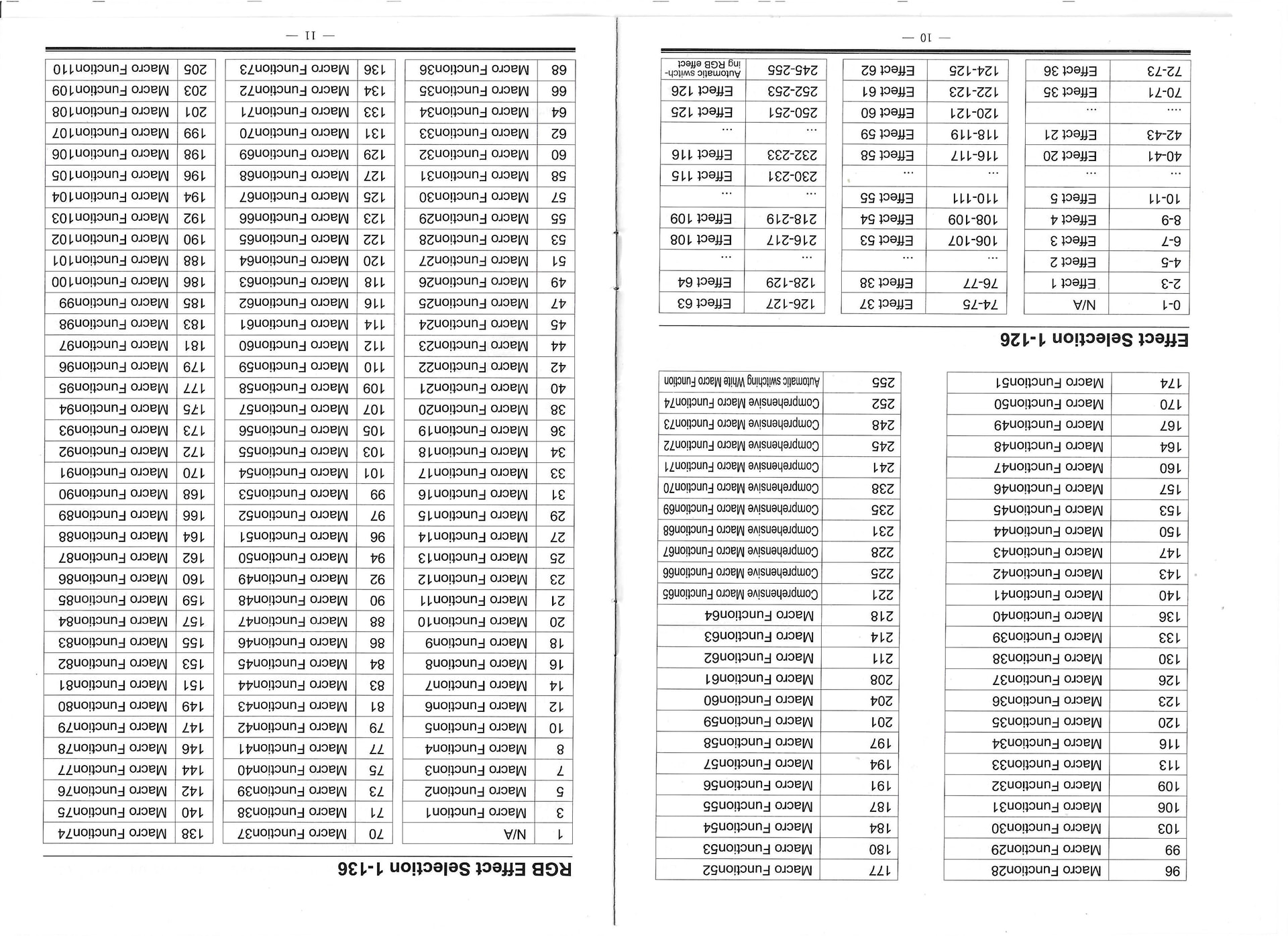
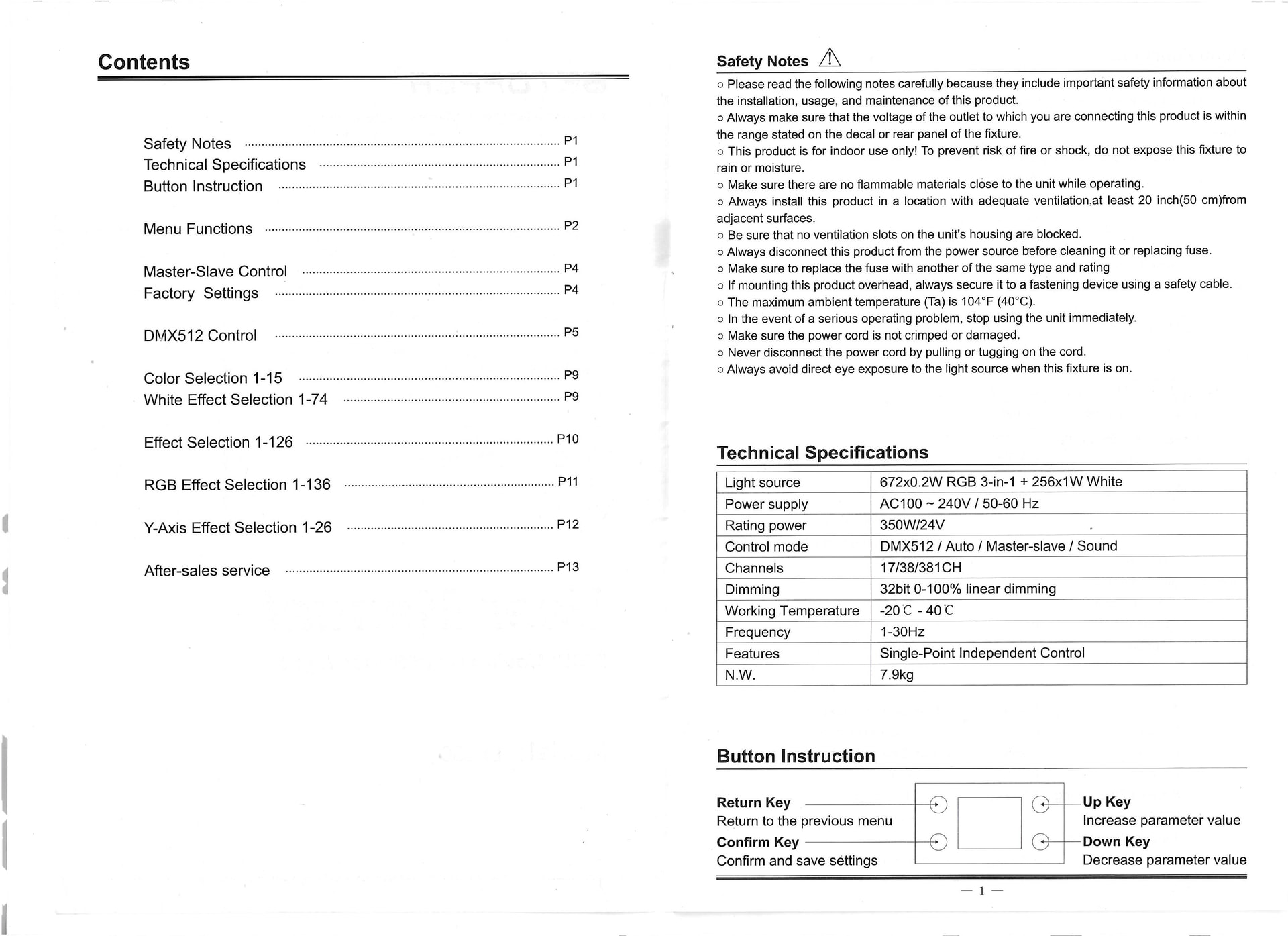
I linked the LF350’s USER MANUAL, if somebody is able to help me i would be grateful.
Thank you so much for those who would like to help me !
Thanks for sharing your profile! Indeed, this is quite a tricky fixture with several layers of complexity due to its cells and especially the sub cells in the 38-channel and 381-channel modes.
I made a new profile that contains all three modes: Betopper LF350.sbf (124.1 KB)
Please take a moment to load the profile in the Fixture Editor so you can see which modulations are controlled by which layer (the main fixture, a cell, or a subcell).
I’ve also made a simple example of a Live Set and Beam Patch that uses the 38-channel mode: Betopper LF350 Example Project.zip (45.2 KB)
Notice how the different modulations for the different layers are controlled:
 .
.