My goal: to have a video playing inside of an overlaying icon/window, while also having a video playing as a background behind and (partially) obscured by the overlay - without the overlay becoming transparant.
The problem: I’ve set up the video playing in the overlay, but I can only play this overlay on top of the background as a transparant layer (in additive-blend mode), or with a black background (in alpha-blend mode). [see screenshot 1 and 2]


The current routing in session view [also see screenshot 3]:
[Track w. background video] –> [Group track consisting of: [Track w. video] –> [Track w. overlay clips]]
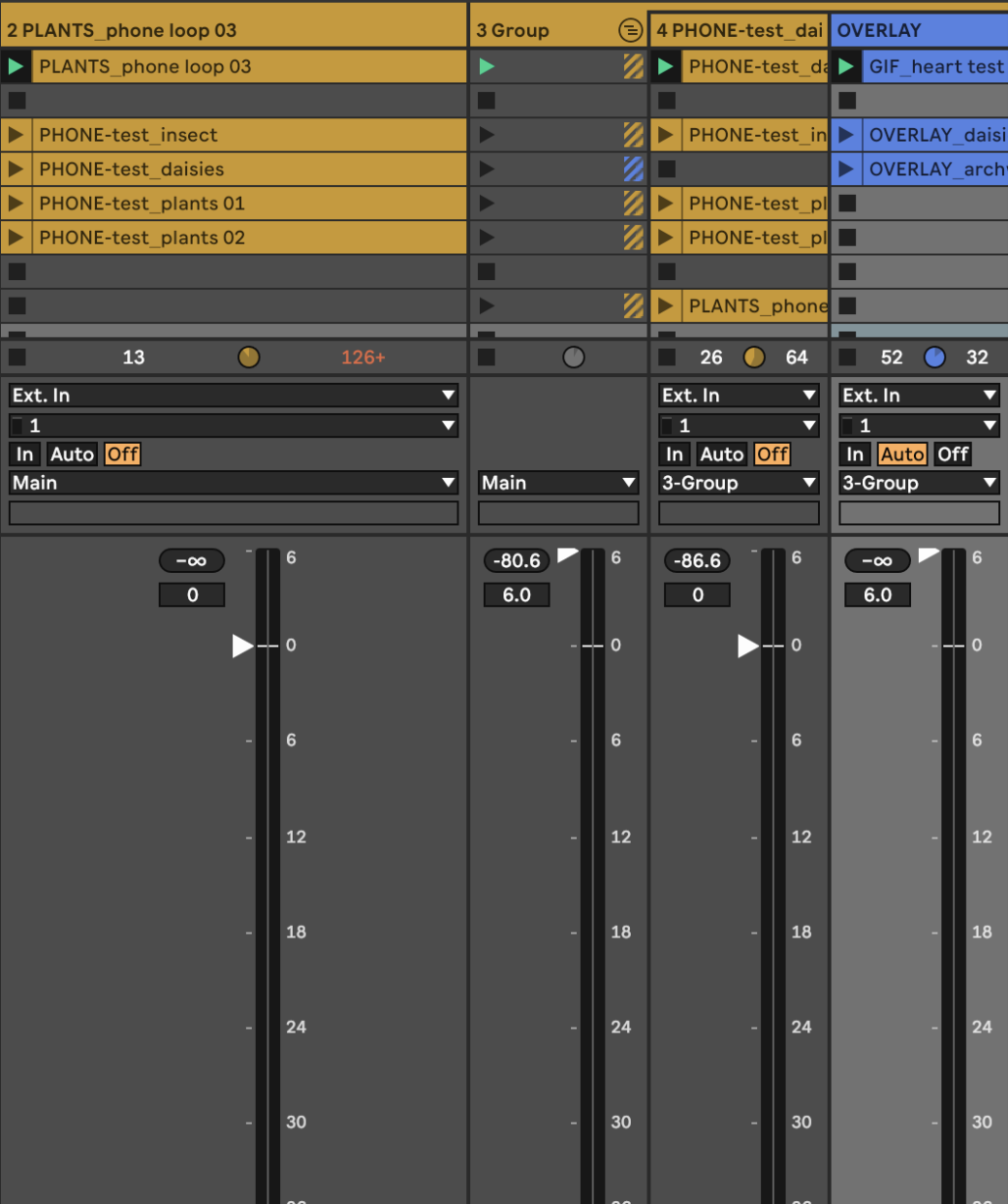
Furthermore [see screenshot 4 and 5]:
-
Group track has a properties-plugin with blend mode set to Alpha.
-
Overlay track has a properties-plugin with blend mode set to Mask.


Hopefully anybody here can help me out! I’ve been breaking my head on this problem for a few hours now and don’t seem to make any progress 
