Thanks for the clear reply Jeremy!
I understand now that when you say warping you refer to changing Live’s tempo. Instead we usually use “warping” to specifically indicate Live’s ability to change the tempo of audio clips while retaining their pitch. Anyway, thanks to your video I think I now understand your situation 
Unfortunately we can’t support sets with changing tempos since we can’t get information about the previous tempo settings from Live. All we can do is calculate the current time in hours/minutes/seconds based on the current tempo and the current beats, and we need to assume the current tempo was the same since the set started playing. So changing the tempo while playing will indeed result in a jump in the time code.
There is one workaround that might work for your case (I haven’t tested this though): to compensate for the time differences caused by tempo changes with the MTC plugin’s automation. You could adjust the time offset for every track so that its beginning is at the exact time assumed in the lighting desk.
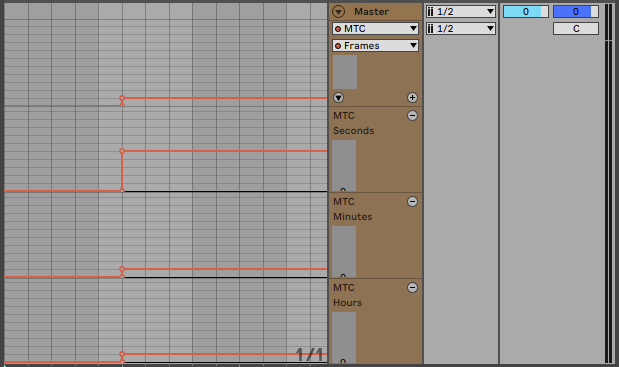
This is of course not ideal since whenever you change something about your set, you have to carefully adjust the automation to match.
Hopefully at least this explains what you are seeing.